Introduction
This document explains how to apply an endpoint template to a paired Oloid Verify endpoint in the Tenant Admin Portal. Applying the template makes sure the pre-set settings are automatically applied to the endpoint.Prerequisites
- You must have admin access to Tenant Admin Portal.
- The Oloid Verify endpoint must be paired. To pair, refer How to pair an Oloid Verify endpoint
- An Endpoint template must be created. To create, refer How to create and configure Oloid Verify Endpoint Template
Steps to Apply Endpoint Template
- Log in to the Tenant Admin Portal.
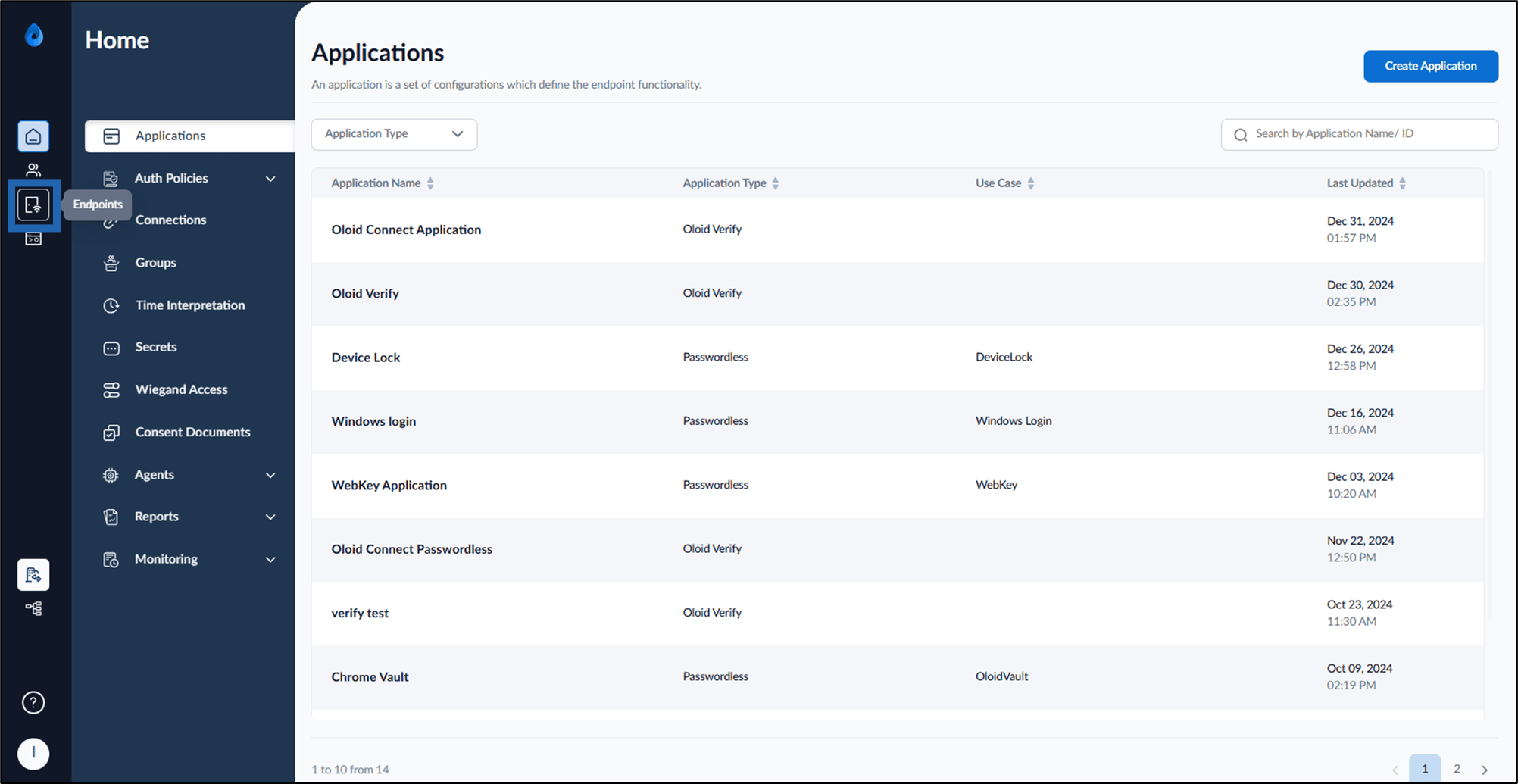
- On the Home page of the portal, click Endpoints from the left panel menu.
- Select the Endpoint.
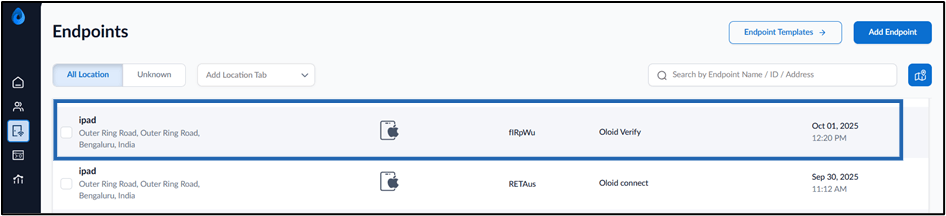
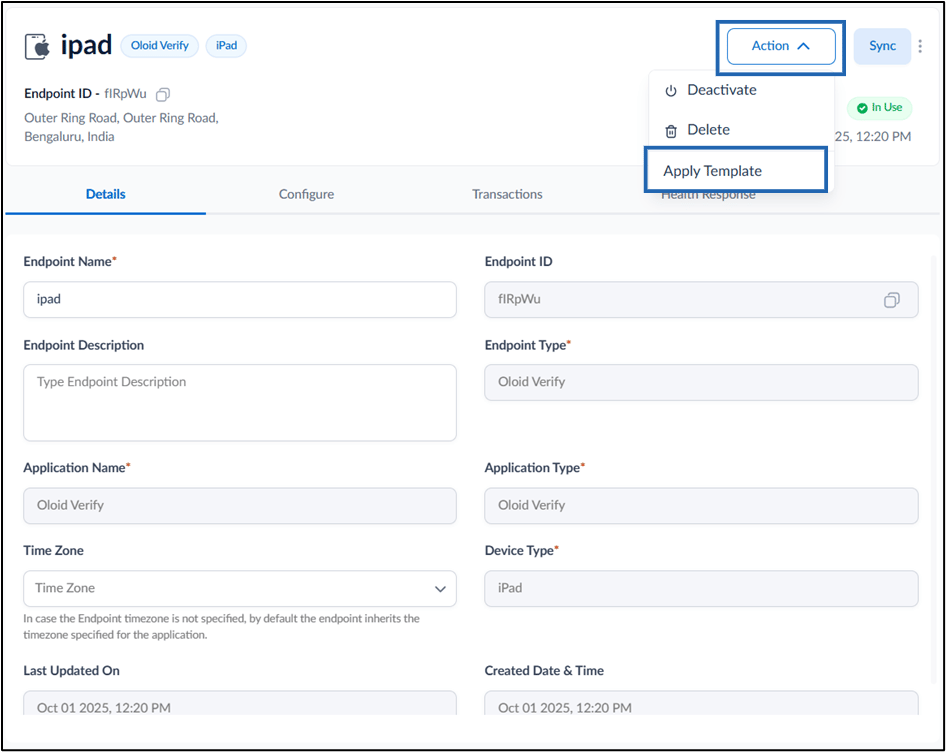
- Select Action dropdown > Apply Template.
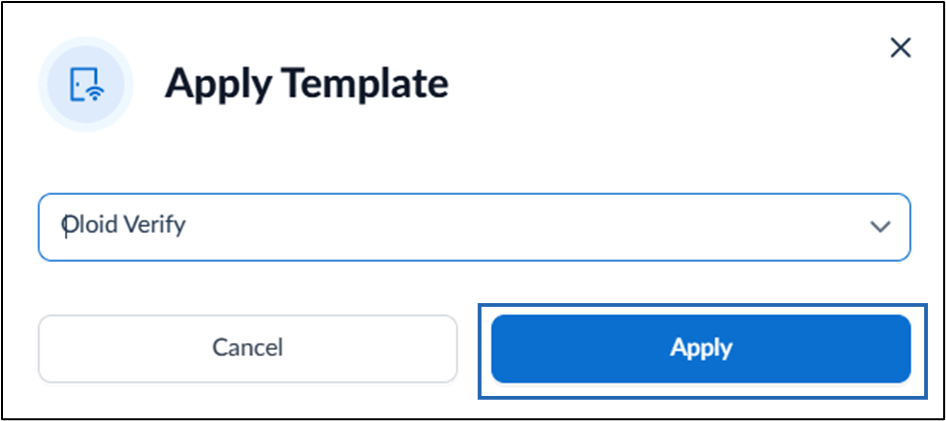
- Choose the applicable template from the Select Template dropdown.
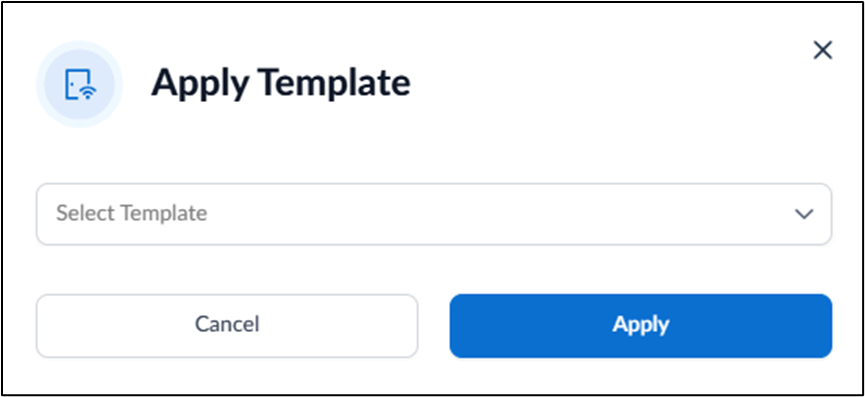
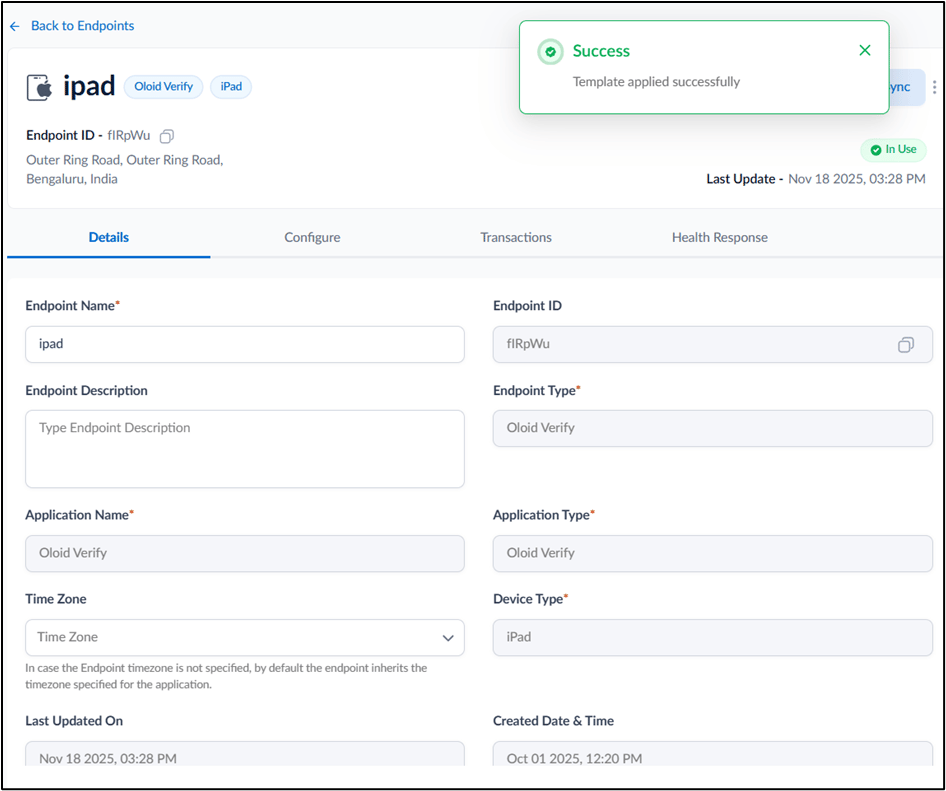
- Click Apply.