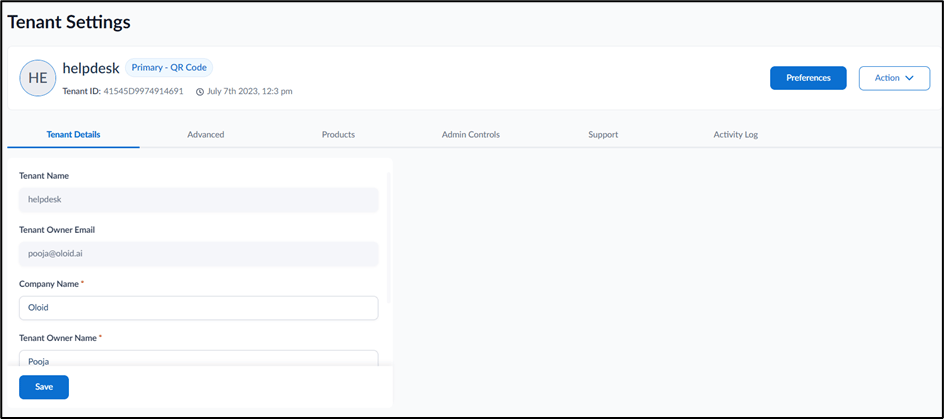
The Supervisor App can be downloaded from Tenant Settings section in the Tenant Admin Portal.

Steps to download from Tenant Settings

  1. Log in to the Oloid Portal.
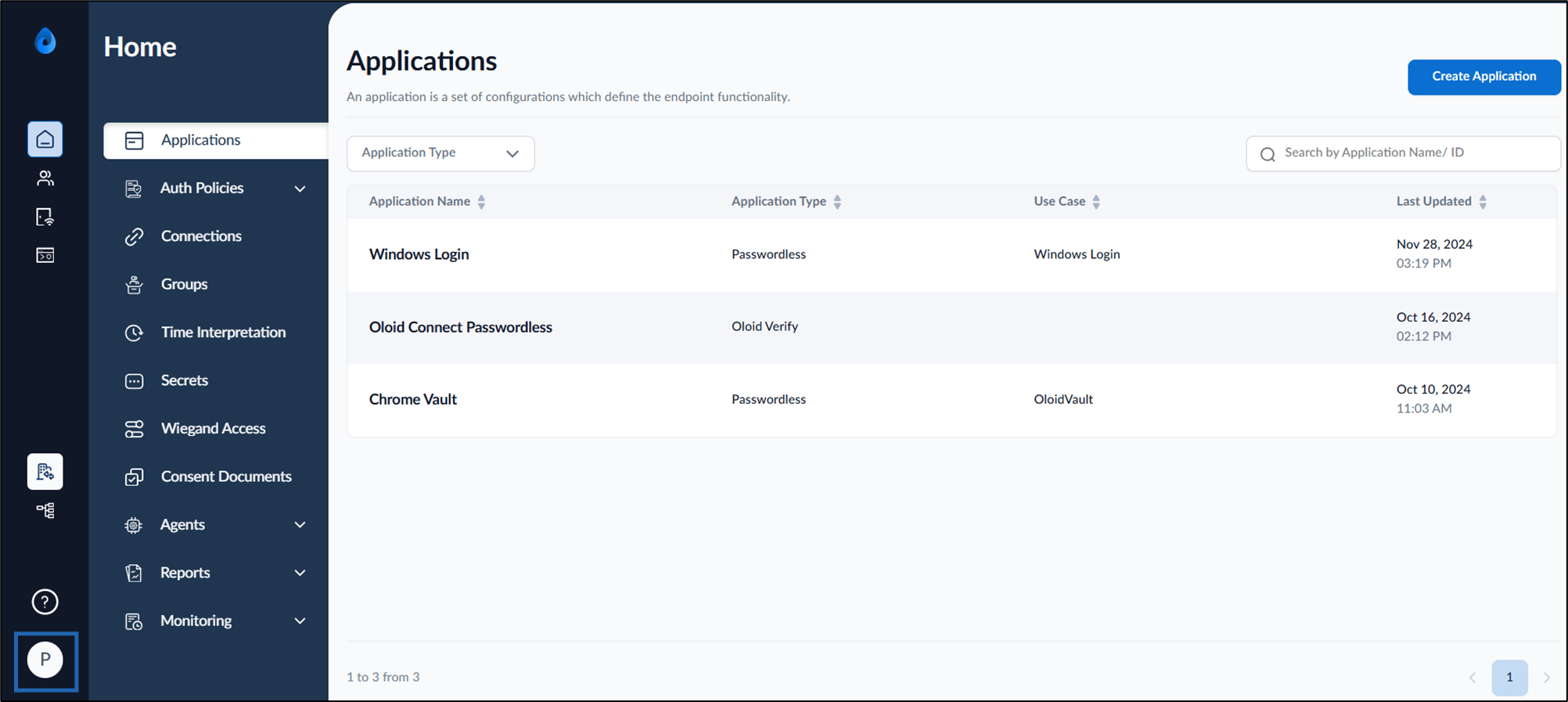
  2. On the homepage of the portal, click User profile icon on the bottom left corner of the menu panel. How to download Supervisor App - screenshot 1 The user profile menu is displayed.
  3. Select Tenant Settings. How to download Supervisor App - screenshot 2 The Tenant Settings screen is displayed. How to download Supervisor App - screenshot 3
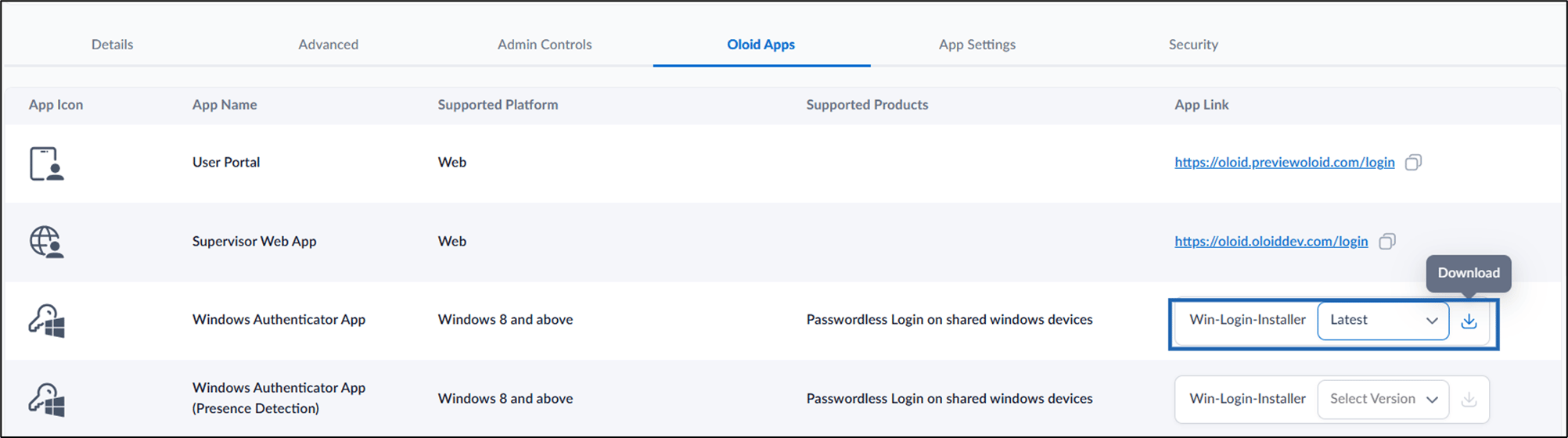
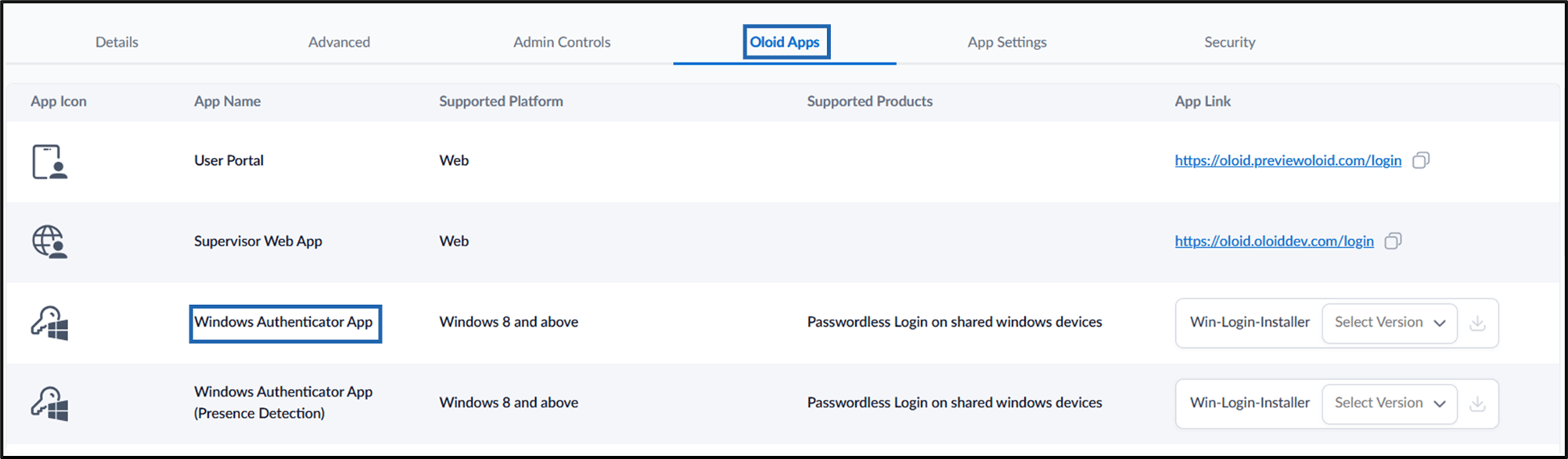
  4. Go to Oloid Apps tab > Windows Authenticator App. How to download Supervisor App - screenshot 4
  5. Select the preferred version from the Win-Login-Installer dropdown list, then click the Download buttonHow to download Supervisor App - screenshot 5icon. How to download Supervisor App - screenshot 6 The installer file is downloaded to your local device.

How to install Supervisor App