Introduction
Tenant Admin can configure Epic EHR for Windows Login in the Tenant Admin Portal which enables secure authentication into Epic applications using Windows Authenticator (Healthcare). This setup allows Tenant Admins to define how users are authenticated into EpicPrerequisites
- You must have a Tenant Admin account.
- The Windows Login application must be created in the Tenant Admin Portal, for more information see: How to create and configure Application Type - Passwordless
- Windows Authenticator Healthcare build must be installed in the system.
-
Epic Vault Password must be created for both the user.
Note: Vault Password is required for Username/ Password flow. For more information, refer: Chrome Vault - How to create Vault Password for a user
- Ensure that Epic Hyperspace is installed. For more Information. refer: How to Install Epic Hyperspace for Epic EHR
- Ensure Epic Subspace Config is configured from the sys admin portal.
Steps to configure Epic EHR for Windows Login
- Login to the Tenant Admin Portal.
- On the homepage on the left menu panel select Home > Applications.
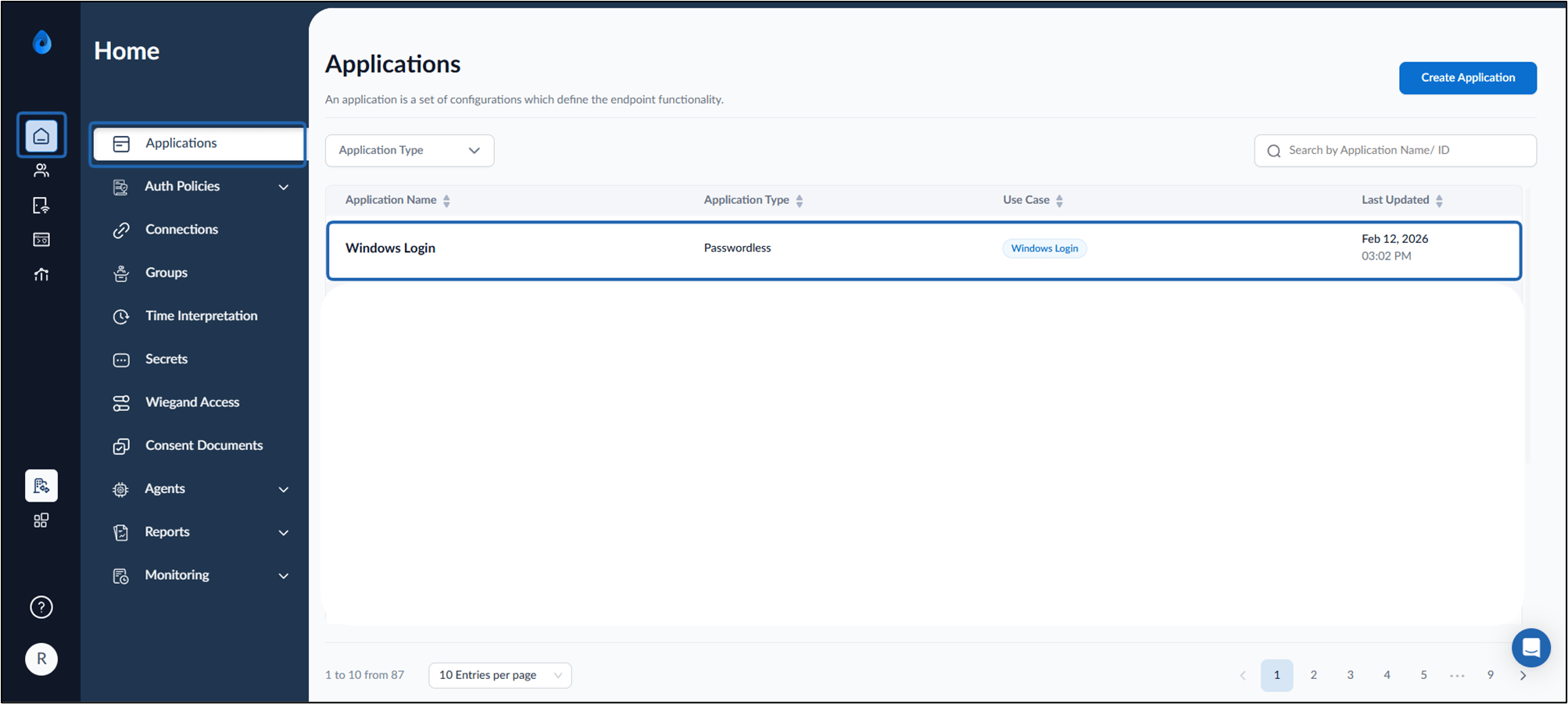
- Select the application that is configured in the Supervisor App (Windows Authenticator App). The application details page is displayed.
- Click Configure tab> Epic EHR tab.
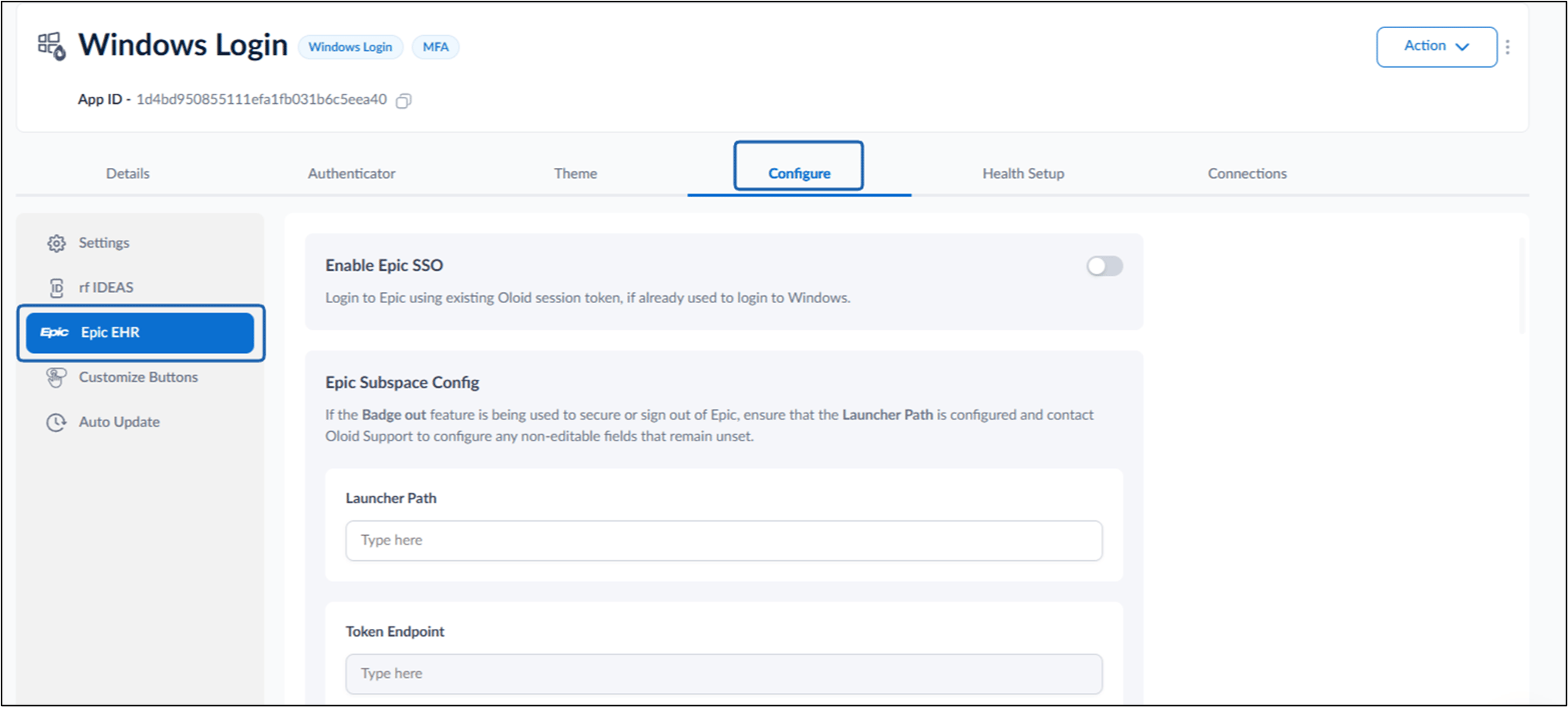
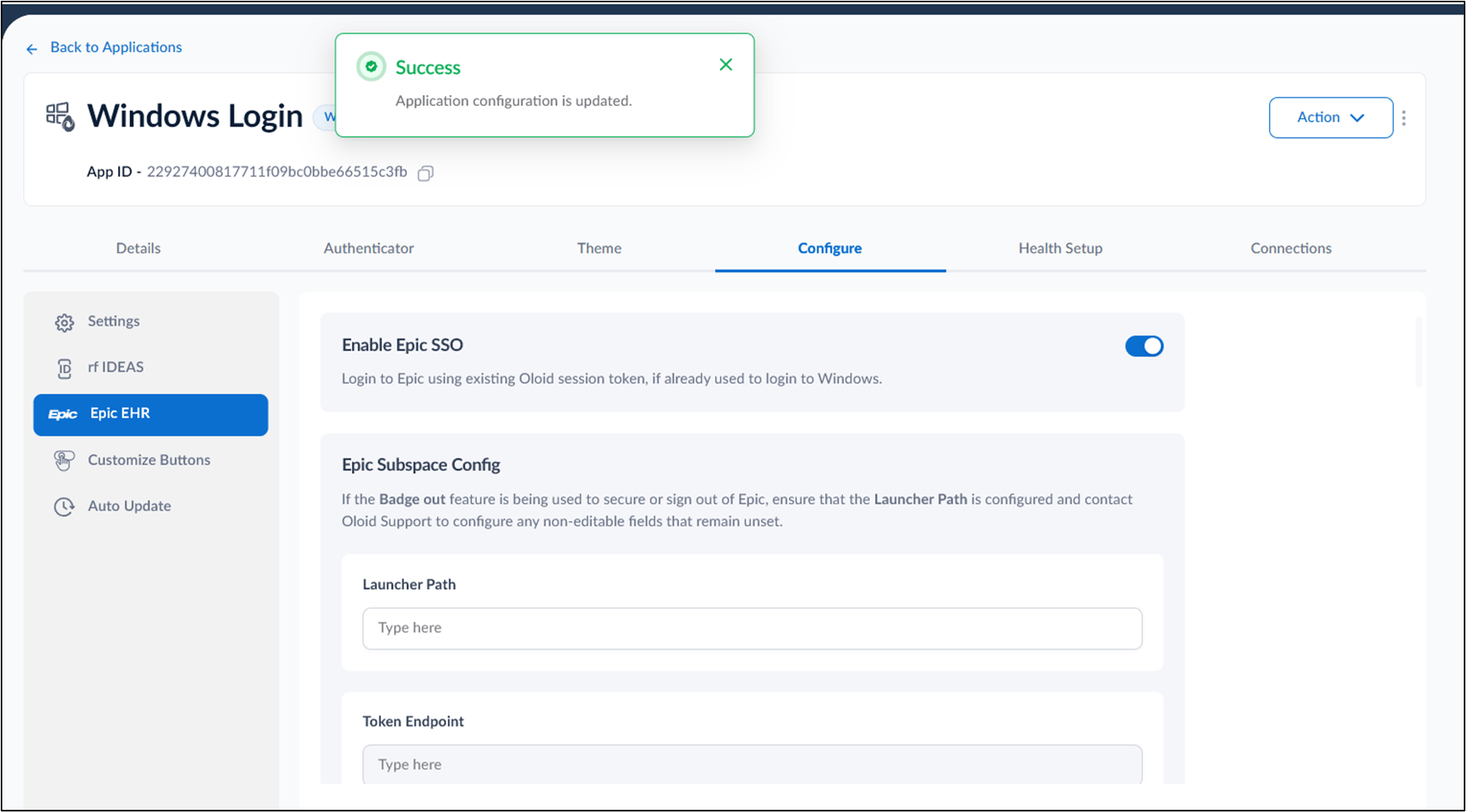
- Turn on the Enable Epic SSO toggle. For more information, refer: Windows Login (Healthcare) - How to Enable Epic SSO in the Tenant Admin Portal

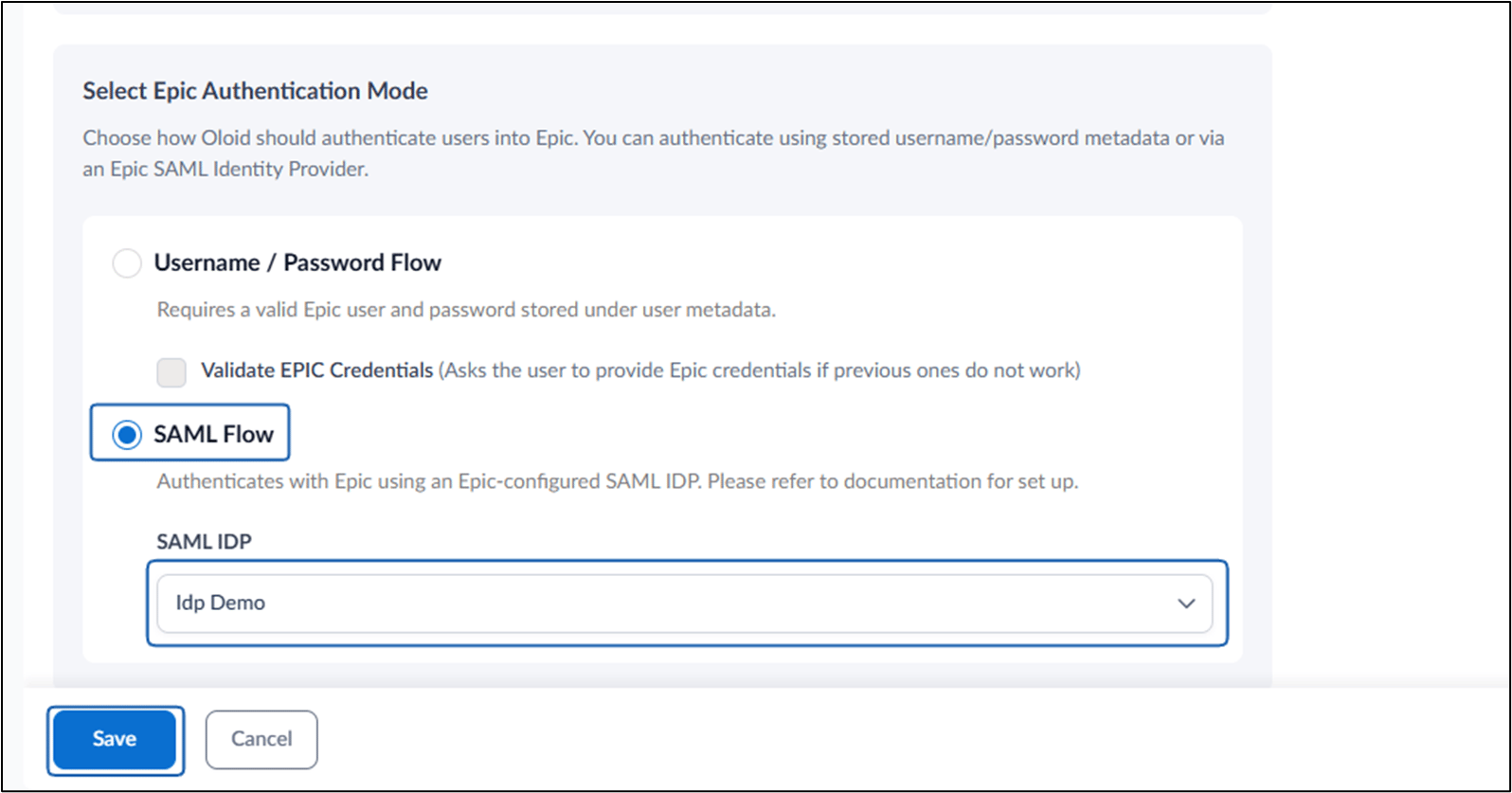
- Configure Epic Authentication Mode
- Click Save to apply changes. Epic EHR is successfully configured.
Configure Epic Authentication Mode
This section allows admins to define how Oloid authenticates users into Epic. You can configure authentication using either:- Stored Epic username/password (metadata-based authentication), or
- Epic-configured SAML Identity Provider (SAML Flow)
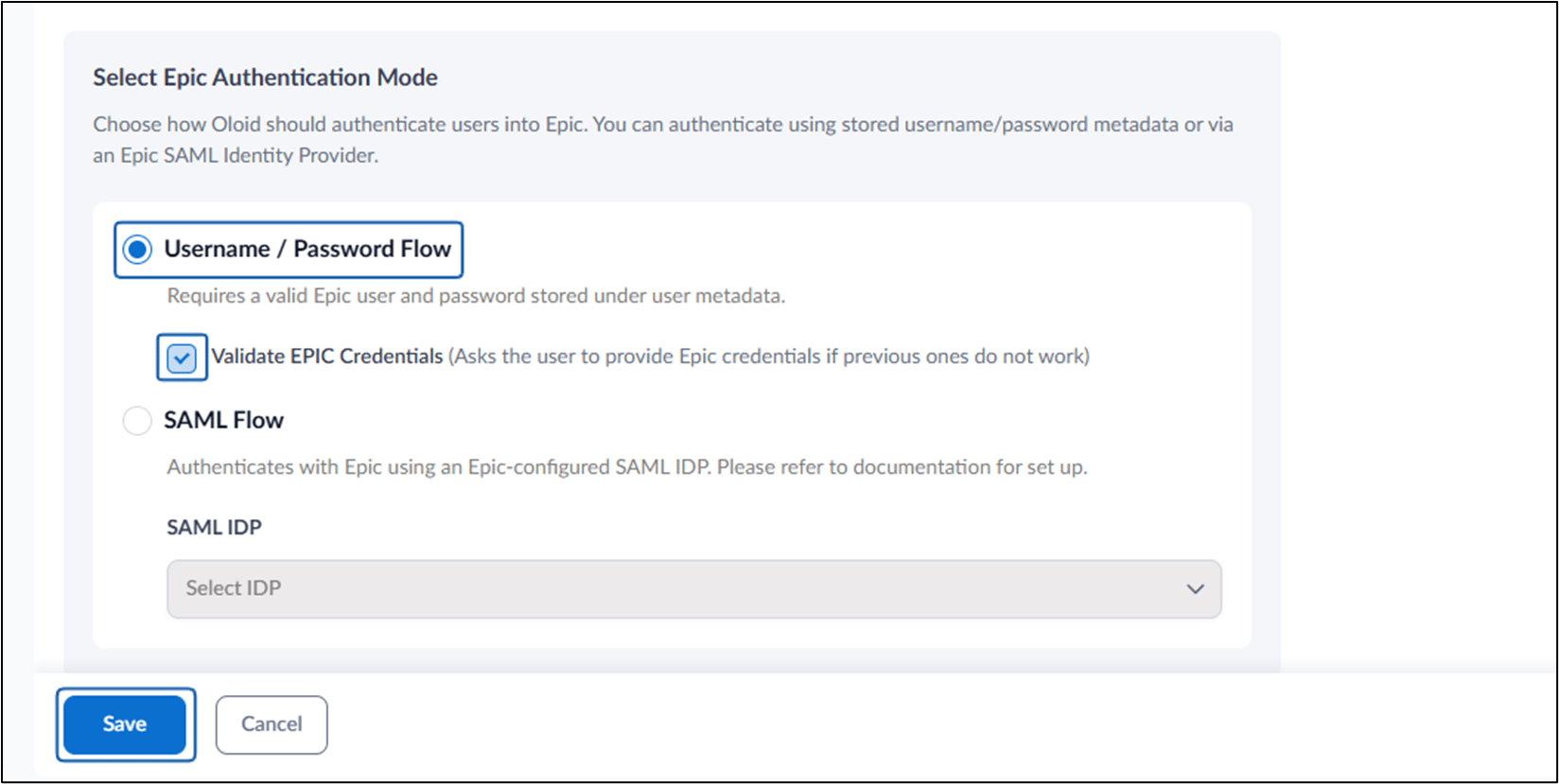
Username / Password Flow
-
Select Username / Password Flow.
Note: Ensure each user has a valid Epic username and password stored under their metadata.
-
Enable Validate EPIC Credentials if required.
Note: Check Validate EPIC Credentials to prompt users to enter Epic credentials if previously stored credentials are incorrect or invalid.
-
Click Save.
SAML Flow
Use this option to authenticate users using an Epic-configured SAML Identity Provider.- Select SAML Flow.
-
From the SAML IDP dropdown, select the configured Identity Provider.
Note: Ensure the SAML IDP configuration has been completed in Epic and Oloid prior to selection. For More: How to Create IDP Profile for Security Assertion Markup Language (SAML) in the Tenant Admin Portal
- Click Save.