Introduction This document provides step-by-step instructions to update expired Windows Credential. Pre-requisite You must enable the Validate Windows Credentials toggle button in Windows Login application in the Tenant Admin Portal. For more details, refer How to enable Validate Windows Credential in Windows Login application Steps to update your expired Windows Credentials:
  1. On the Windows lock screen, do the following:
    1. Click Sign-in options. How to update expired Windows Credential - screenshot 1 The Windows login app is displayed.
    2. Select Windows login app. How to update expired Windows Credential - screenshot 2
    3. Select Login with OLOID. How to update expired Windows Credential - screenshot 3 The Windows login app opens.
  2. Select your preferred authentication method.
    Note: For detailed instructions about signing in to your Windows device using different authentication methods, refer toUser Guides sections for Windows Login Device
    How to update expired Windows Credential - screenshot 4 On successful authentication, you are signed in to the Windows device.
    Note: If the user has multiple passwords configured in the Oloid Portal, then the Choose Your Account page is displayed. You can select a specific account to sign in.
    How to update expired Windows Credential - screenshot 5
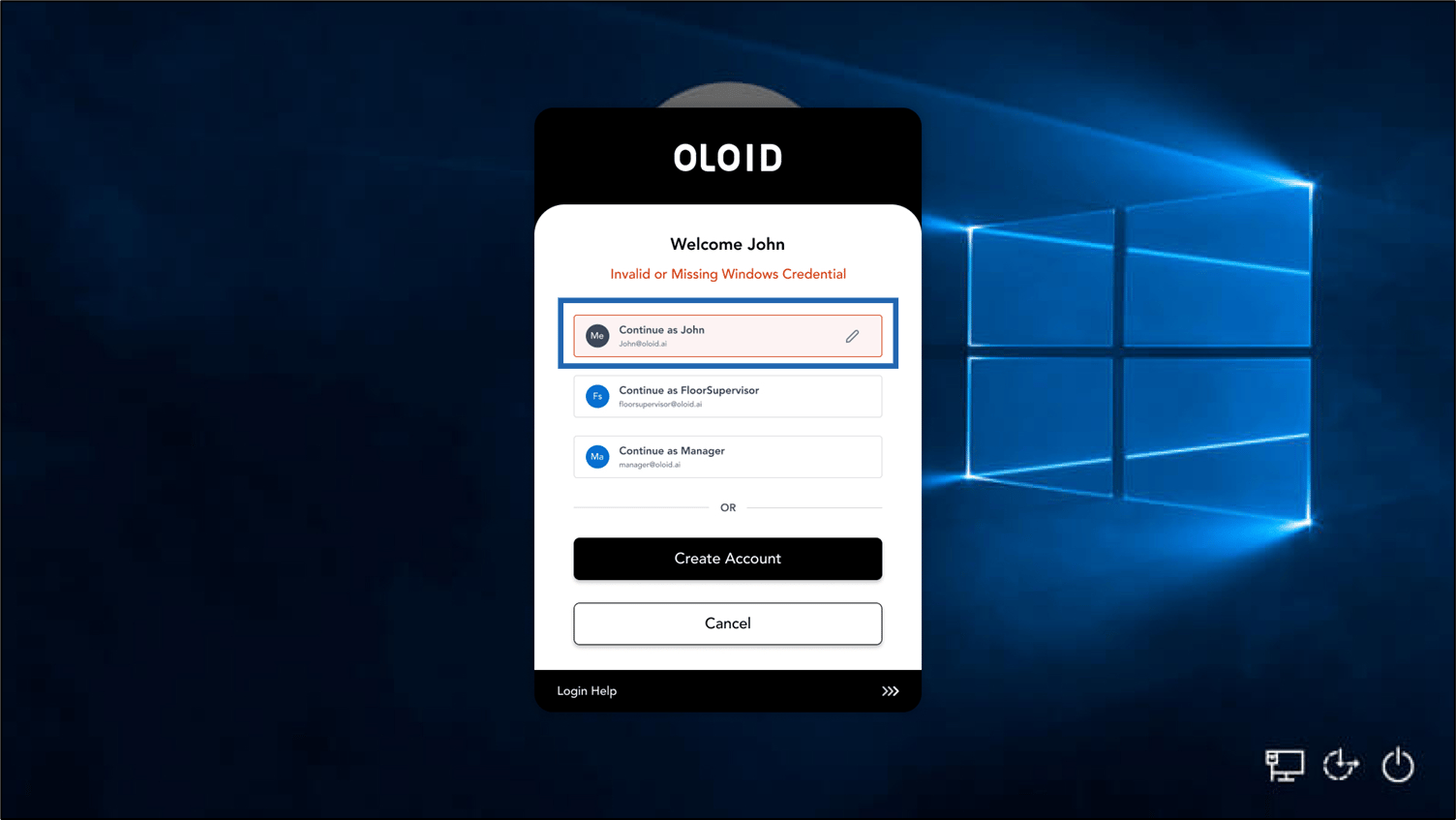
  3. If your Windows password is changed or expired, the Invalid or Missing Windows Credential screen is displayed.
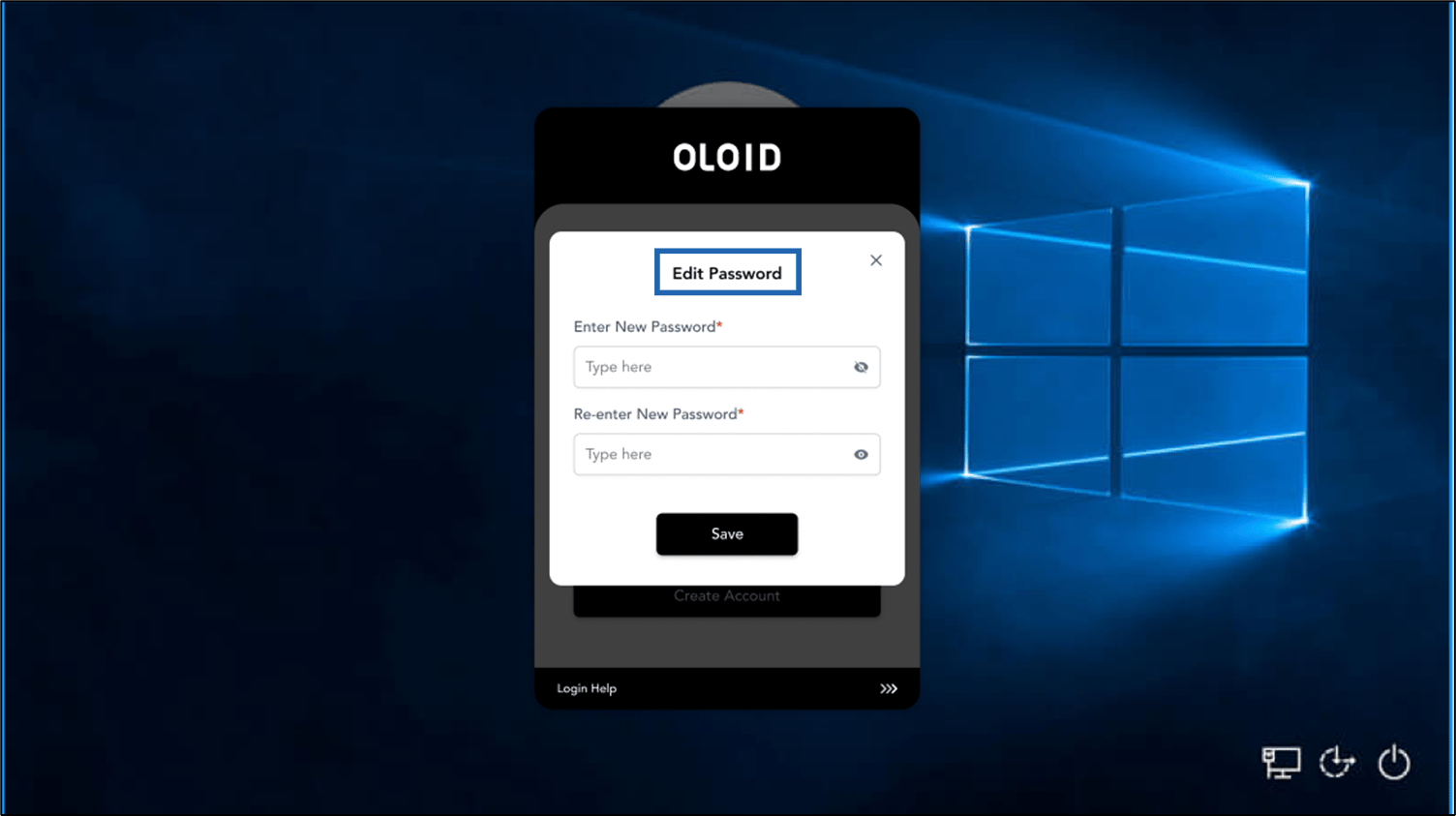
  4. Select the account you want to update. How to update expired Windows Credential - screenshot 6 The Edit Password screen is displayed. How to update expired Windows Credential - screenshot 7
  5. Do the following:
    1. Enter Password in the Enter new Password field.
    2. Enter new Password in the Re-enter New Password field.
    3. Click Save.
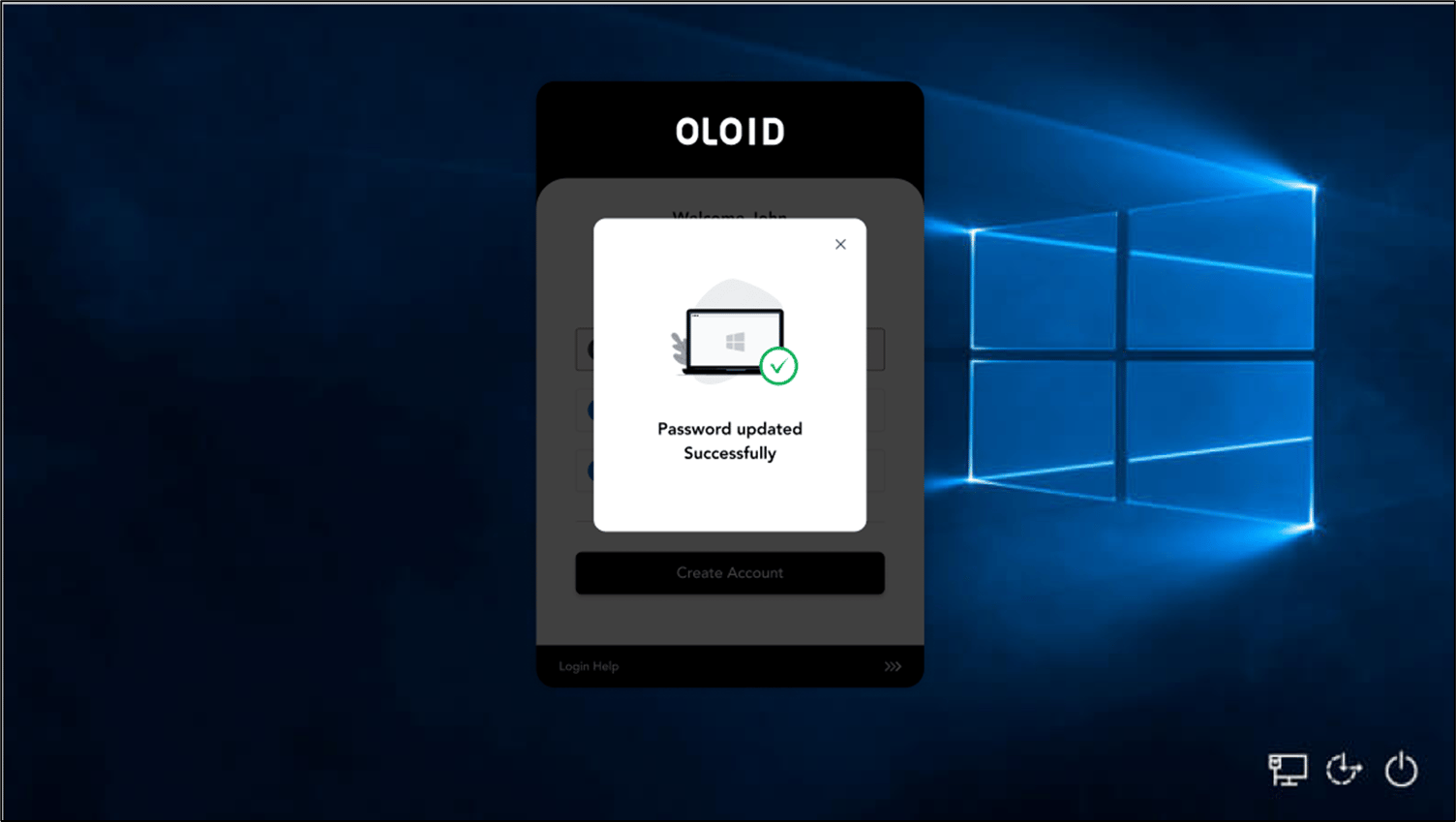
Your password is updated, and you can log in successfully to your Windows device. How to update expired Windows Credential - screenshot 8

Video Tutorial

Watch the video How to update expired Windows Credential- Video Tutorial