

Introduction
Enabling the Validate Windows Credential feature in the Tenant Admin Portal allows users to create Windows credentials. It also enables users to update their account information in the Windows Login application if their Windows password has changed or expired.Prerequisite
You must create and configure Windows Login Application in the Tenant Admin Portal. For more details, refer How to create and configure Windows Login Application.Steps to Enable Validate Windows Credential
- Log in to the Tenant Admin Portal.
-
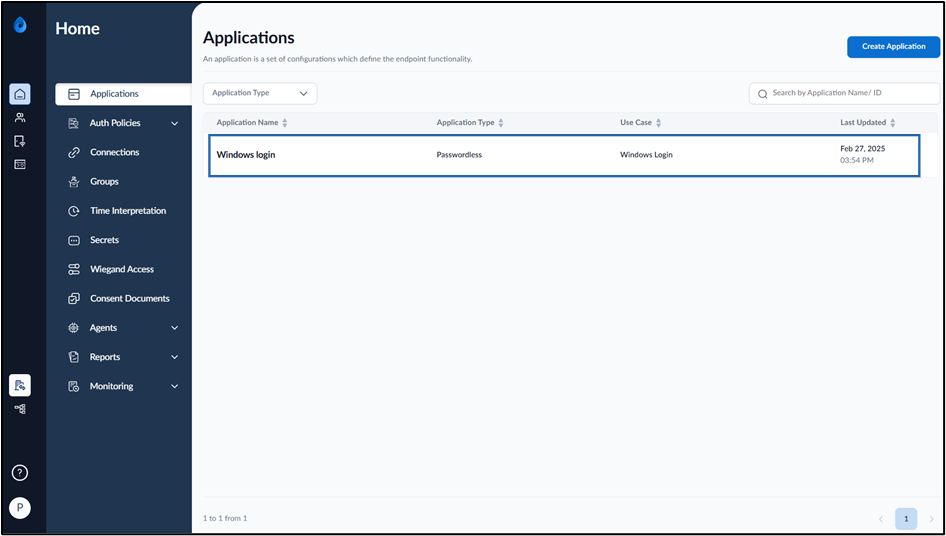
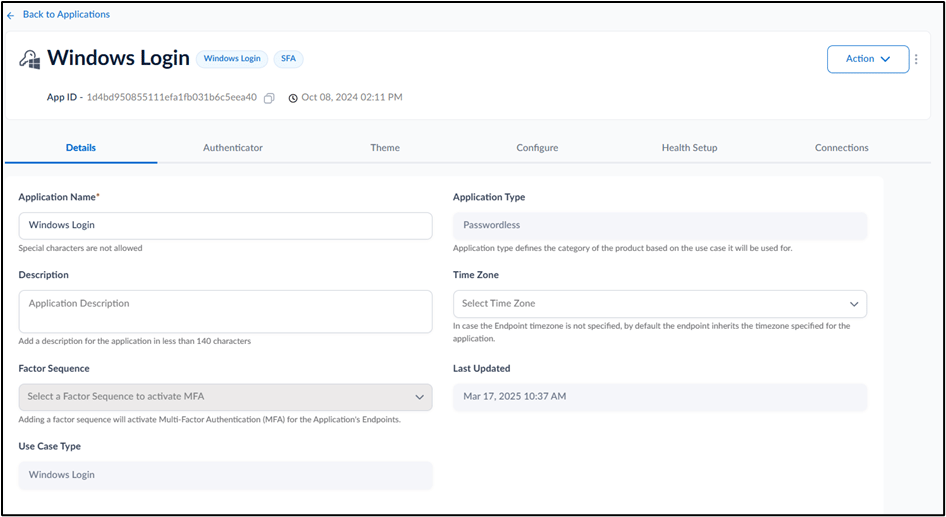
Select the application that is configured in the Supervisor App (Windows Authenticator App).
-
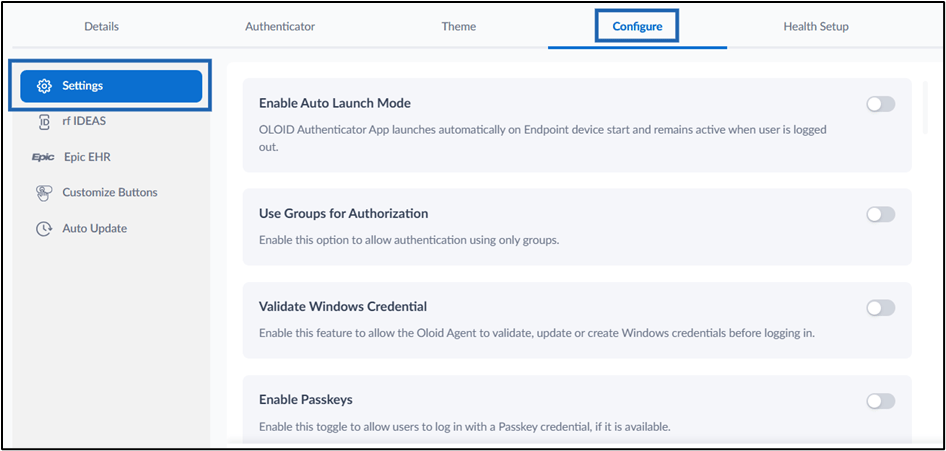
Go to Configure > Settings tab.
-
Turn on Validate Windows Credential toggle button to validate, update, or create Windows credentials in the Windows Login app before logging in to the system. See, Sample Screen for Create Windows Credential and Missing Windows Credential

-
Click Save.

 Note: In Windows Authenticator app, you must sync the configuration to Validate Windows Credential to work properly. For more details, refer How to sync configuration in Supervisor App
Sample Screen
Scenario 1: Create Windows Credential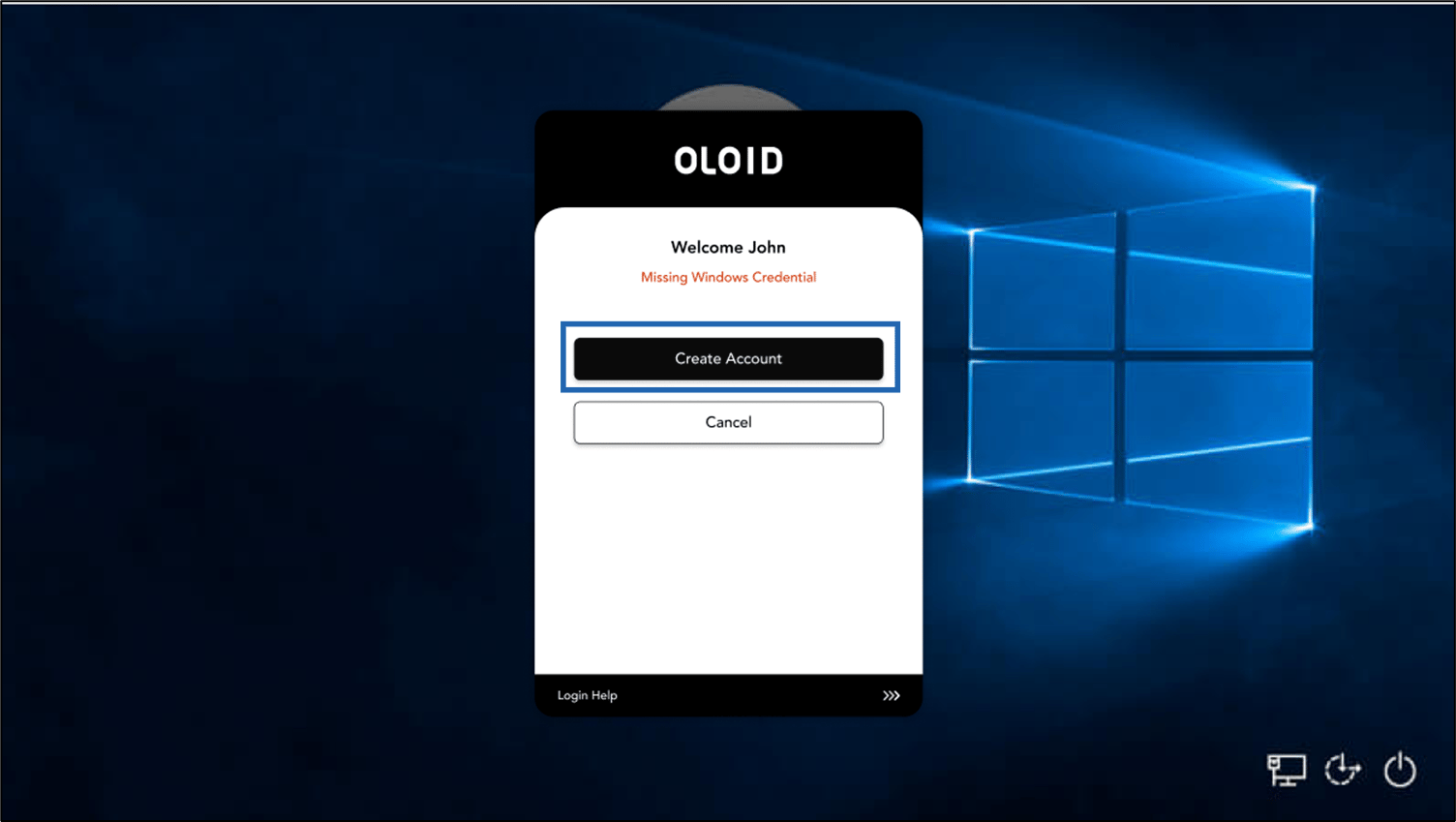
- If your Windows credential is missing, the Missing Windows Credential screen is displayed.
- Select Create Account to create Windows Credential. For further details, refer How to Create missing Windows Credential

- If your Windows password is changed or expired, the Invalid or Missing Windows Credential screen is displayed.
- Select the account you want to update. For further details, refer How to update expired Windows Credential