

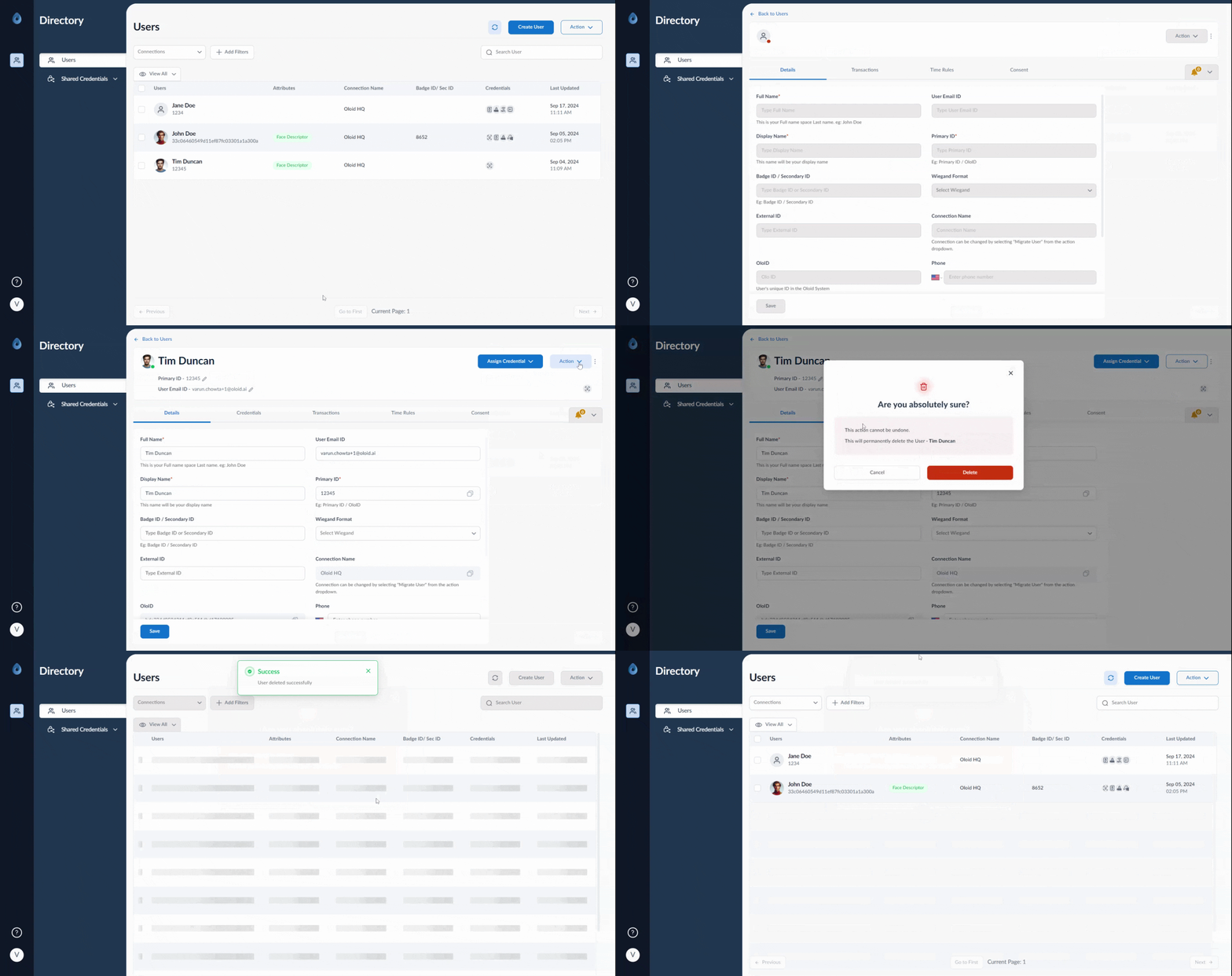
- Log in to the Supervisor Portal. The Users page is displayed.
- Click username to edit.

- On the top-right, go to Action > Delete User.
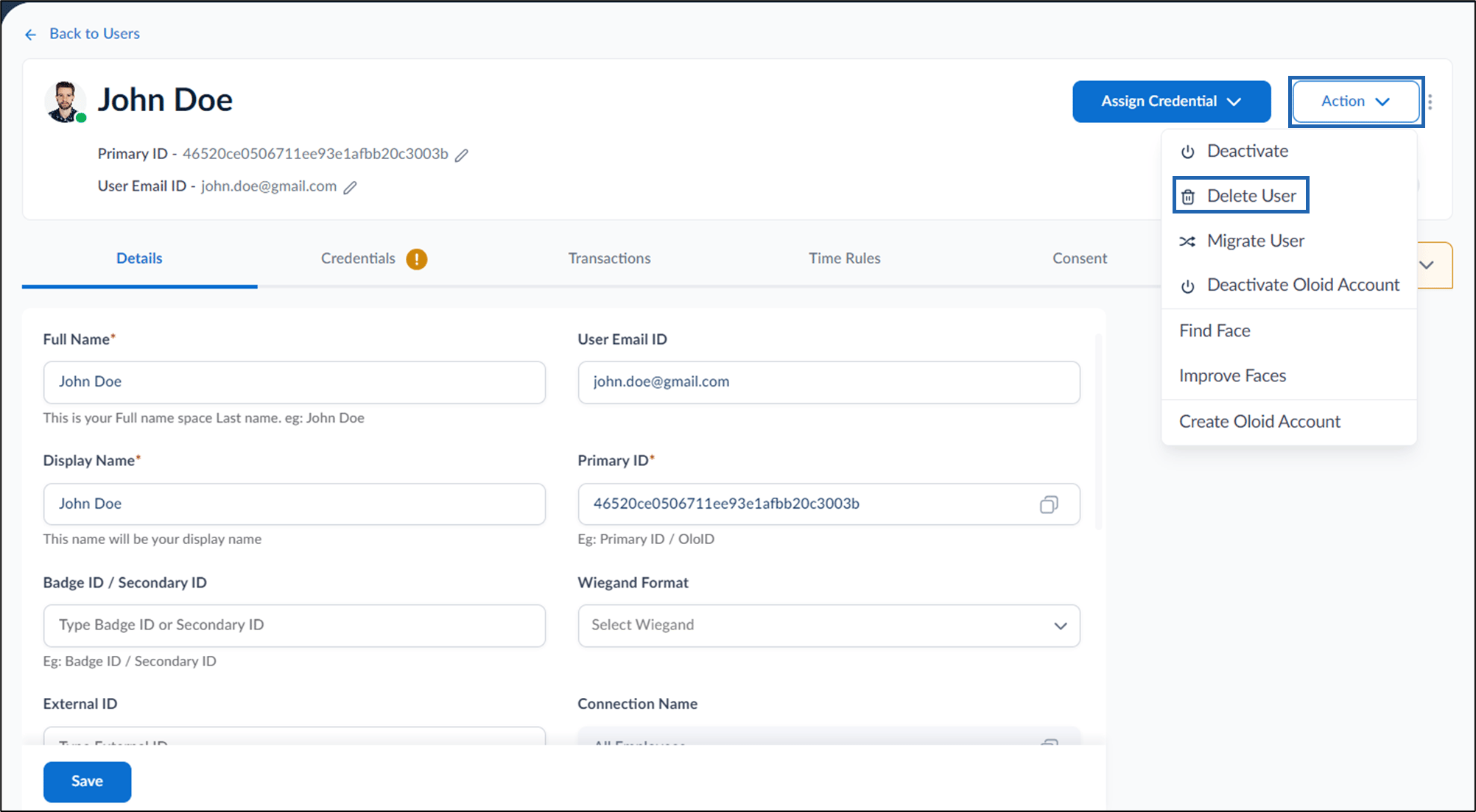

- Click Delete. The user is permanently deleted from the Supervisor Portal.