

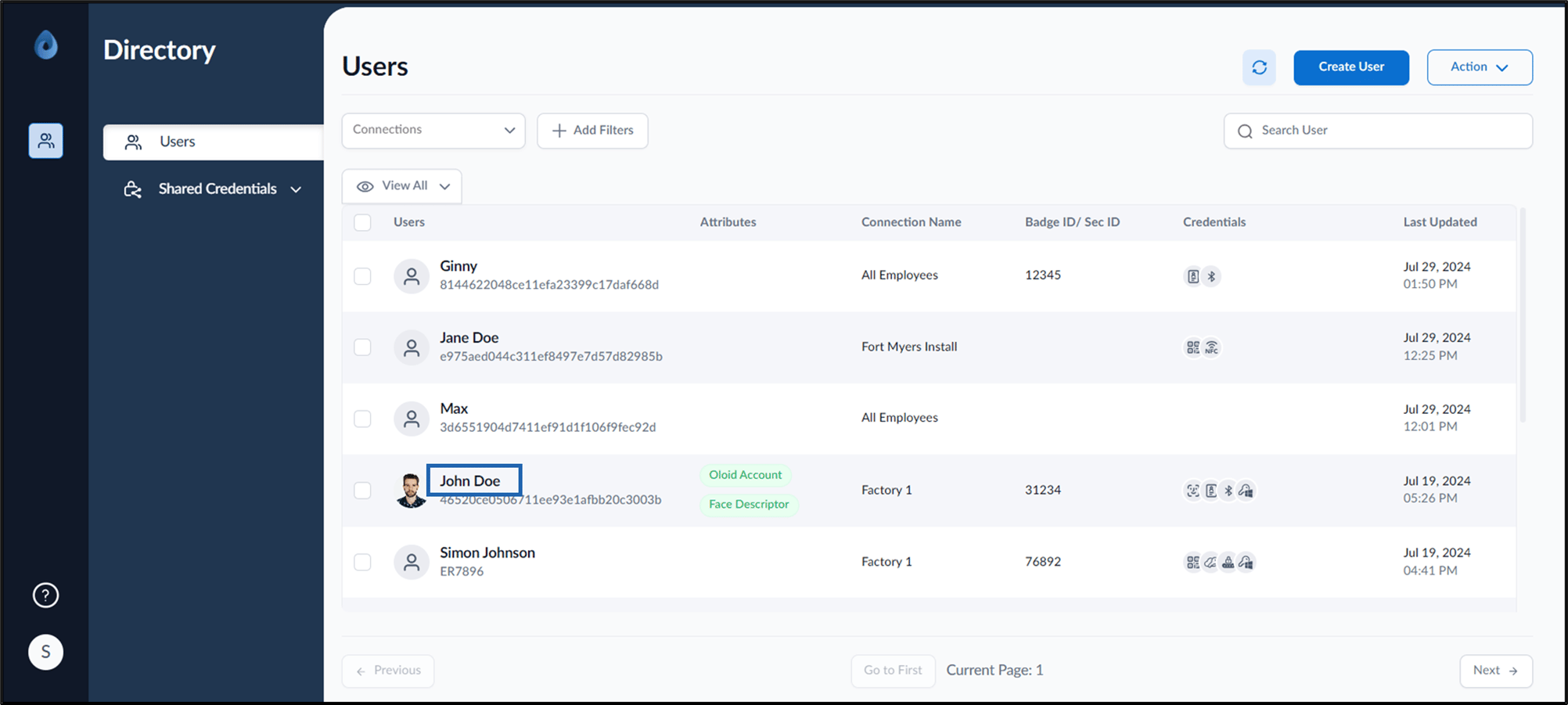
- Log in to the Supervisor Portal. The Users page is displayed.
- Click username to edit.
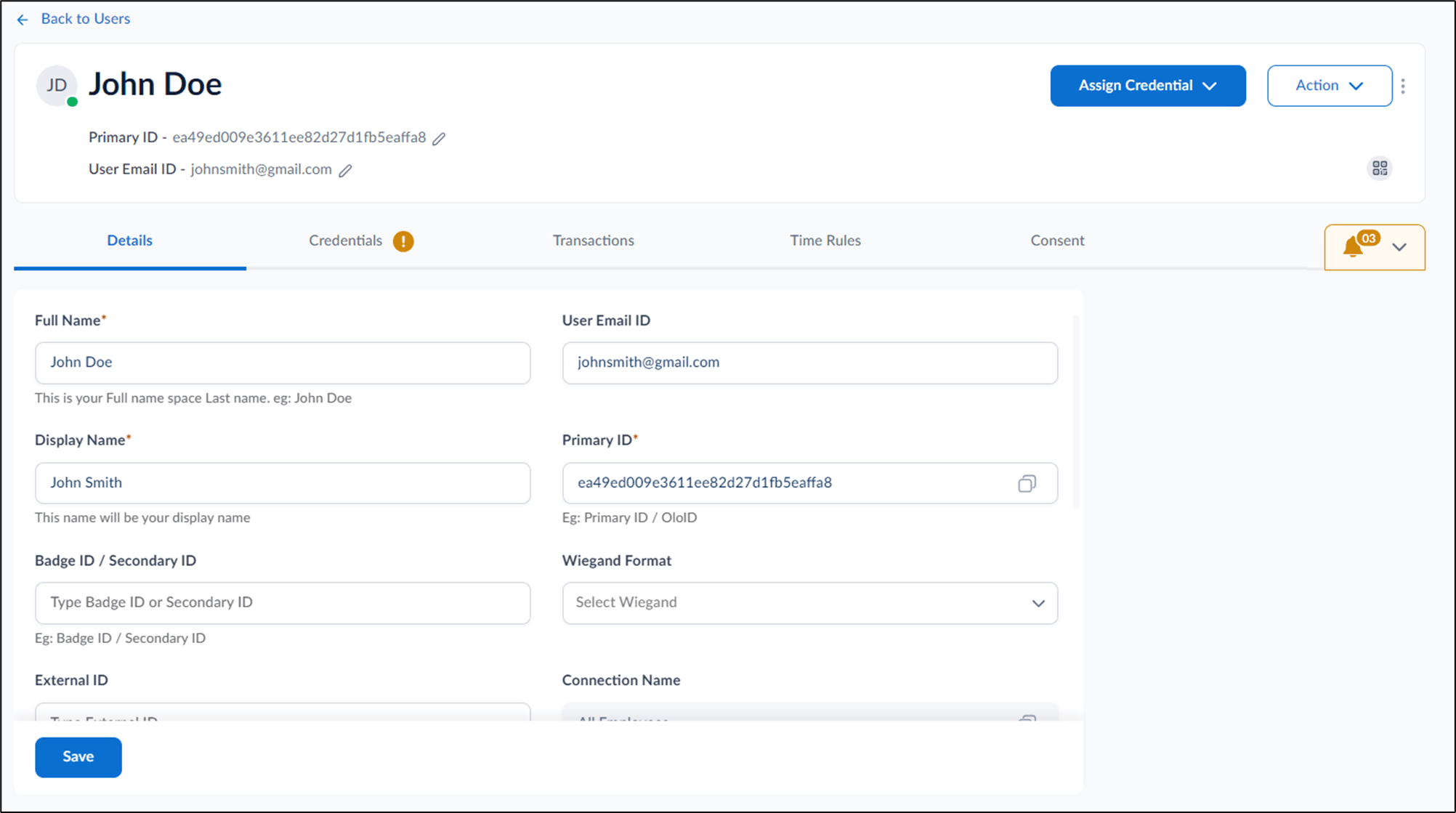
- Do one of the following:
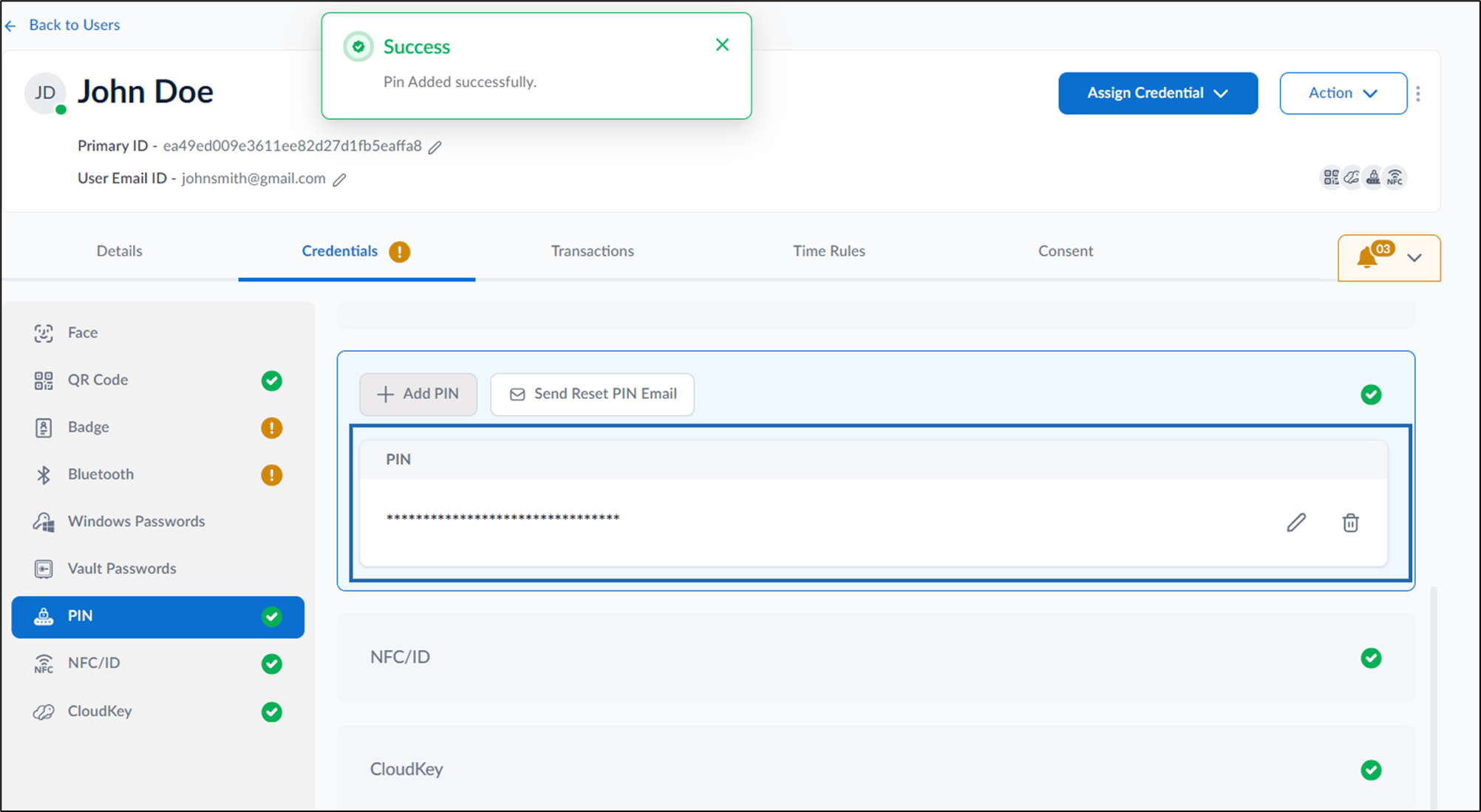
- Go to Credentials > PIN > Add PIN.
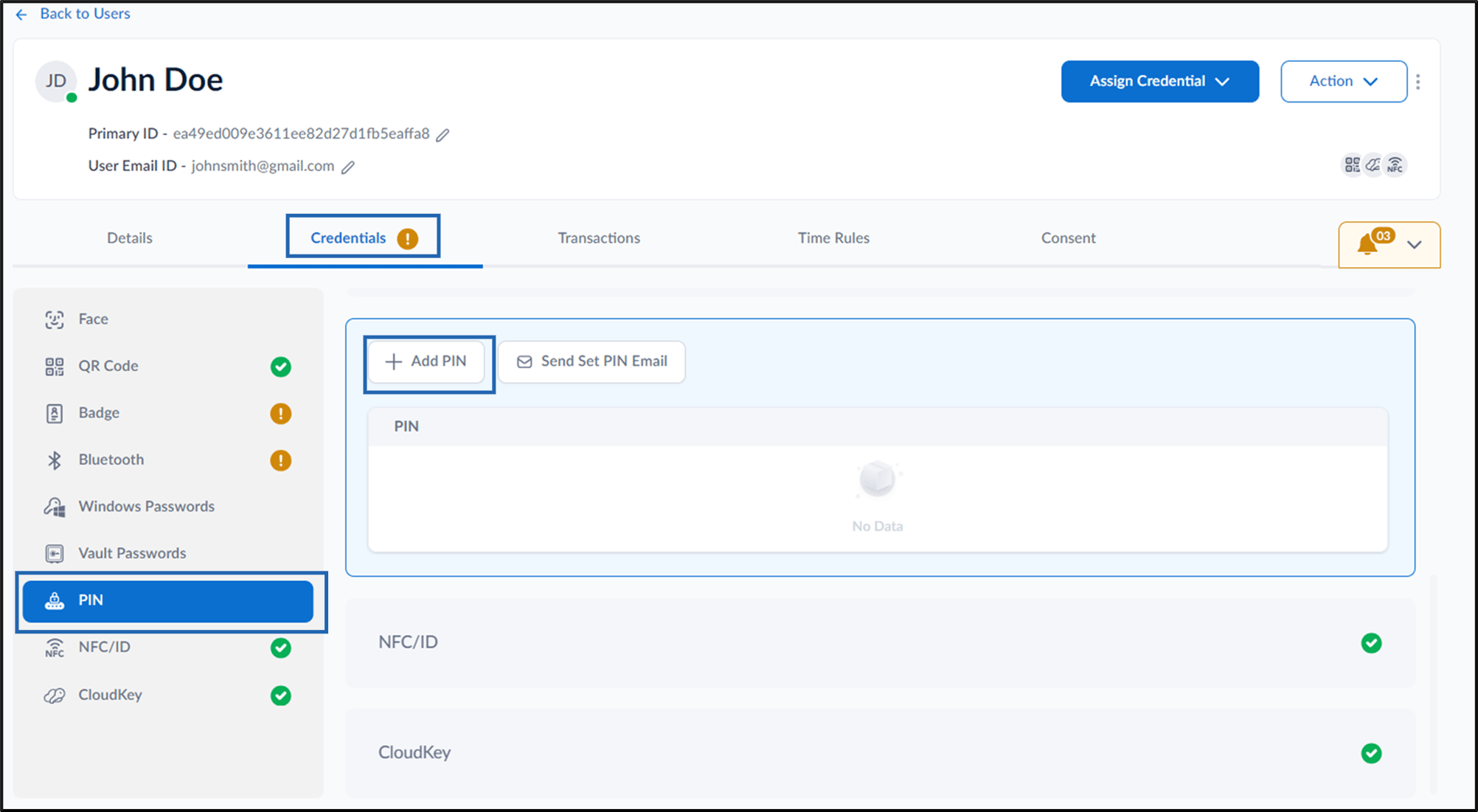
- Go to Assign Credential > Add PIN.
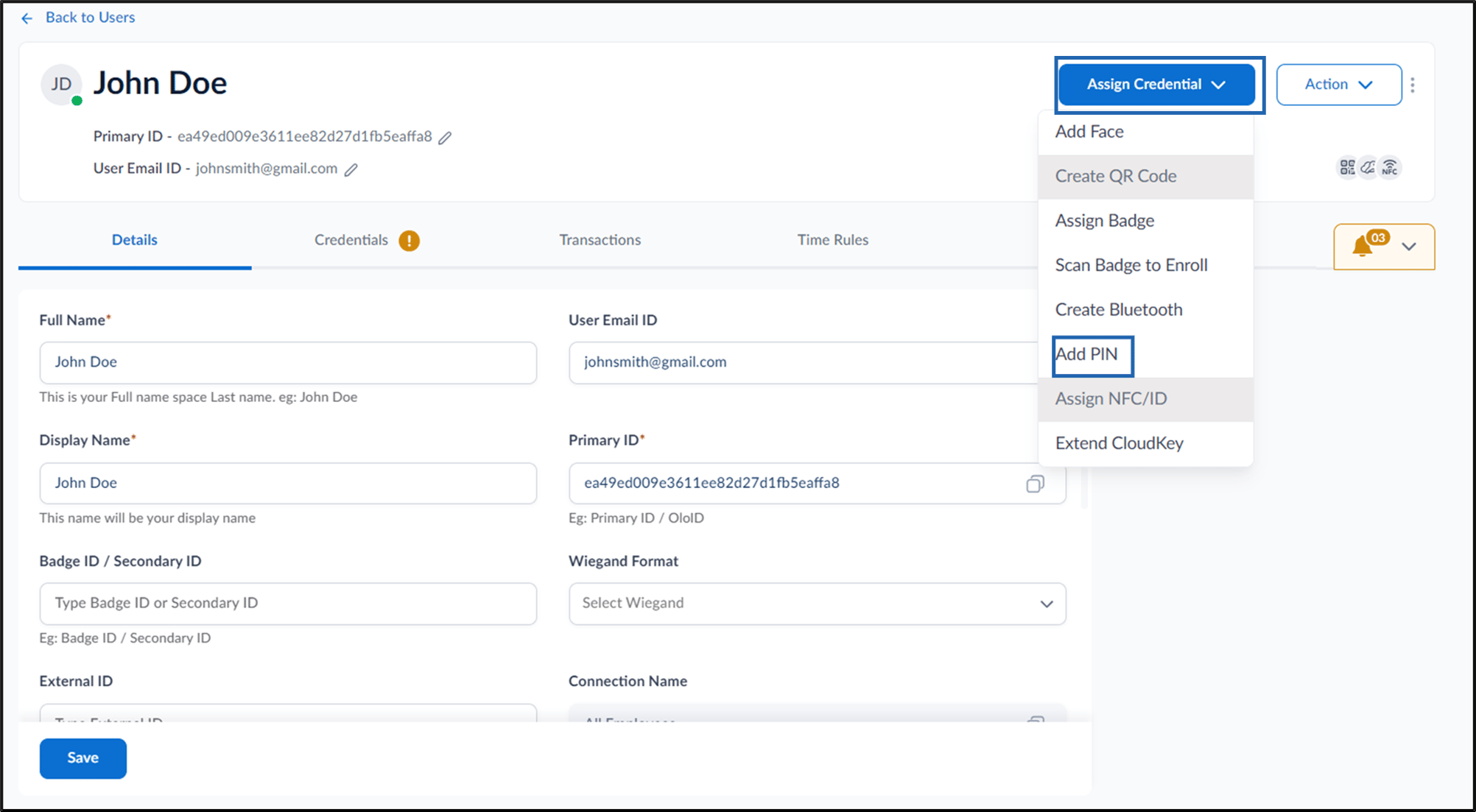
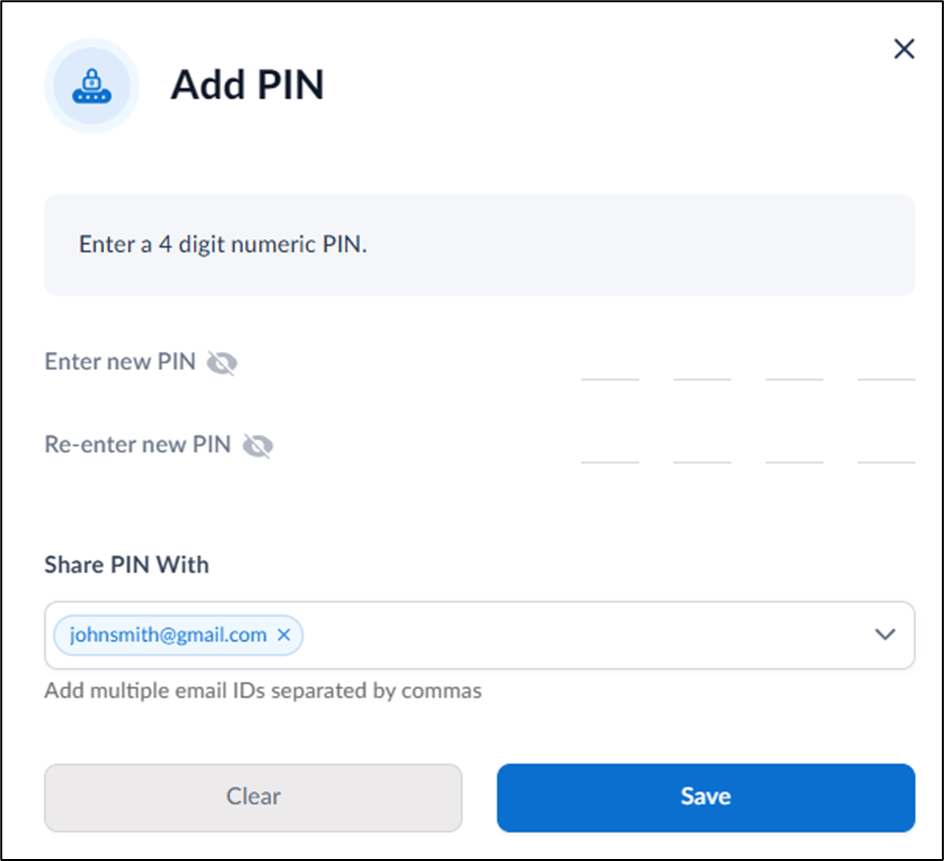
- Go to Credentials > PIN > Add PIN.
- On the pop-up box, do the following:
-
Enter new PIN.
Note: You must enter numbers.
- Re-enter new PIN.
- Under Share PIN With enter email address you want to share the pin with.
-
Click Save.
-
Enter new PIN.
Supervisor Portal - How to add PIN as credential to Users
This document provides step-by-step instructions to create Pin in the Supervisor Portal.
Steps to create PIN:
⌘I