

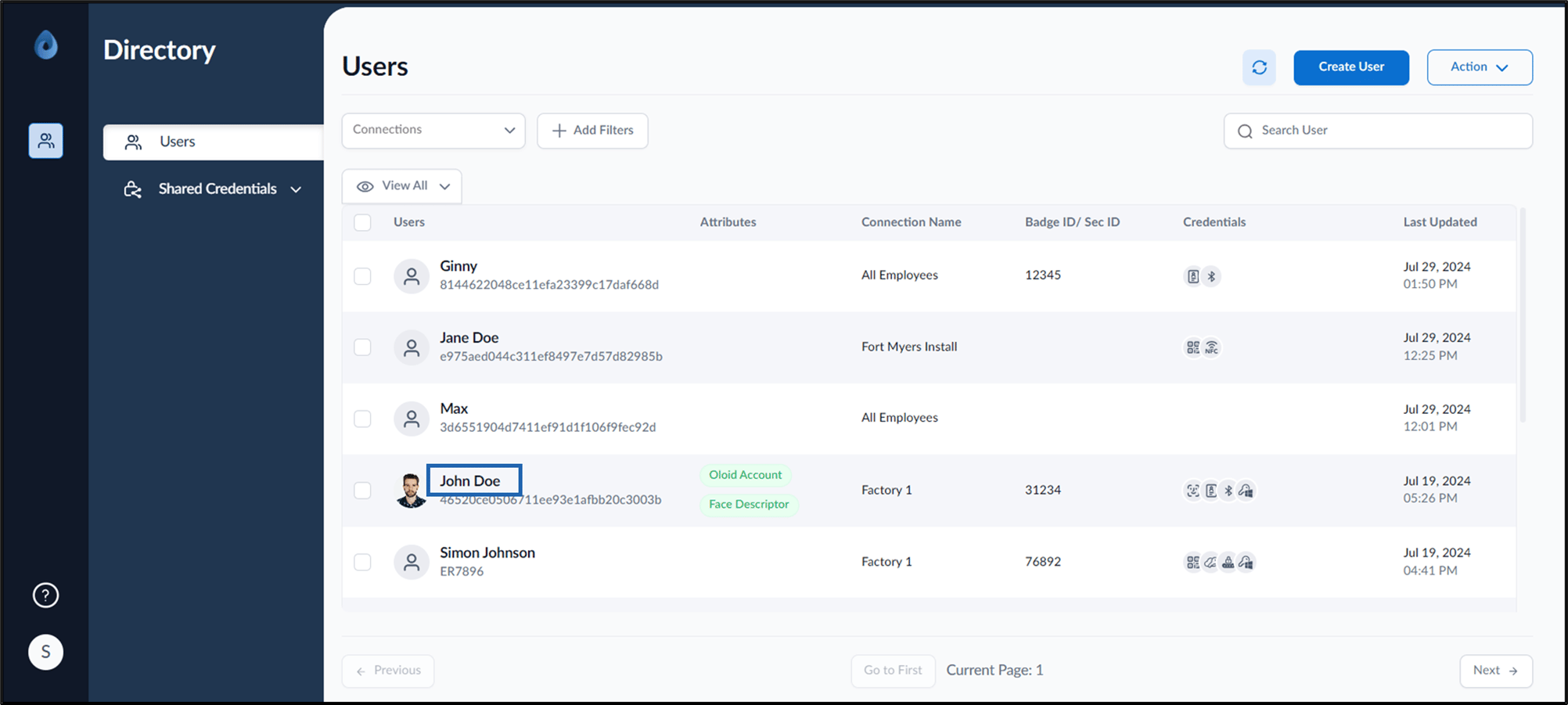
- Log in to the Supervisor Portal. The Users page is displayed.
-
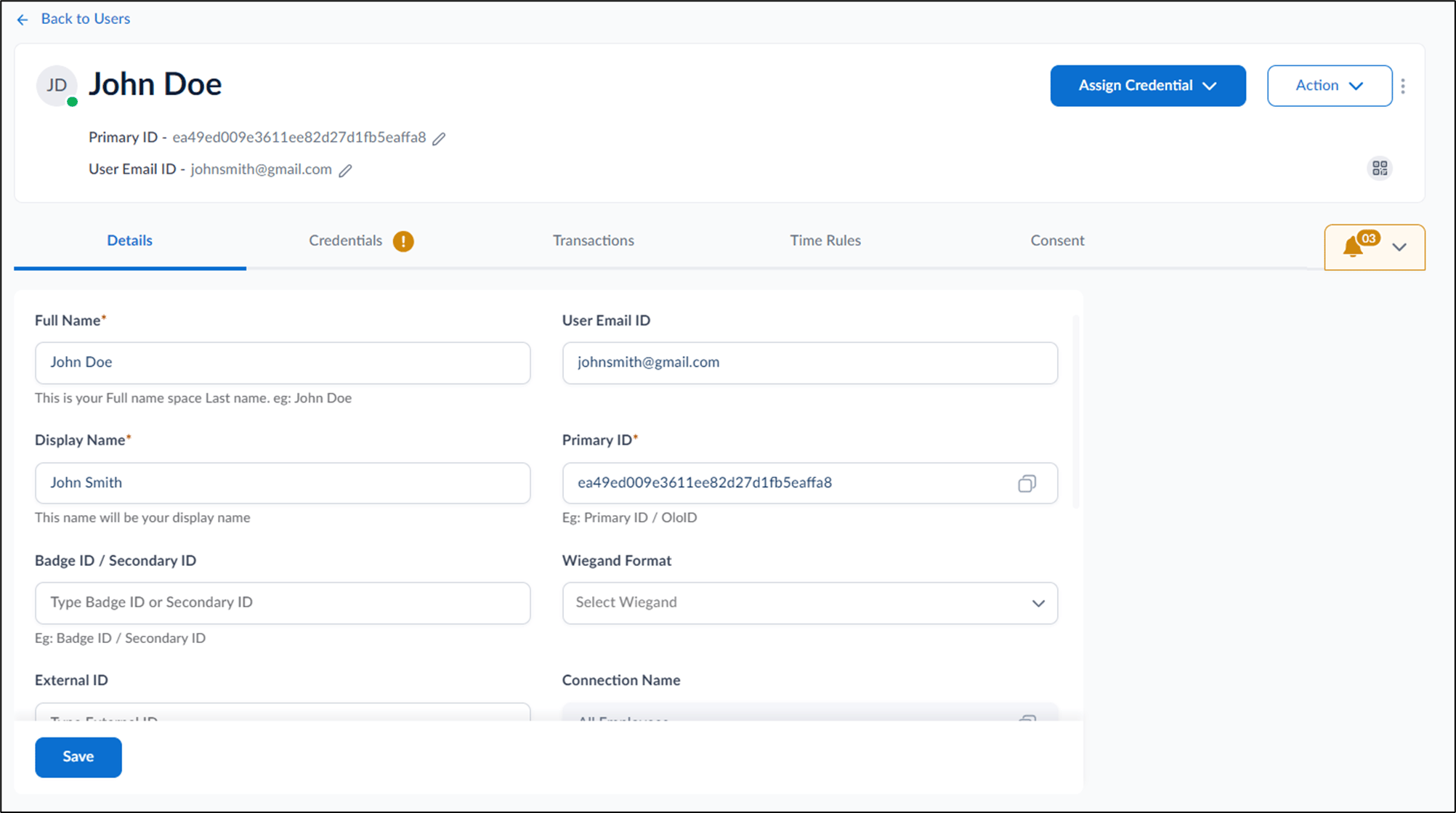
Click username to edit.
-
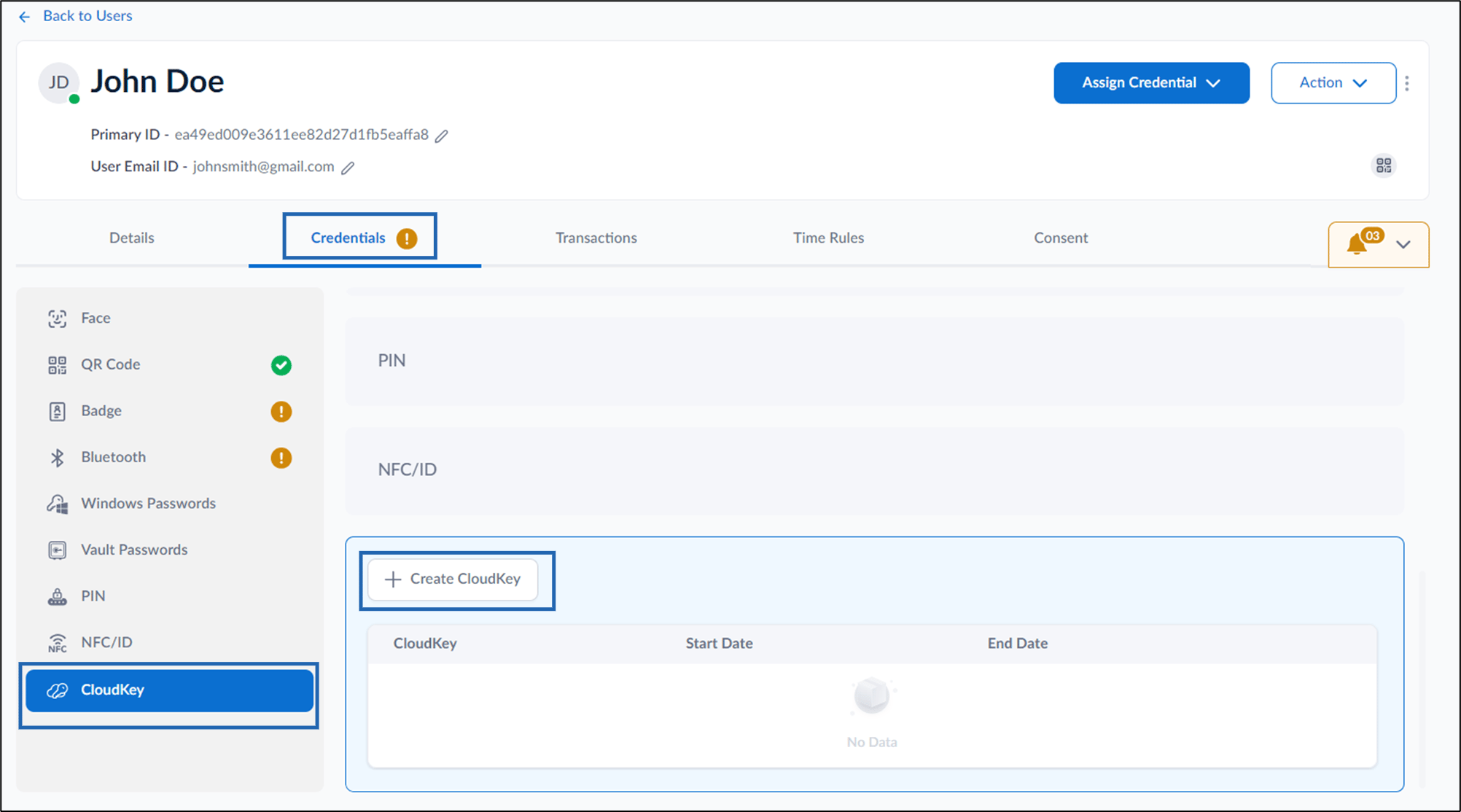
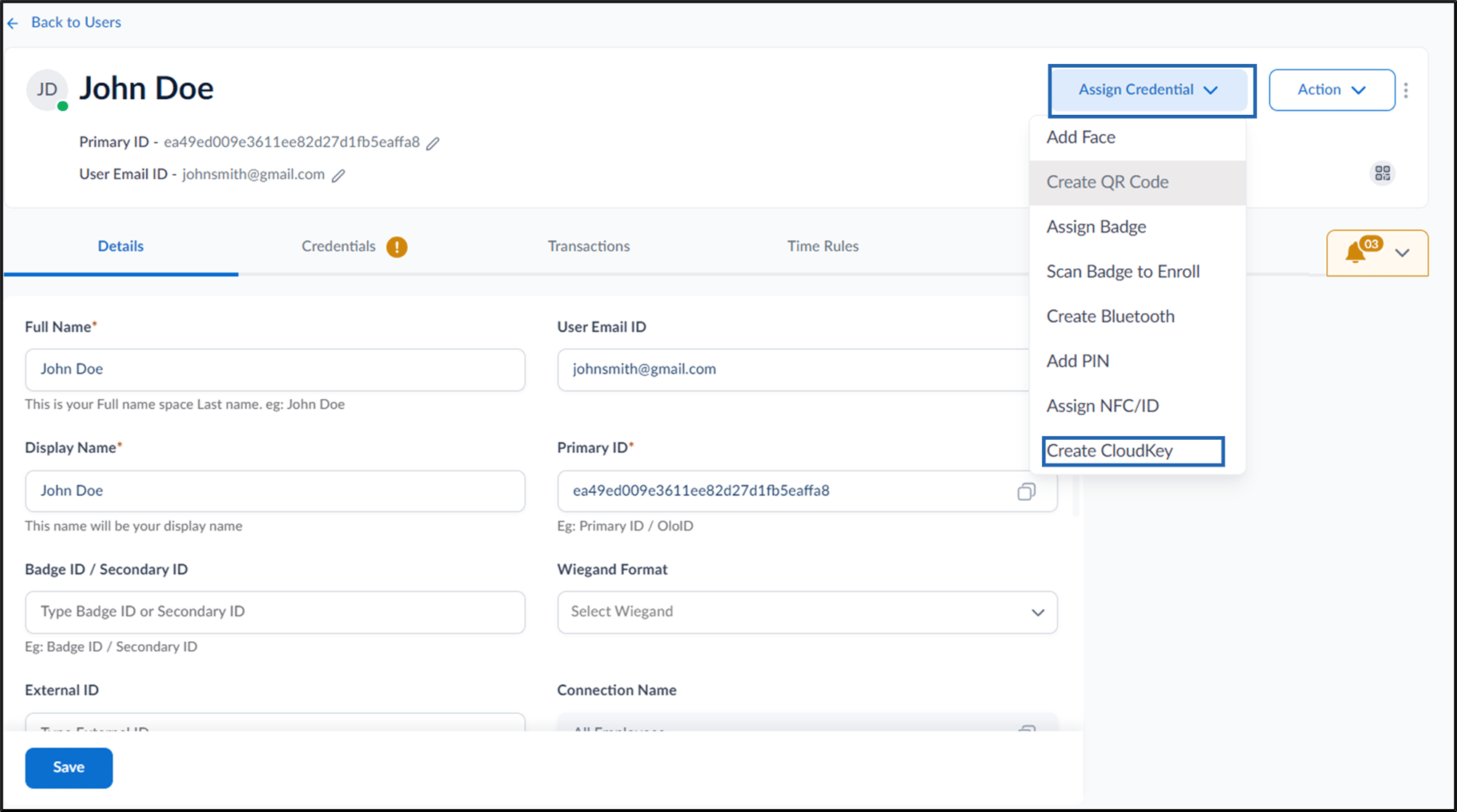
Do one of the following:
- Go to Credentials > Cloud Key > + Create CloudKey
- Go to Assign Credential > Create CloudKey.
- Go to Credentials > Cloud Key > + Create CloudKey
-
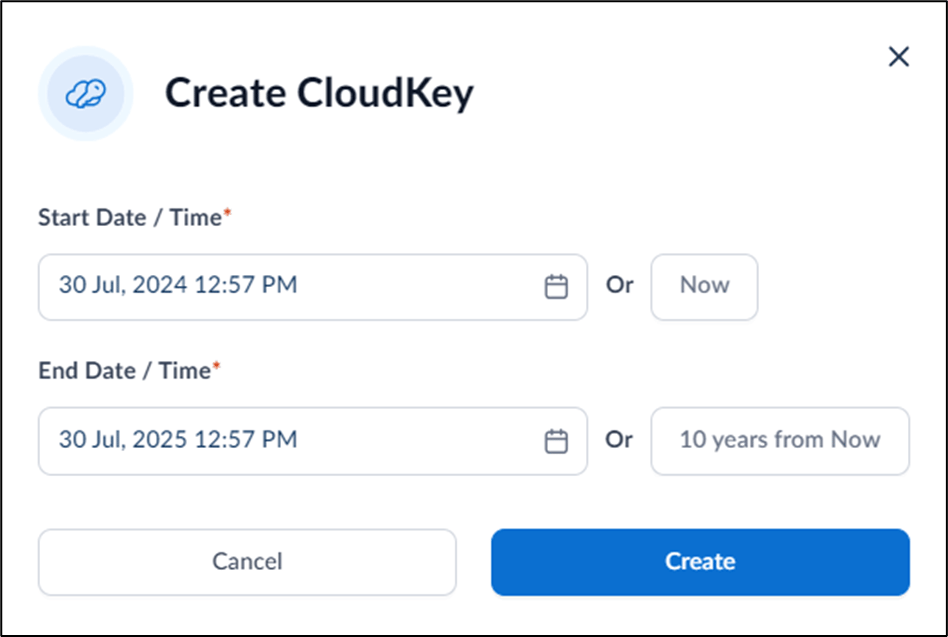
Enter Start Date / Time and End Date/Time.
You can also click 10 years from Now to set the End Date/Time to 10 years from the current date/time.Note: You can click Now to set the current date and time. The end date is automatically set to 1 year from the current date.
-
Click Create.
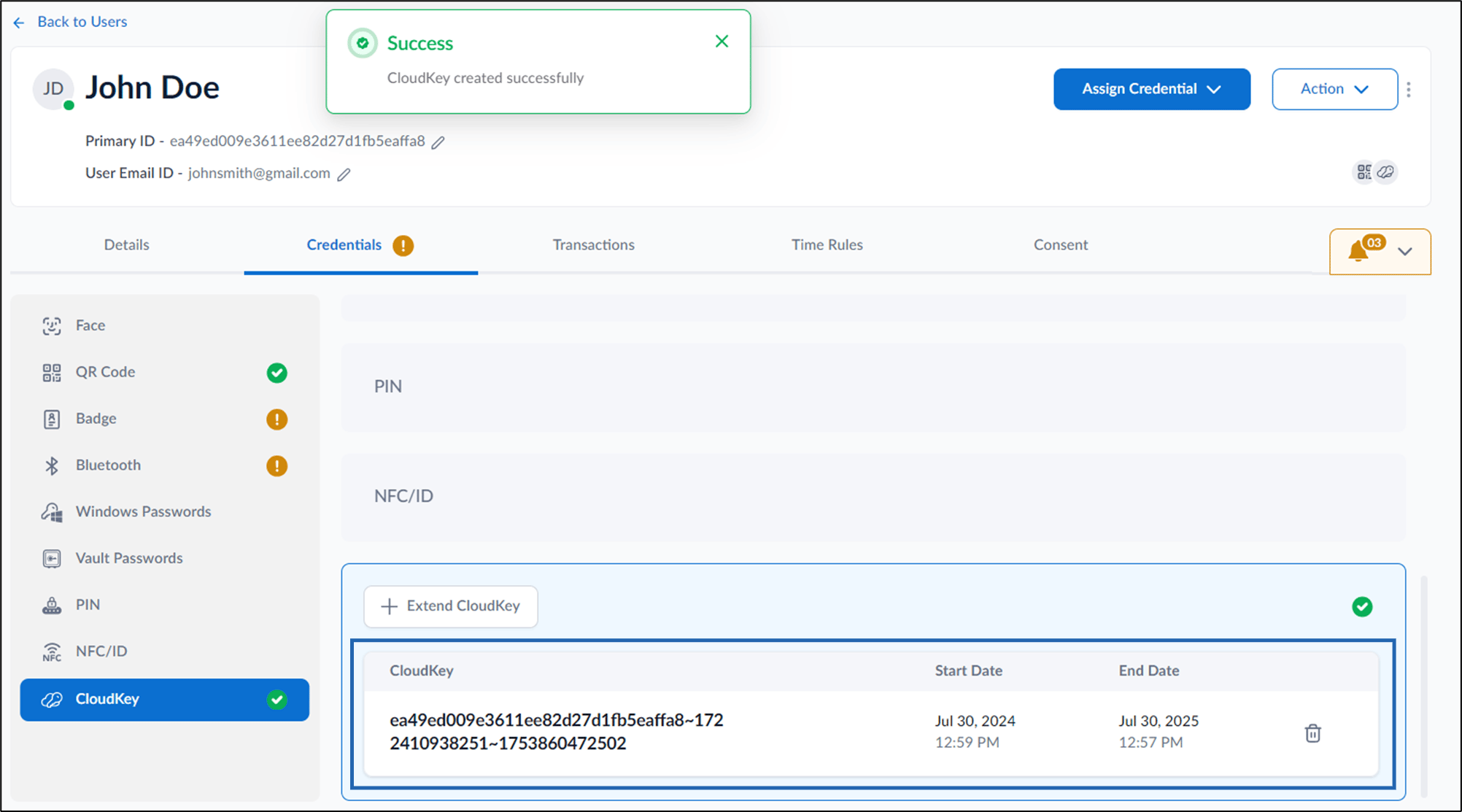
The Cloudkey is created and listed on the CloudKey tab.
Supervisor Portal - How to add CloudKey as credential to users
This document provides step-by-step instructions to add CloudKey as credential to users in Supervisor Portal.
Steps to create CloudKey:
⌘I