

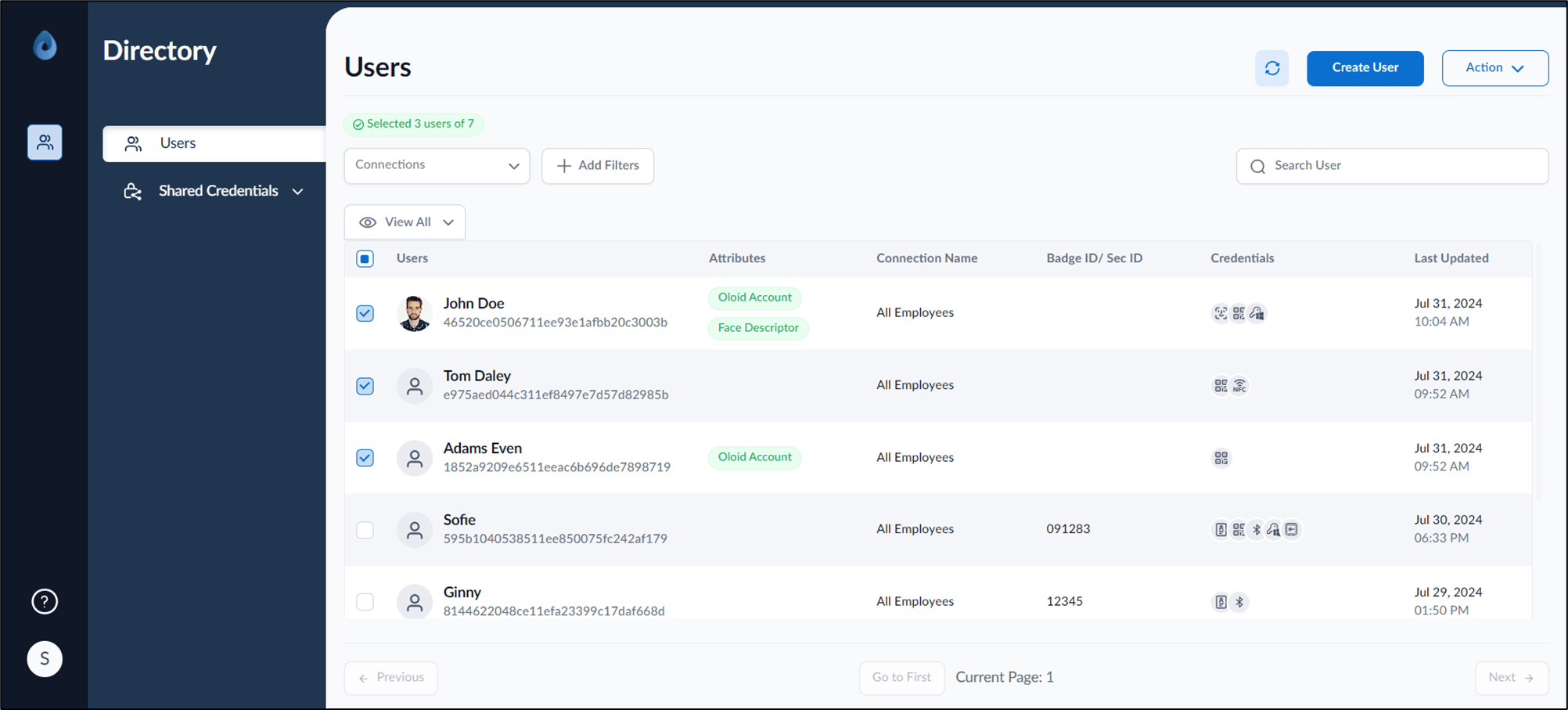
- Log in to the Supervisor Portal. The Users page is displayed.
- Select user(s) to delete QR Code.
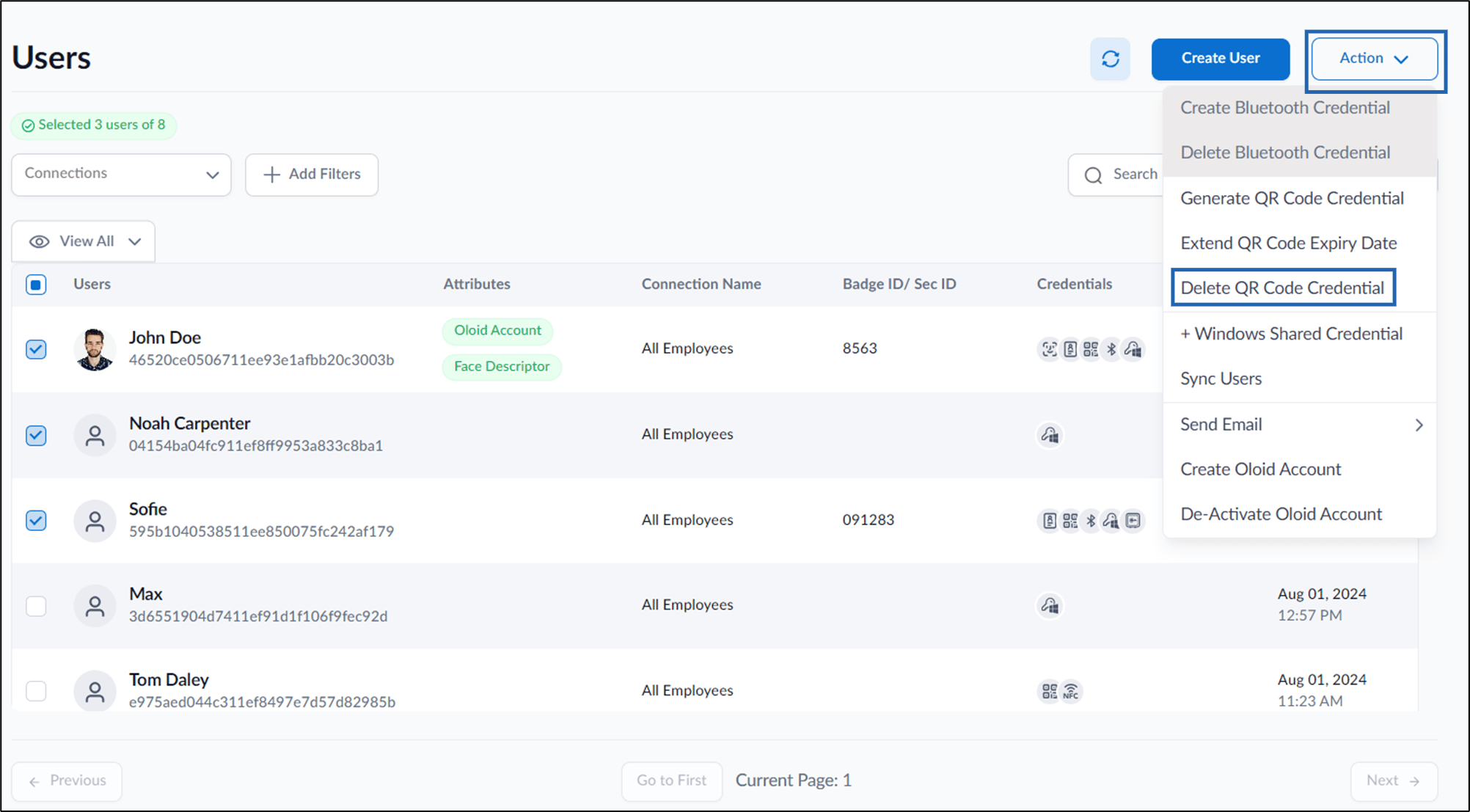
- Go to Action > Delete QR Code Credential.
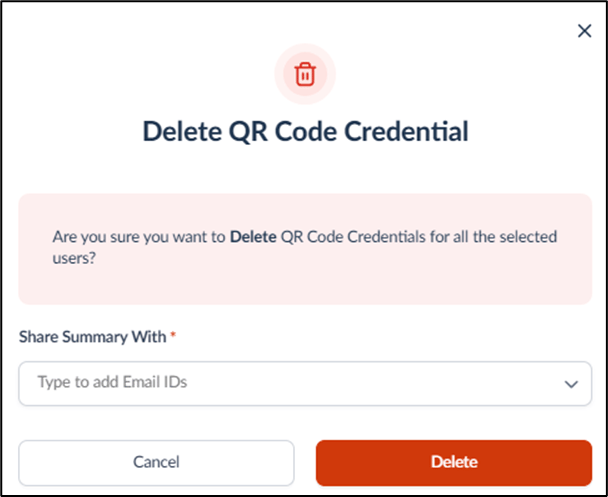
- On the pop-up box, do the following:
- Under Share Summary With field enter the email ID(s) with whom you want to share the QR Code summary.
- Click Delete. The QR Code credential is successfully deleted for the users. The QR Code summary of these users is shared over email ID(s).
Supervisor Portal - How to delete QR Code for multiple users
This document provides instructions to delete QR Code in bulk in the Supervisor Portal.
Steps to delete QR Code of user(s):
⌘I