Steps to Assign Badge:
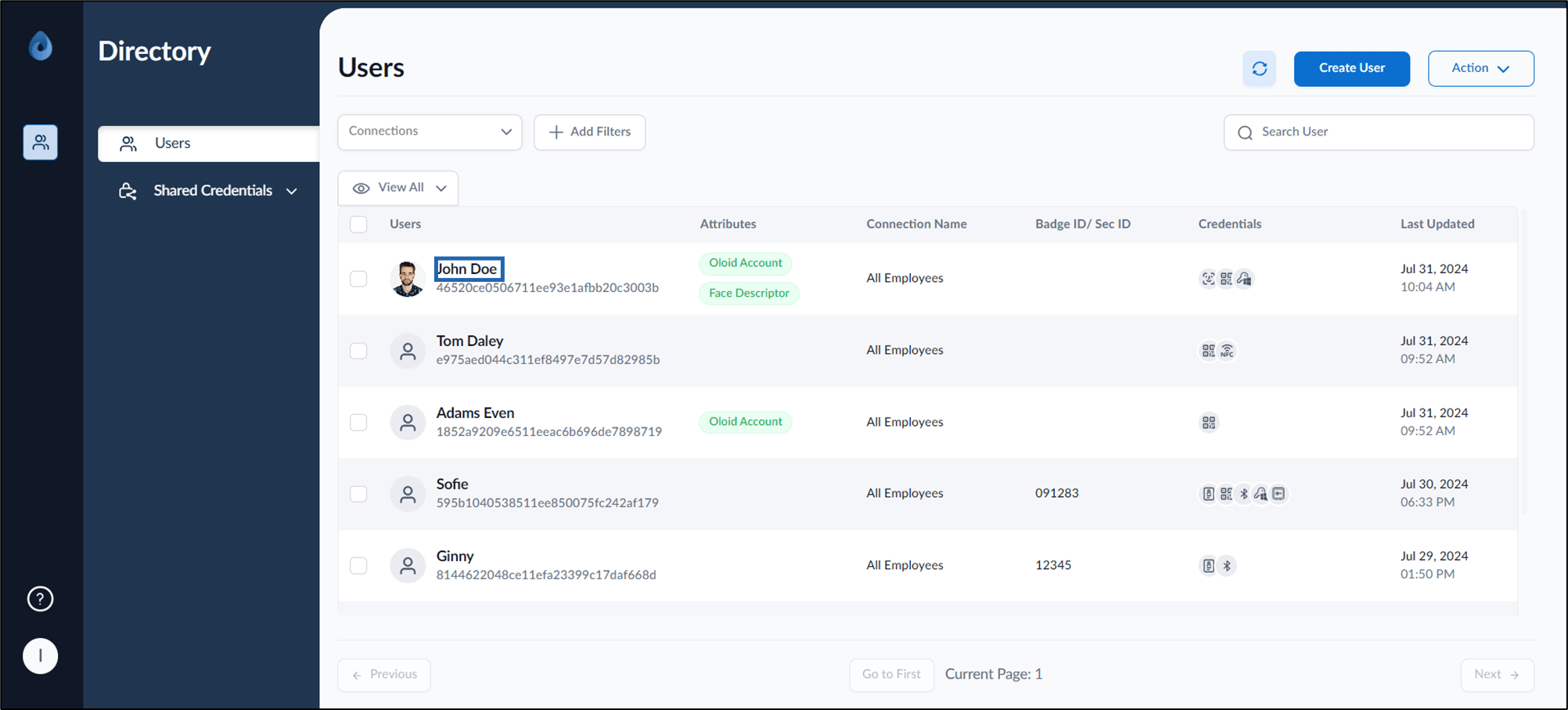
  1. Log in to the Supervisor Portal. The Users page is displayed.
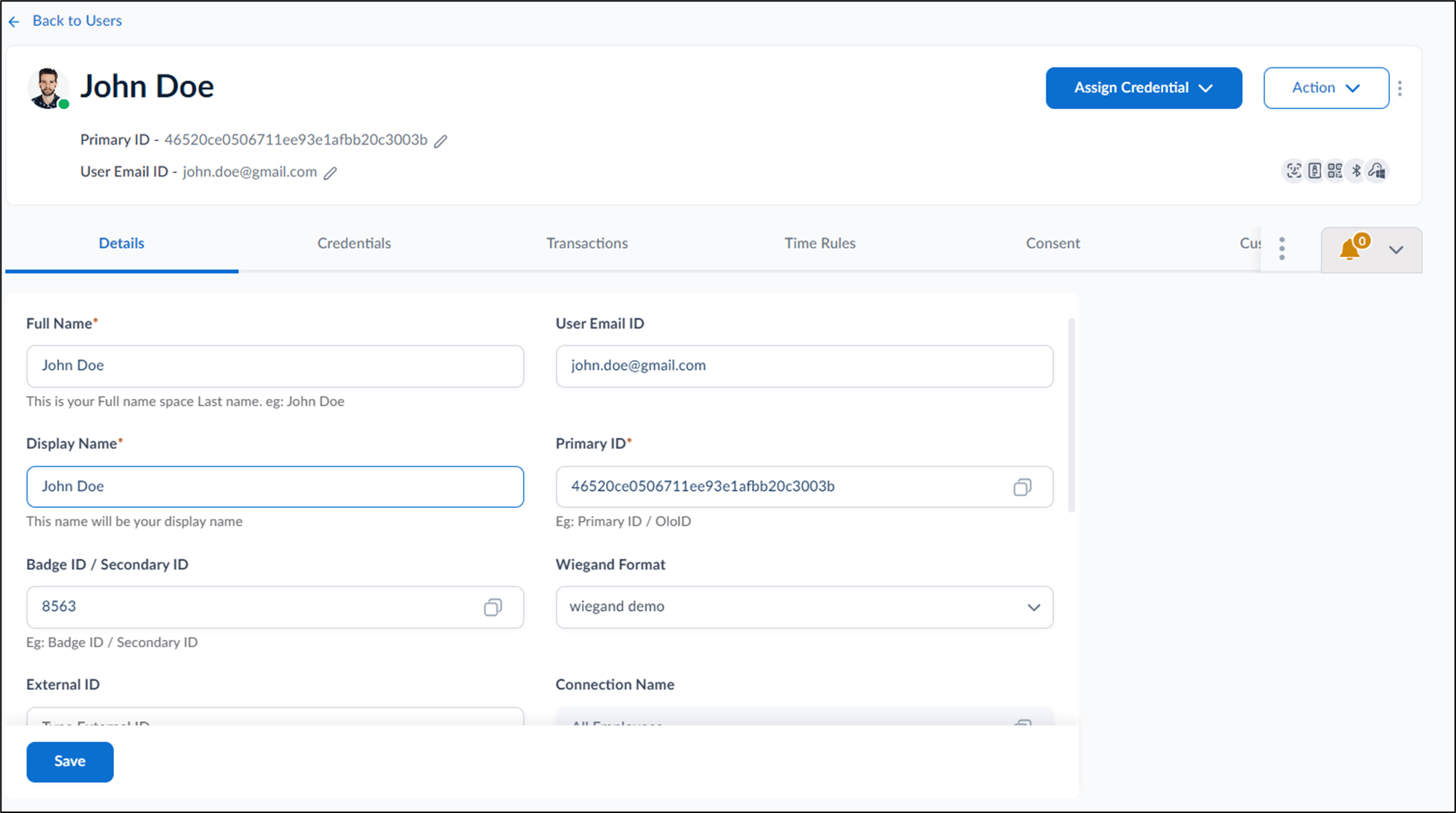
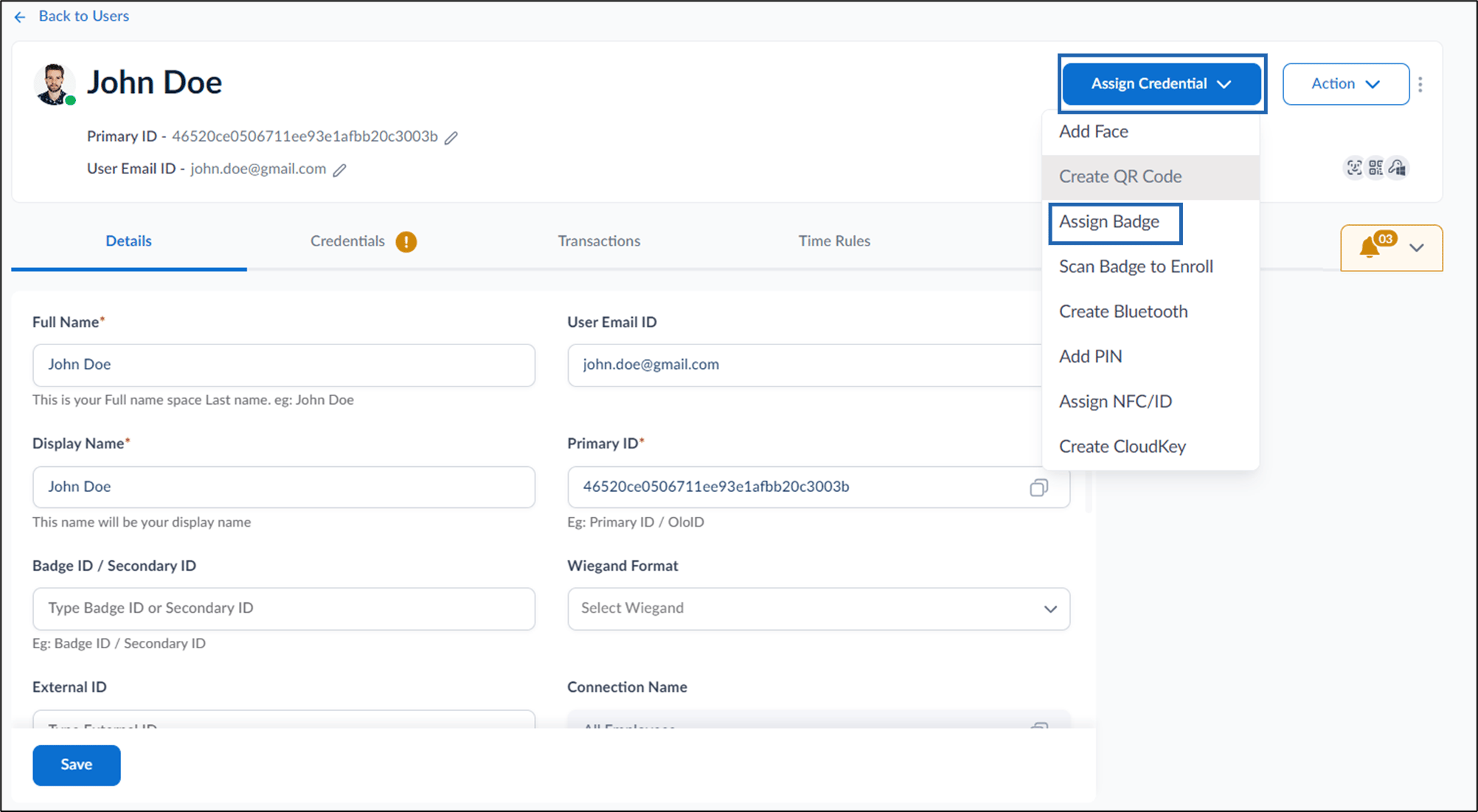
  2. Click username to edit. Image The User details page is displayed. How to assign Badge ID as credential to... - screenshot 1
  3. Do one of the following:
    1. Go to Credentials > Badge > + Assign Badge. Image
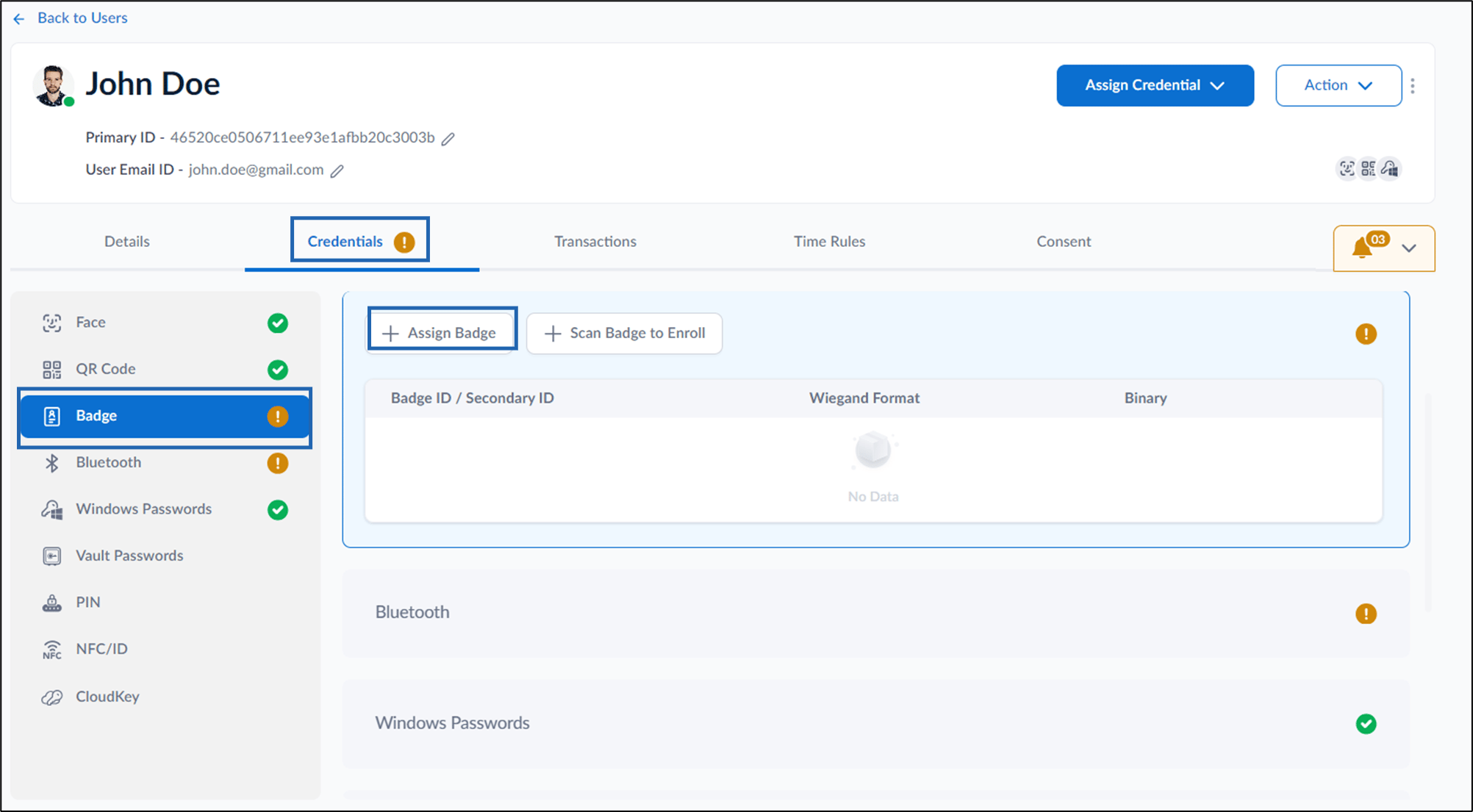
    2. Go to Assign Credential > Assign Badge. Image The Assign Badge pop-up box is displayed.
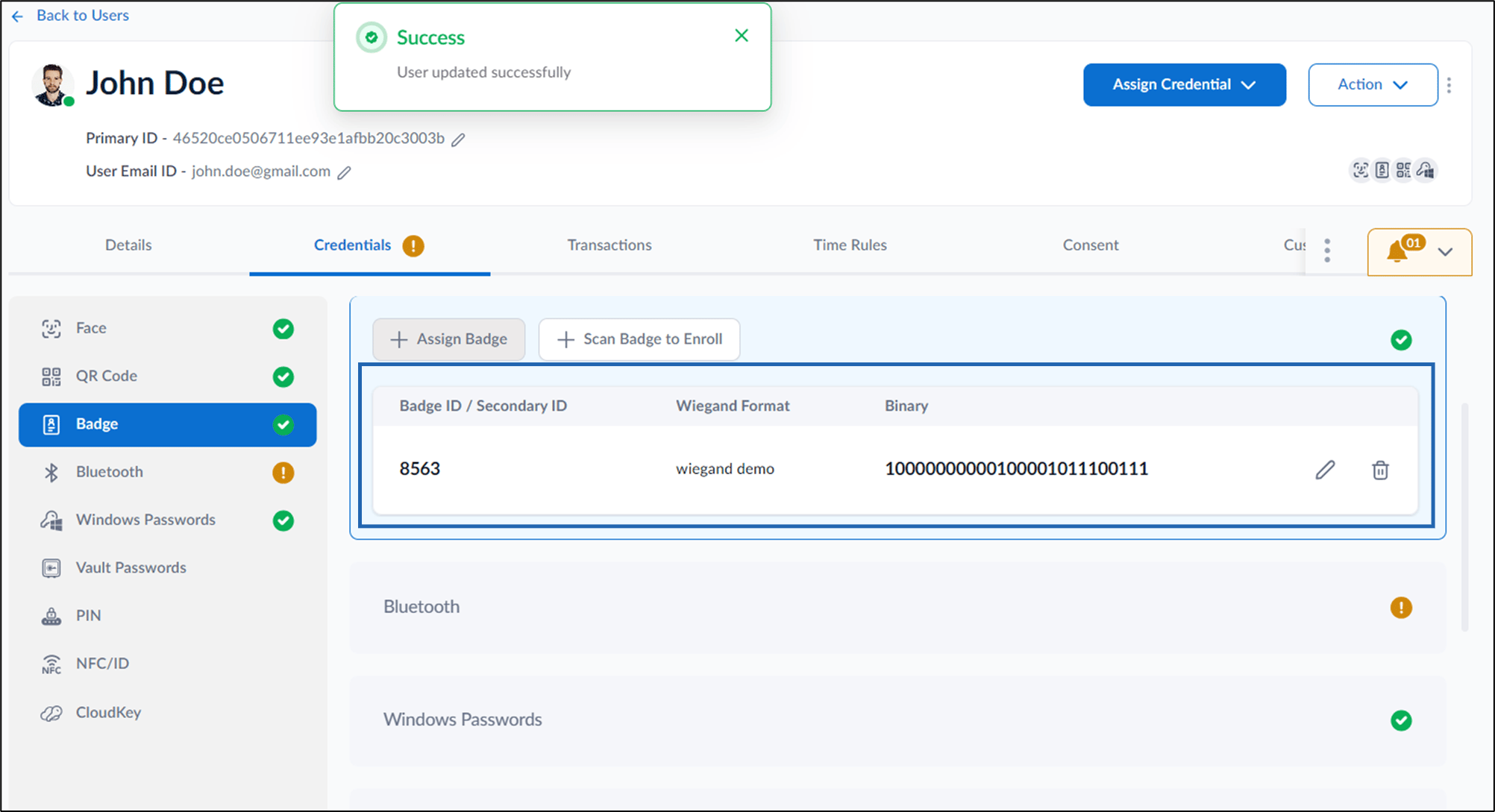
  4. On the pop up box, enter Badge ID or Secondary ID, then select Wiegand Format. How to assign Badge ID as credential to... - screenshot 2
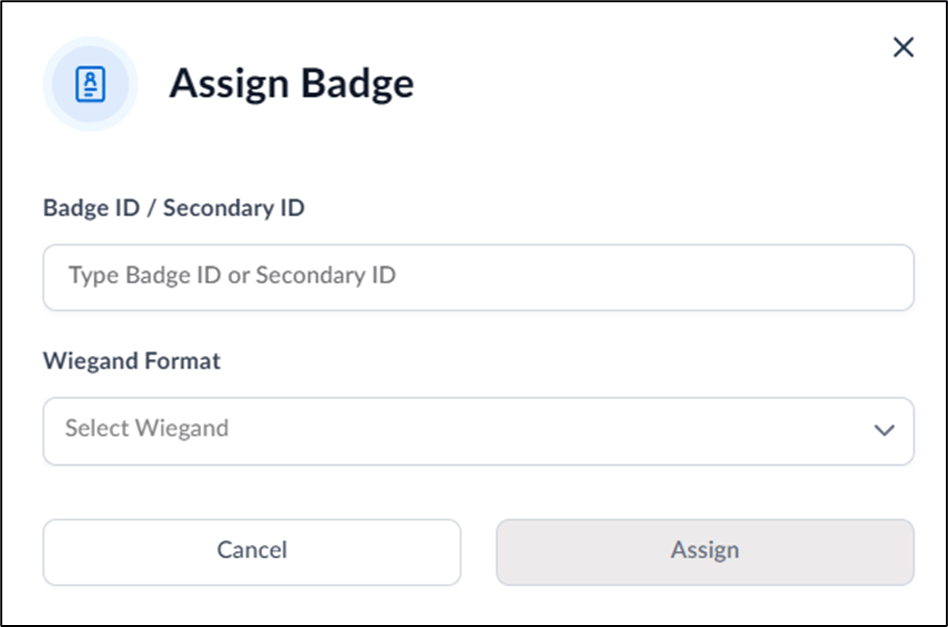
Click Assign. The badge ID is assigned and listed on the Badge tab. Image

Video Tutorial

  1. Watch the video How to assign Badge ID as credential to Users in the Supervisor Portal - Video Tutorial