

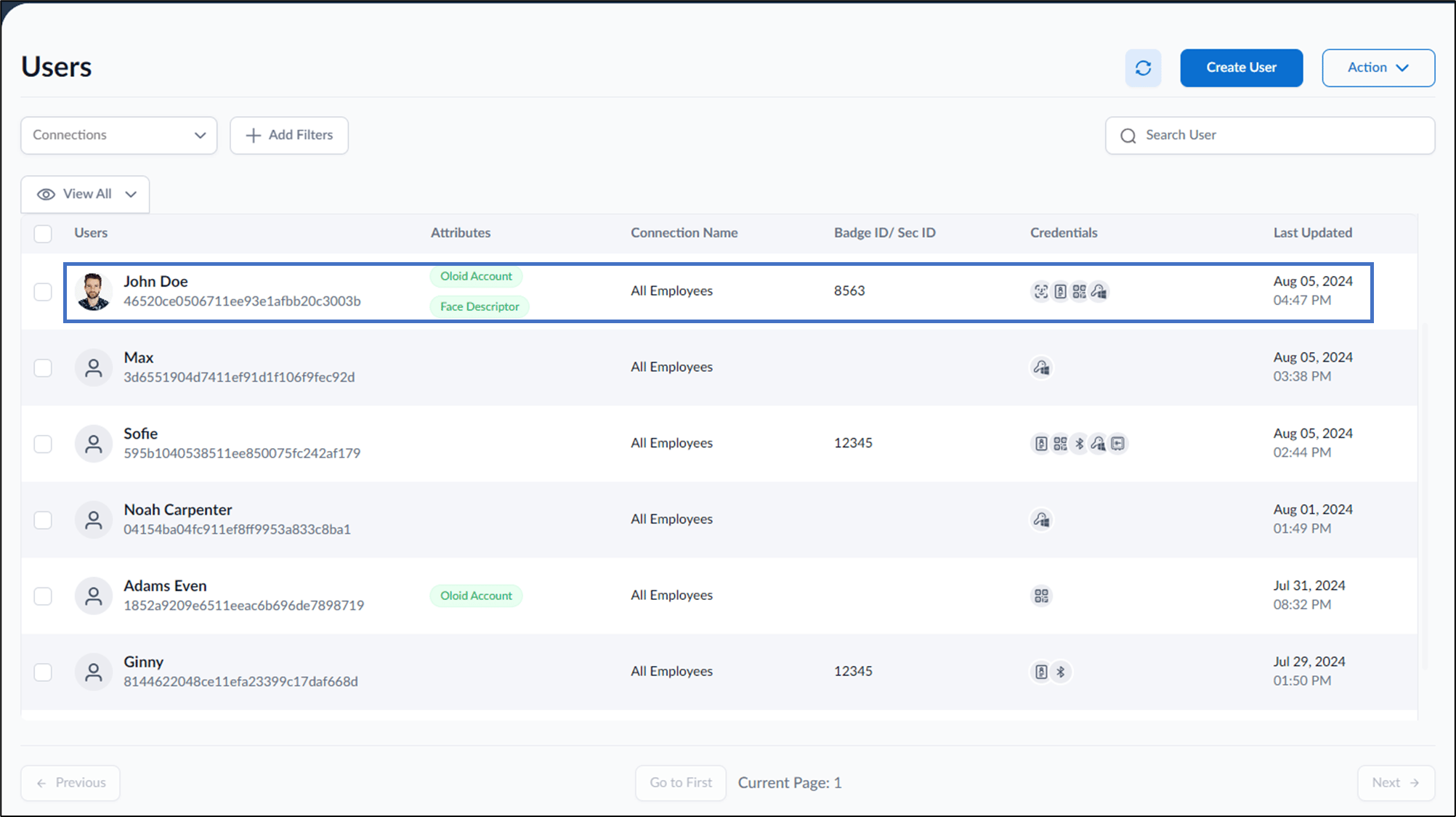
- Log in to the Supervisor Portal. The Users page is displayed.
- Click Create User from the top right corner.

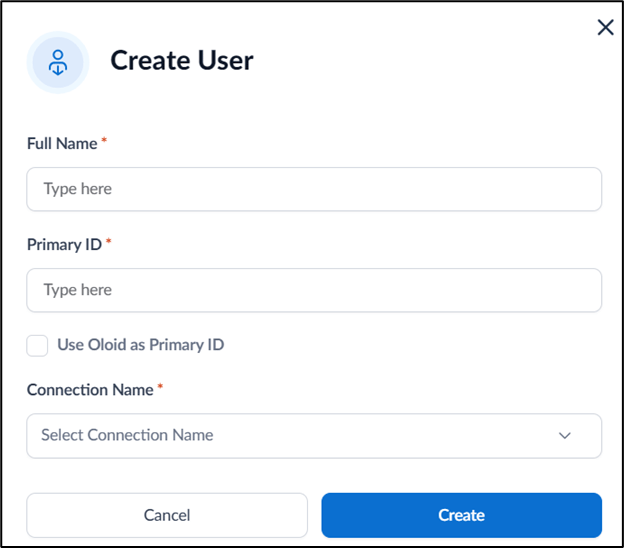
- On the pop-up box, do the following:
- Enter Full Name of the user.
- Enter Primary ID.
- Select Use OloID as Primary ID to use OloID as your primary ID.
- Select Connection from the Connection list.
- Click Create.
The new user is added and listed on the Users page.
Supervisor Portal - How to add user
This document provides step-by-step instructions to add user in the Supervisor Portal.
Steps to add user:
⌘I