

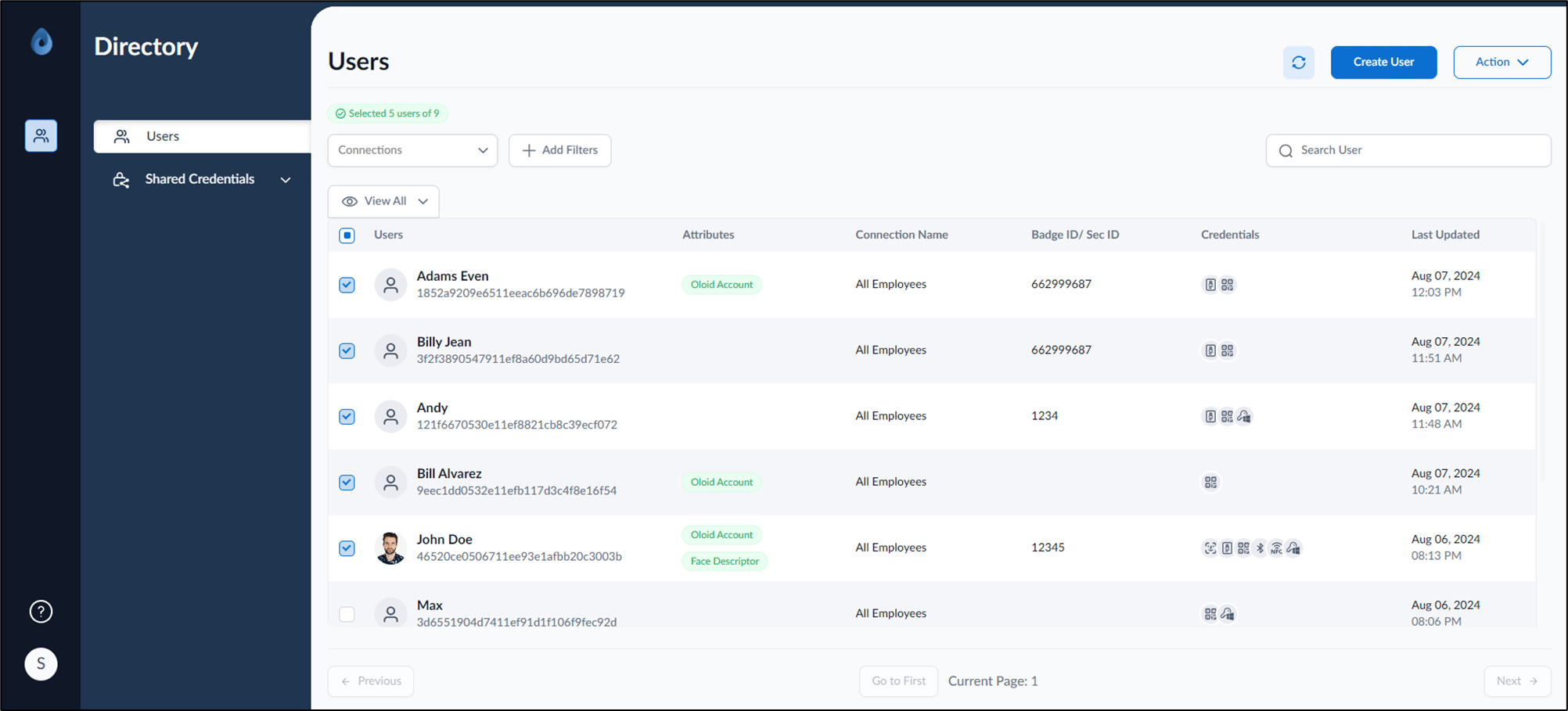
- Log in to the Supervisor Portal. The Users page is displayed.
- Select user(s) to create Oloid Account.
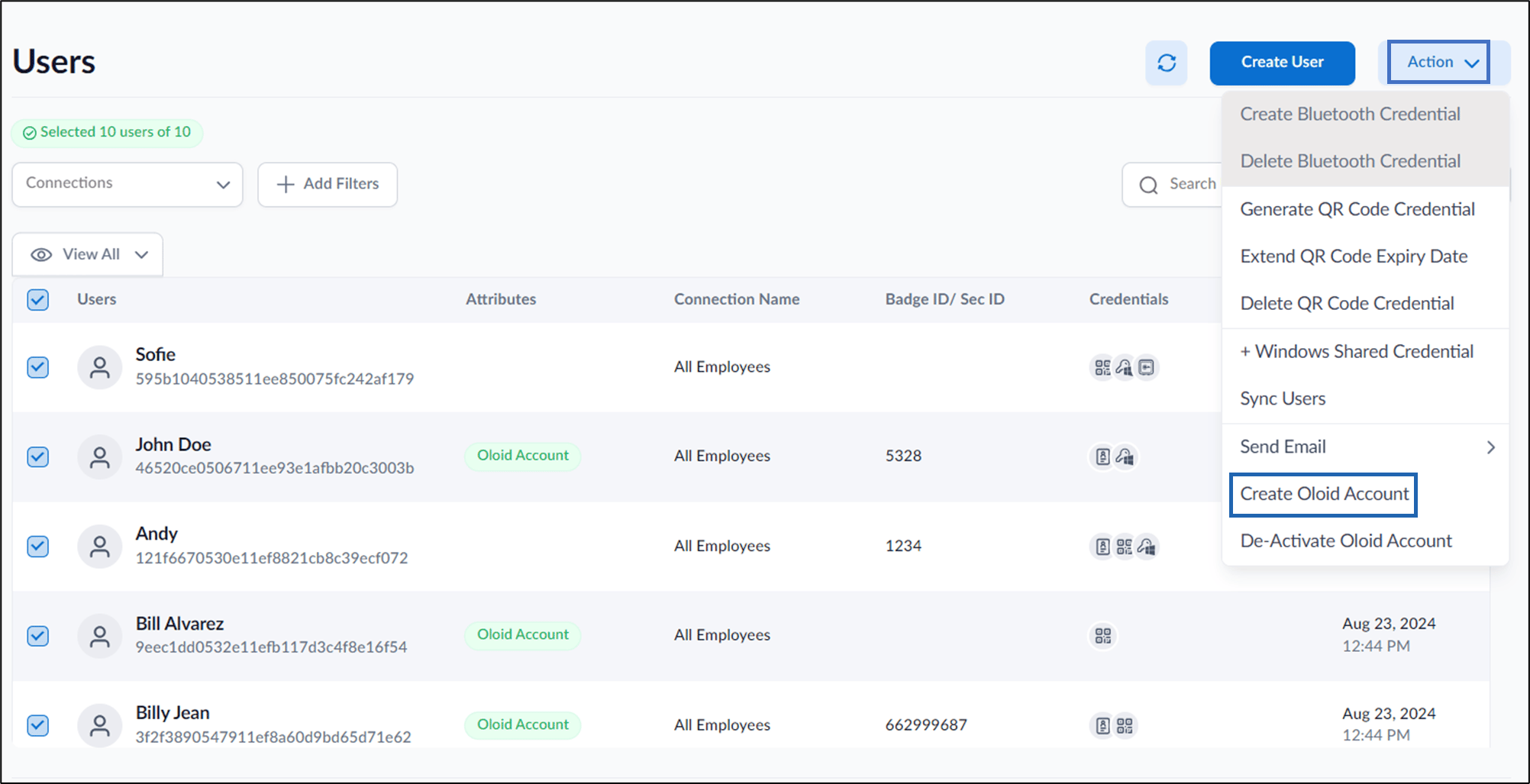
- Go to Action > Create Oloid Account.
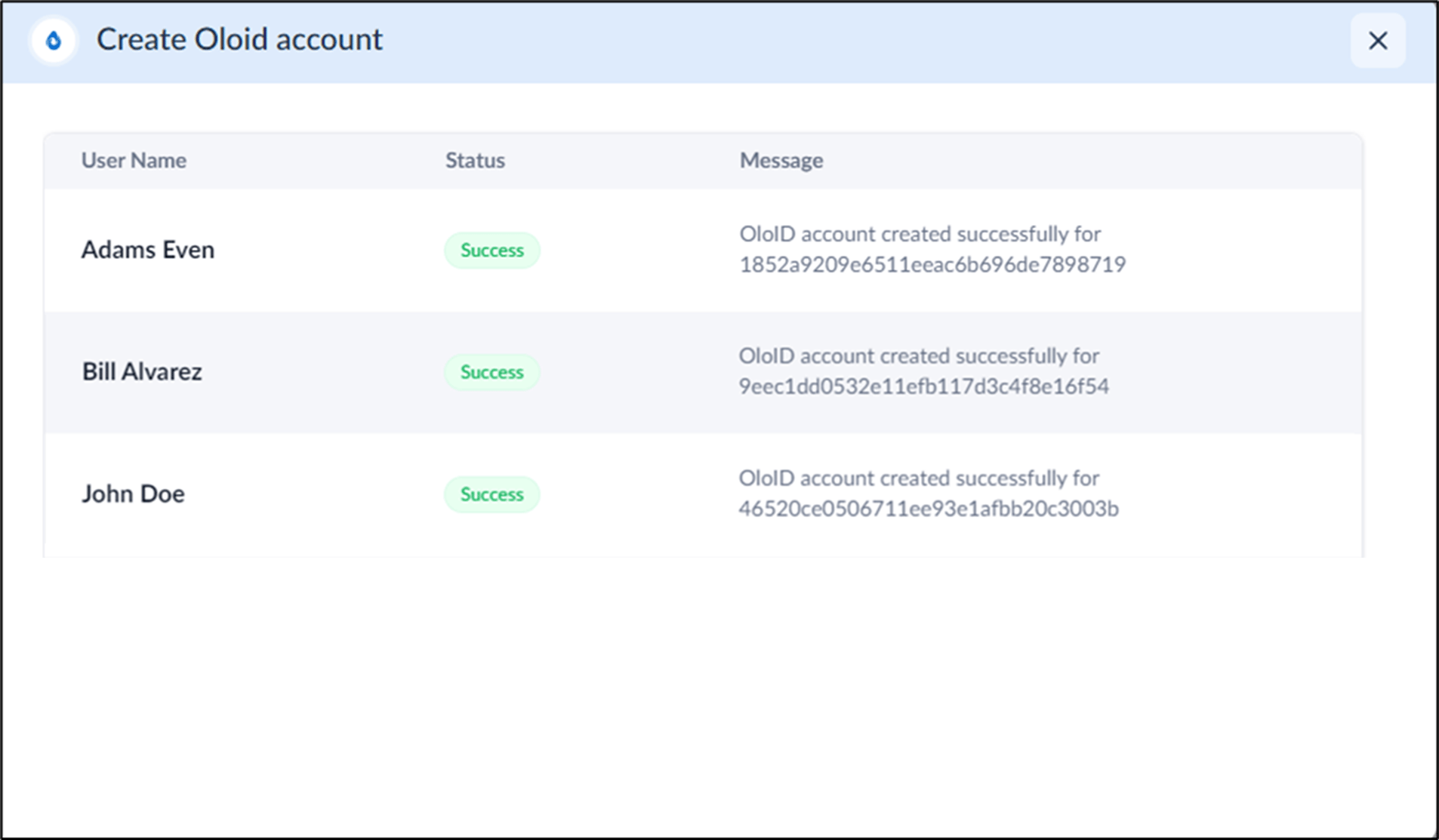
Supervisor Portal - How to create Oloid Account for multiple users
This document provides instructions to create Oloid account for multiple users in the Supervisor Portal.
Steps to create Oloid Account:
⌘I