

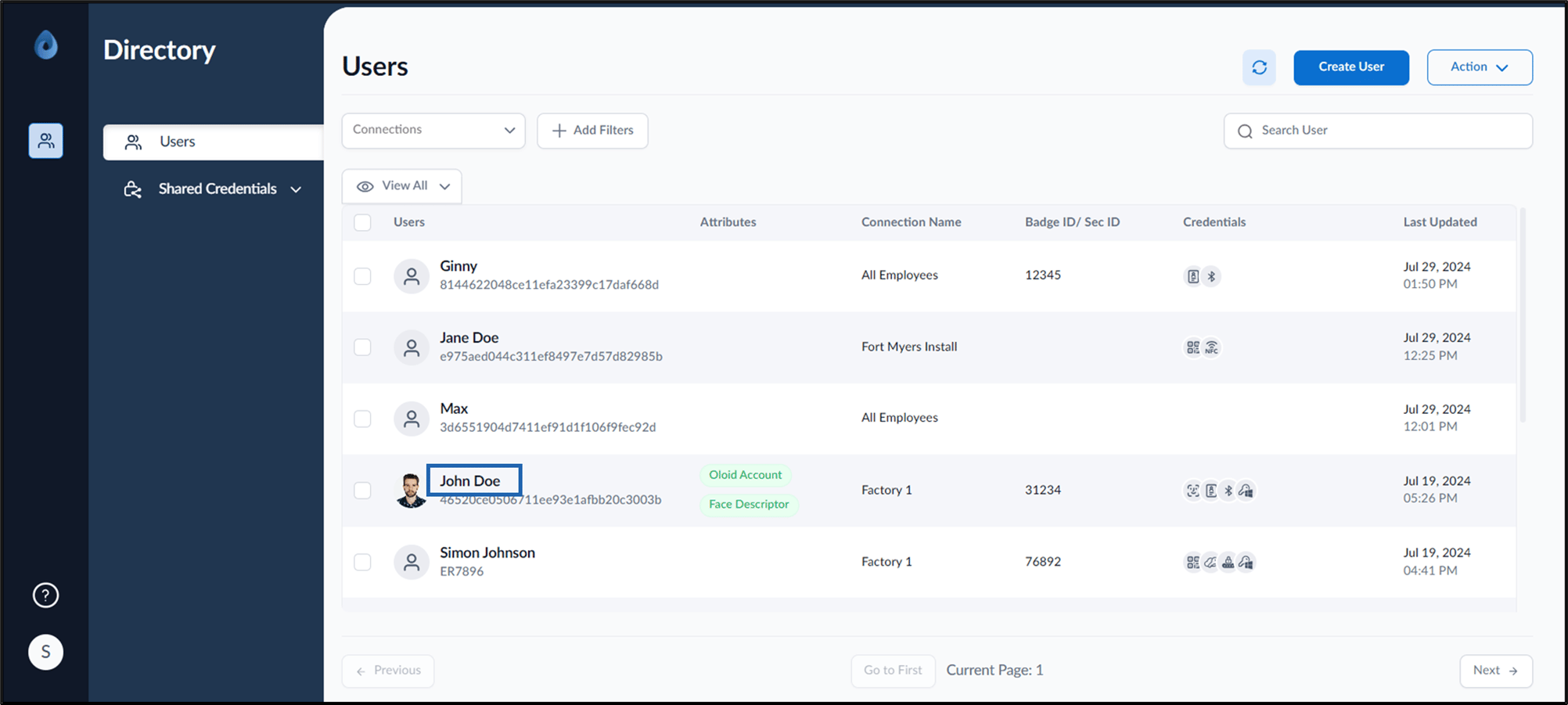
- Log in to the Supervisor Portal. The Users page is displayed.
- Click the username to edit.
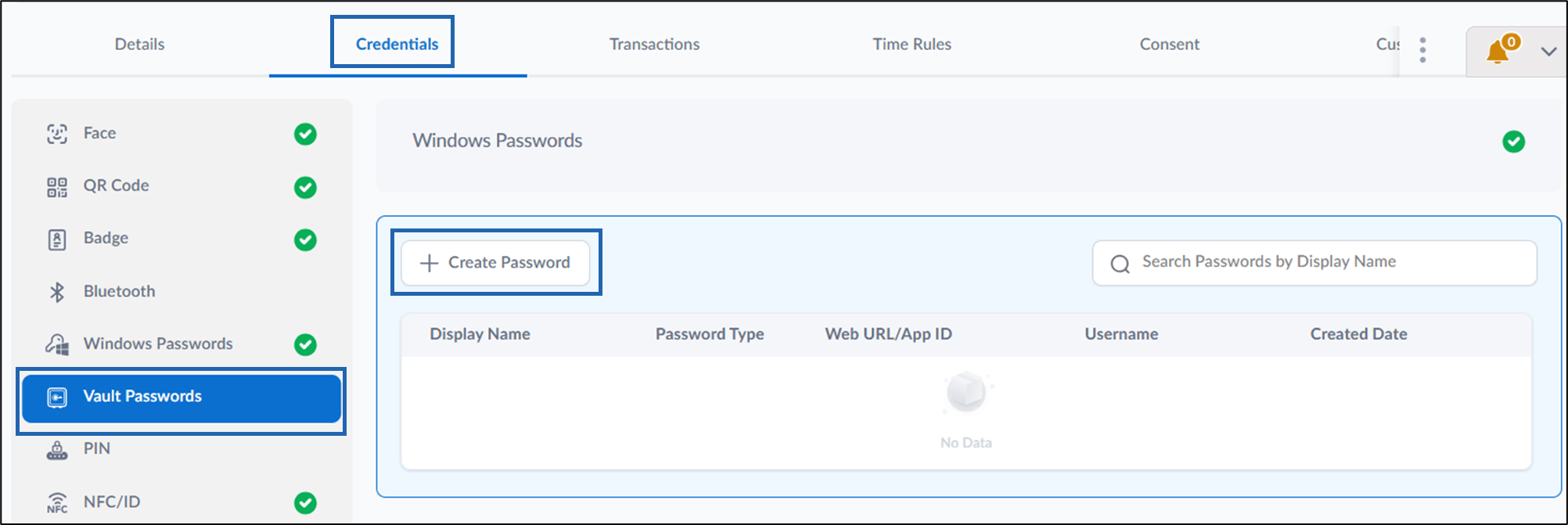
- Go to Credentials > Vault Passwords tab > + Create Password.
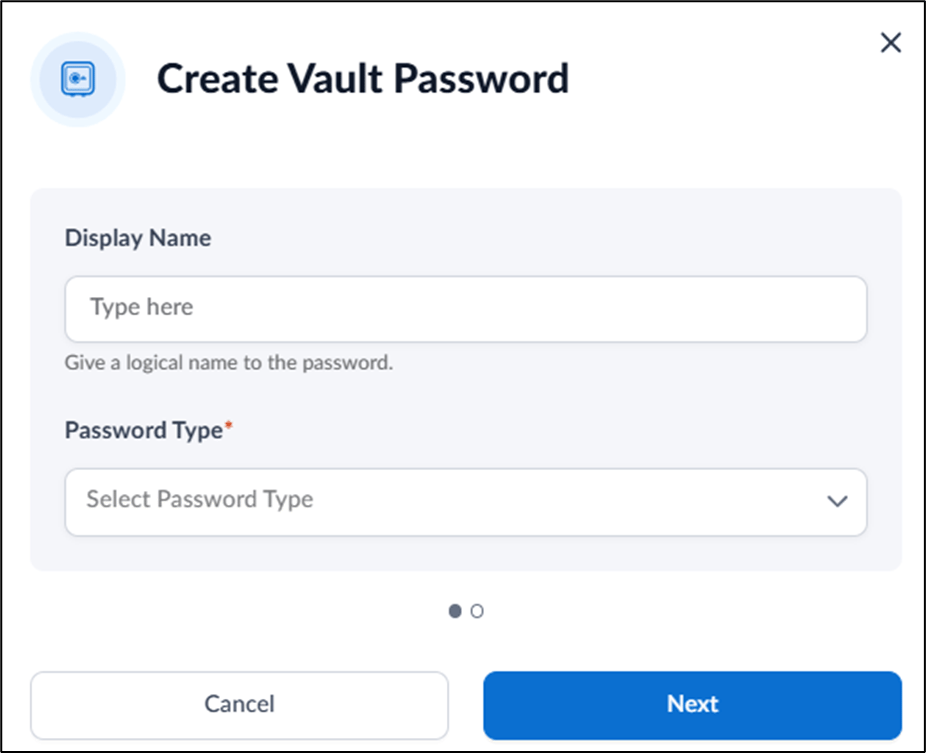
- Do the following:
- Enter Display Name that helps you identify this password. (Optional)
- Select Web type from Password Type dropdown list.
- Click Next.
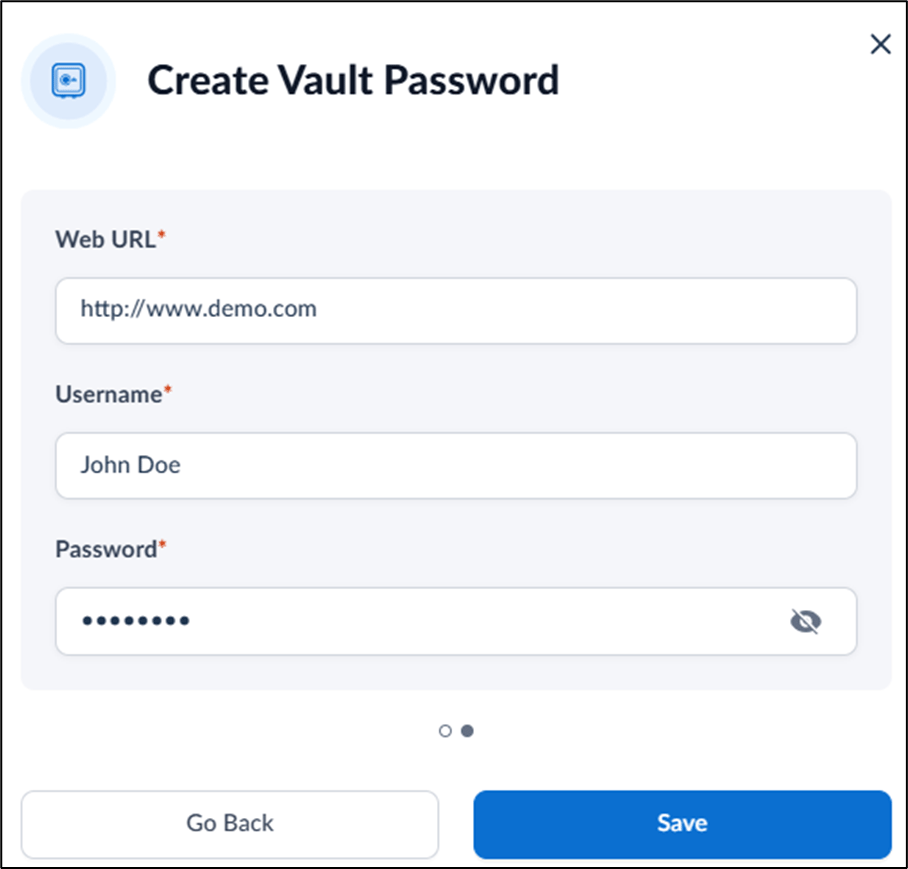
- Enter Web URL.
- Enter Username.
- Enter Password.
- Click Save.
The password is created and listed in the Vault Passwords tab.
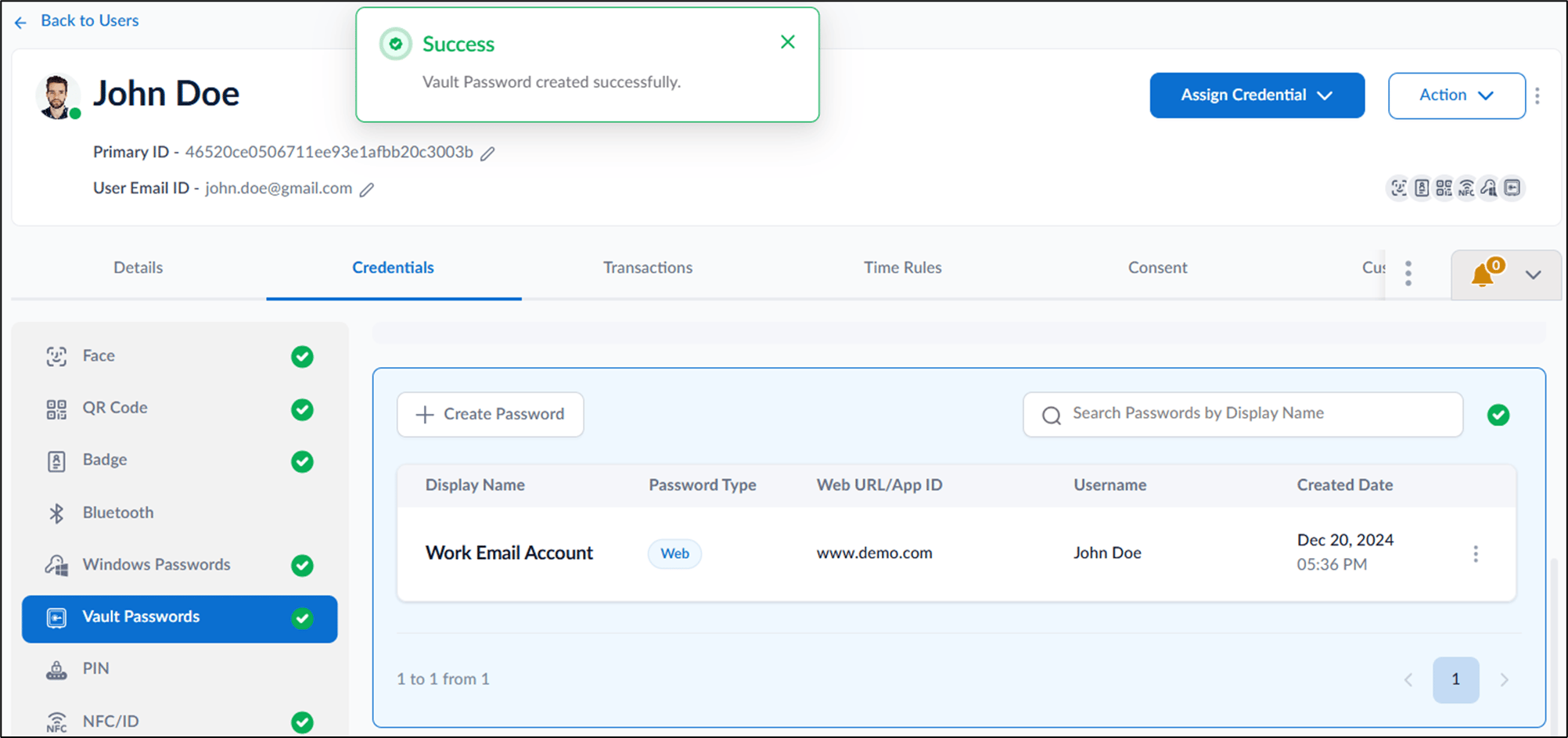
Supervisor Portal- How to create Vault Password
Steps to create Vault Password:
Steps to create Vault Password:
⌘I