Step 1 : Create Use Role for API privilege in S2 NetBox
When creating a user role, you can set specific permissions for API privilege. Below is the list of available permissions. Please select Read-Only or Read-Write based on your usecase. None – No access to the NBAPI Read-Only – Ability to execute NBAPI read-only commands that retrieve information from a system—such as GetReader, SearchPersonData, and GetAccessHistory. Read-Write – Ability to execute NBAPI read-write commands that make changes to a system—such as ModifyPerson, ActivateOutput, and LockPortal.Step 2 : Create a User with API privilege
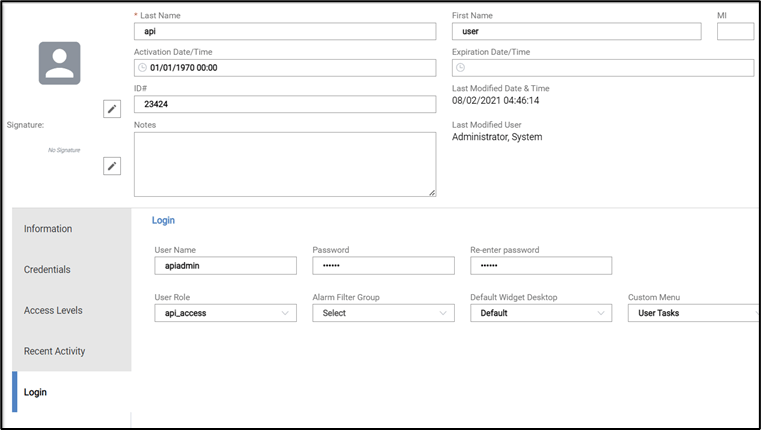
- Go to Administration > People Add
- Enter First Name and Last Name for the user.
- Go to Login section
- Enter User Name and Password for API privilege.
- Select api privilege User Role created in step-1.
- Save the User.