

Step 1 : Install license to use ProWatch Web API
Please get in touch with official Honeywell representative to acquire license to use ProWatch Web API.Step 2 : Install ProWatch Web API
Configure ProWatch Web API
- Open ‘PW-DTU-WinService.exe.config’ file.
- Make below changes to the file.
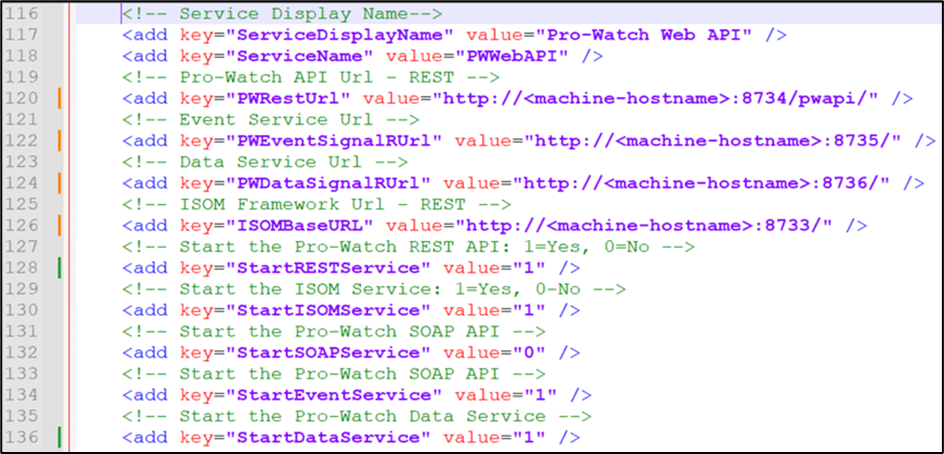
- Save the file.
Install ProWatch Web API as a Windows Service
- Open Command window in administrator mode.
- Go to ProWatch Web API installation folder.
- Run this command – Install_PW_API_Service.bat

Configure ProWatch Web API Service
- Open Windows Services application (type “services.msc” in RUN window).
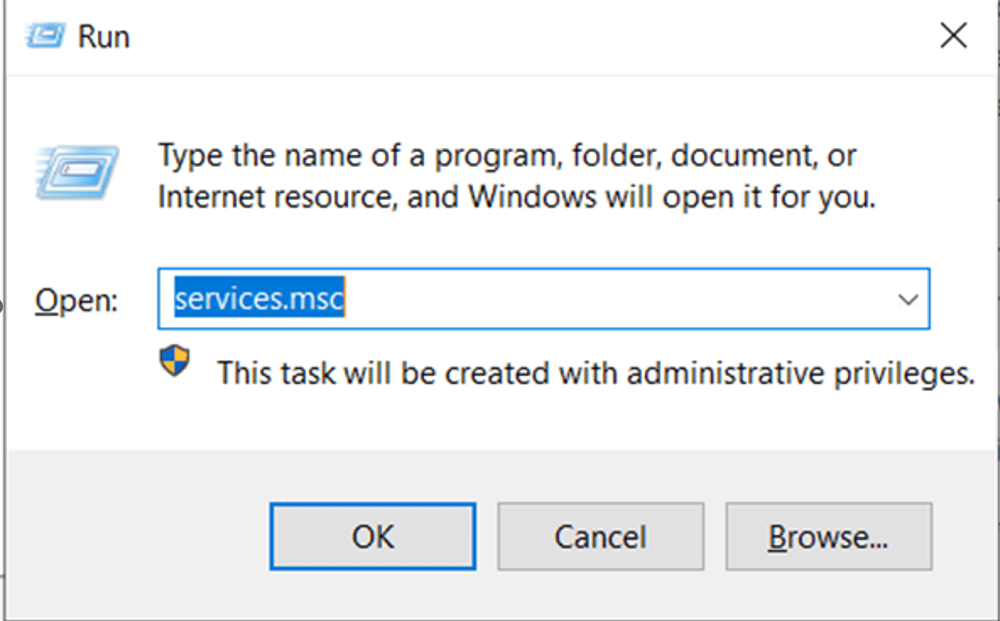
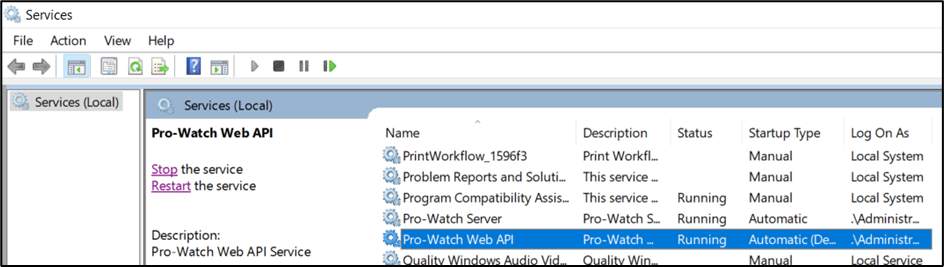
- Search for “ProWatch Web API” service.
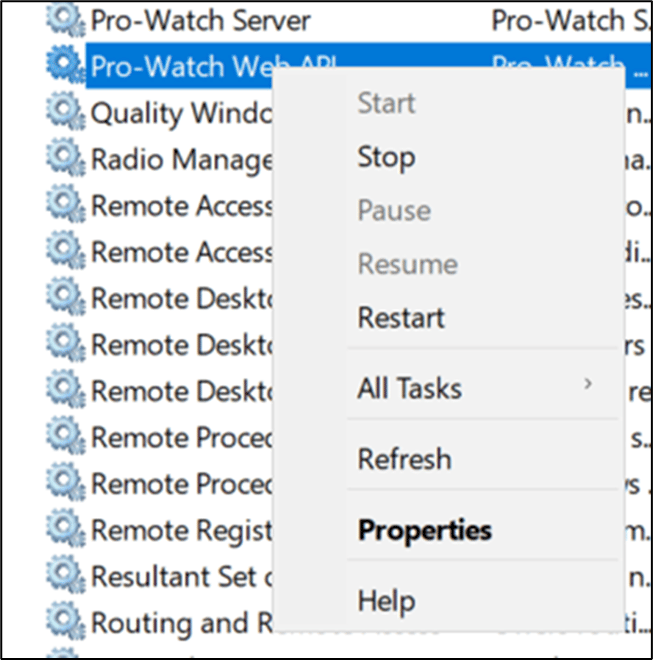
- Right click the entry and select Properties.
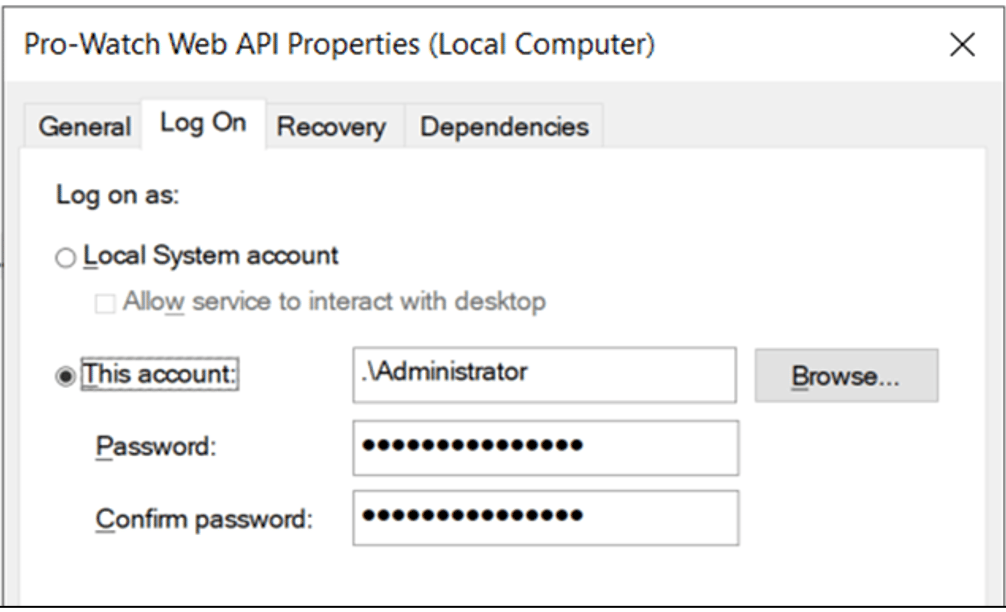
- Go to Log On tab and set windows admin user for “This account” option.
- Start the service.
Step 3 Create ProWatch User for Web API Access
- Open ProWatch application.
- Go to Administration > Users.
- Right click and select New Users.

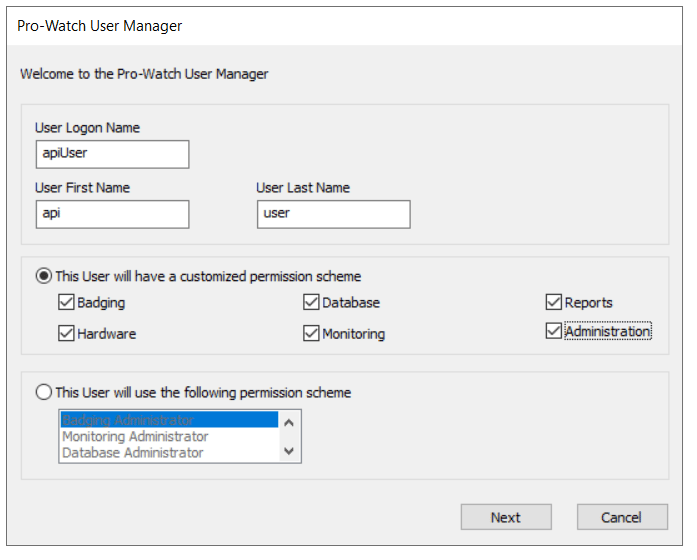
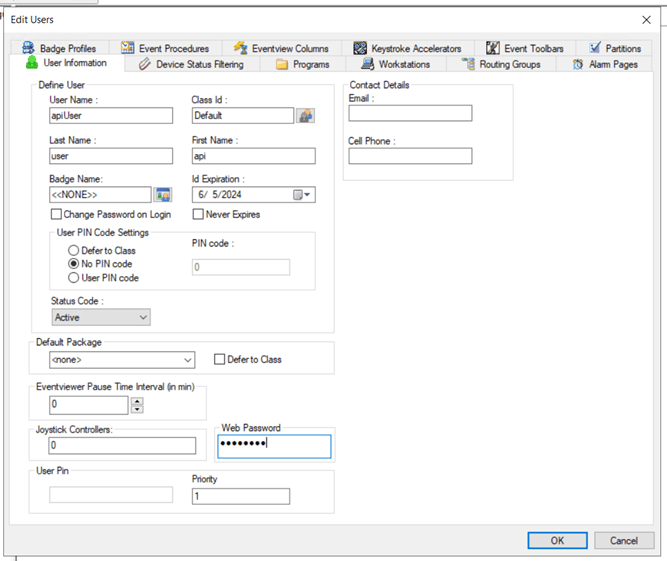
- Fill up user form as shown below.
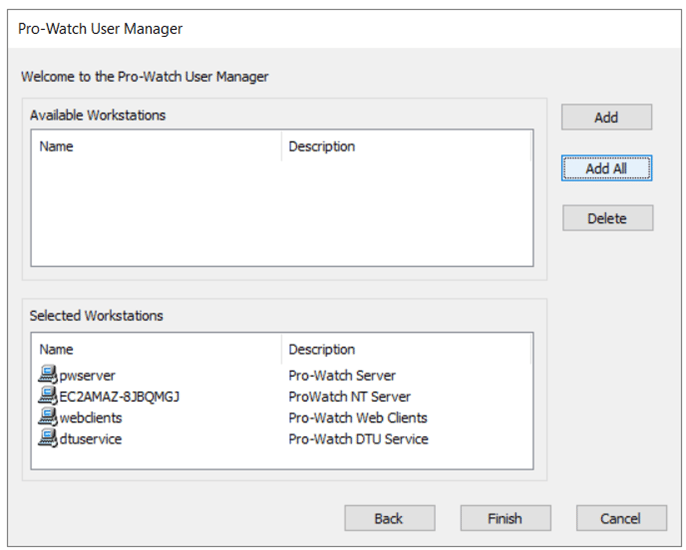
- Select “Add All” to add all available workstations and click Finish.
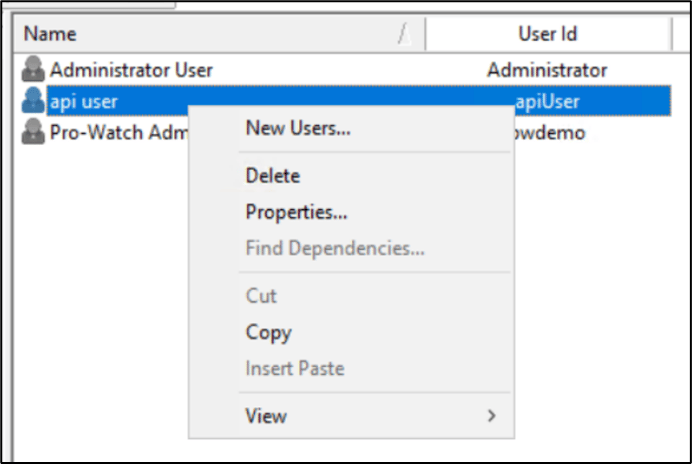
- Right click on the user entry and select Properties.
- Set “Web Password” in User Information tab.
- Click OK.