Introduction
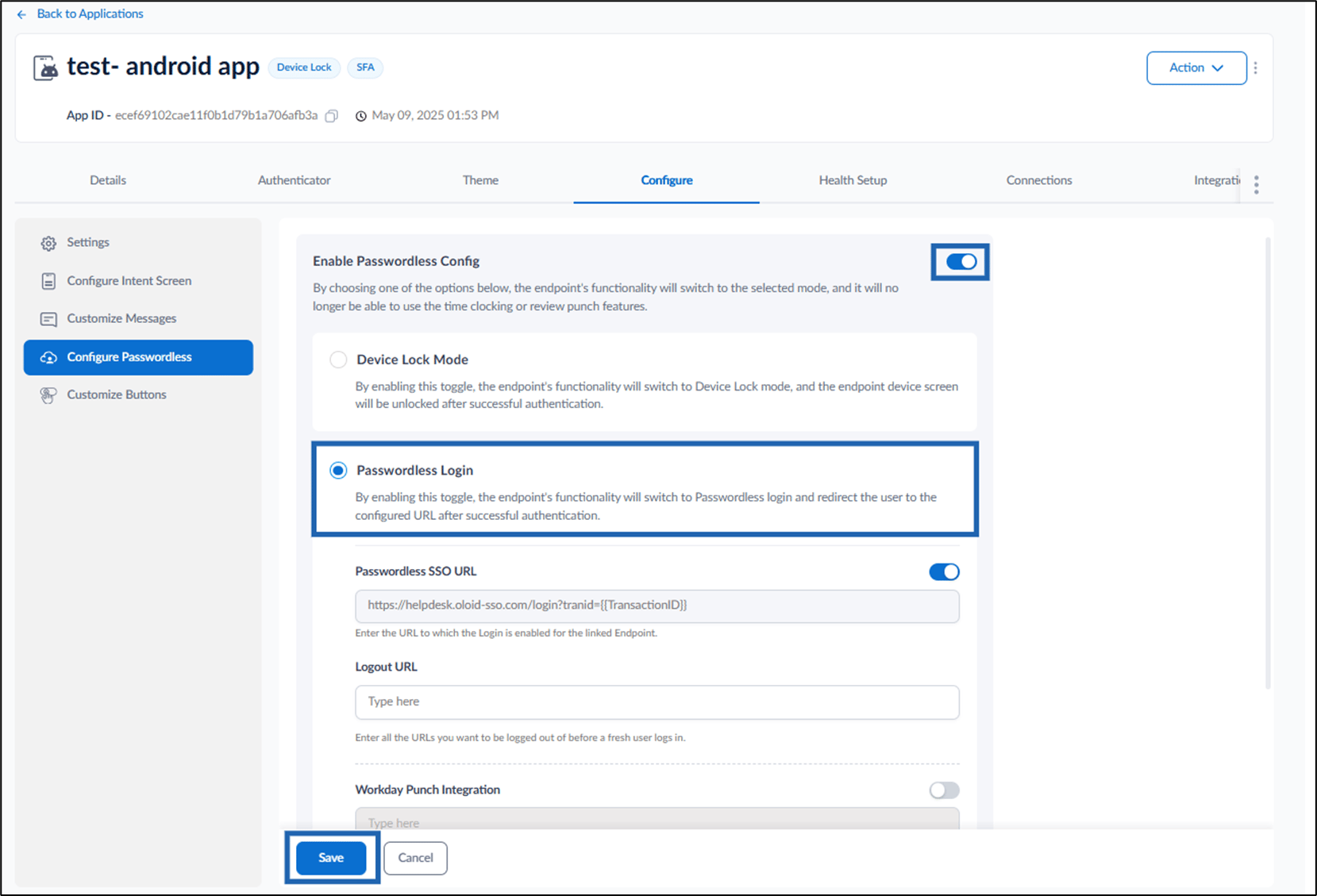
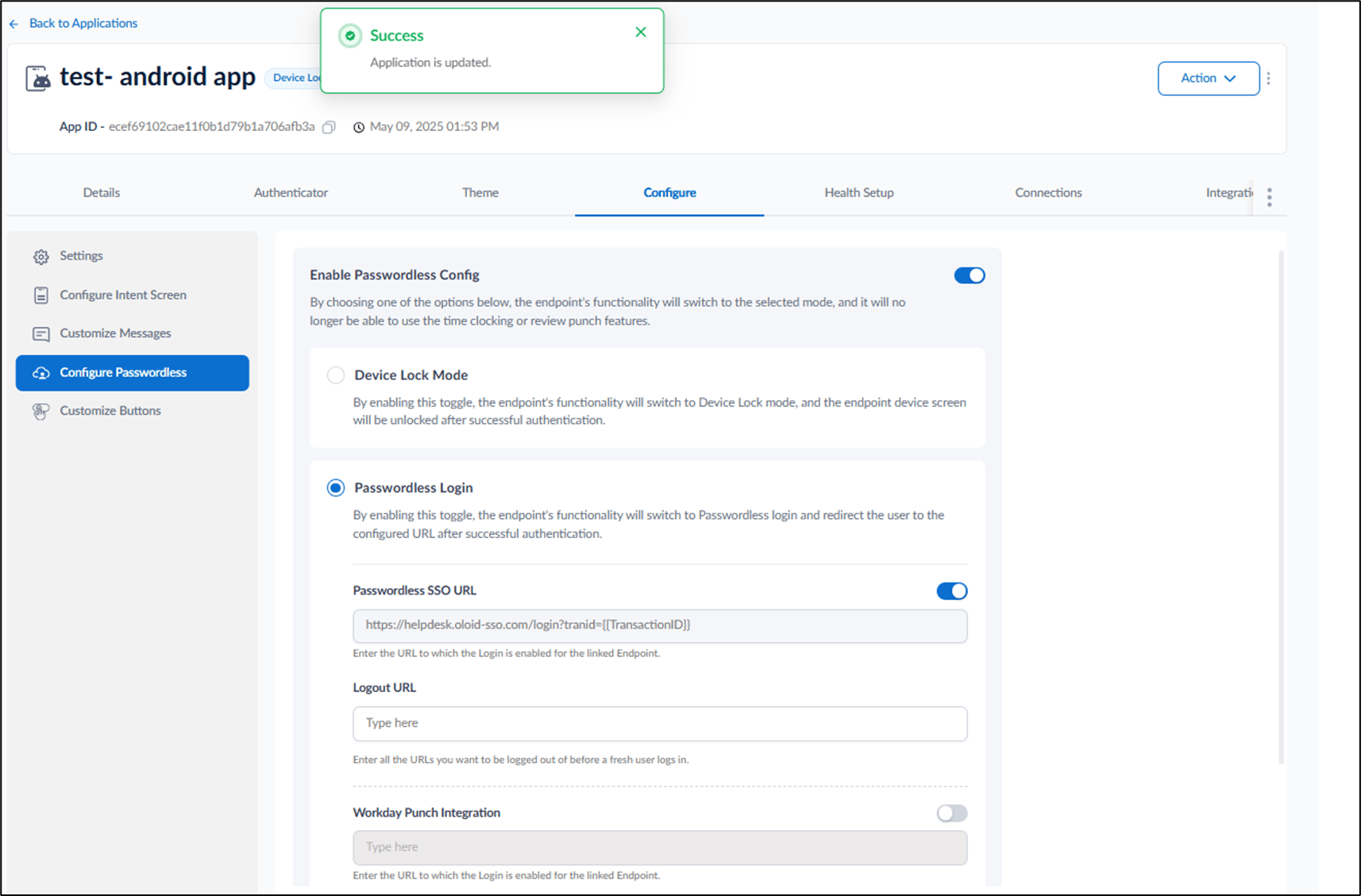
The Passwordless Login feature in the Oloid Tenant Admin Portal allows admin to enable secure, password-free authentication for users. When enabled, the endpoint switches to passwordless mode and redirects users to the configured URL after successful authentication.Prerequisite
You must have Admin access to the Tenant Admin Portal.Steps to Enable Passwordless Login
- Log in to the Tenant Admin Portal.
- On the homepage of the portal, click the preferred application from the application list.

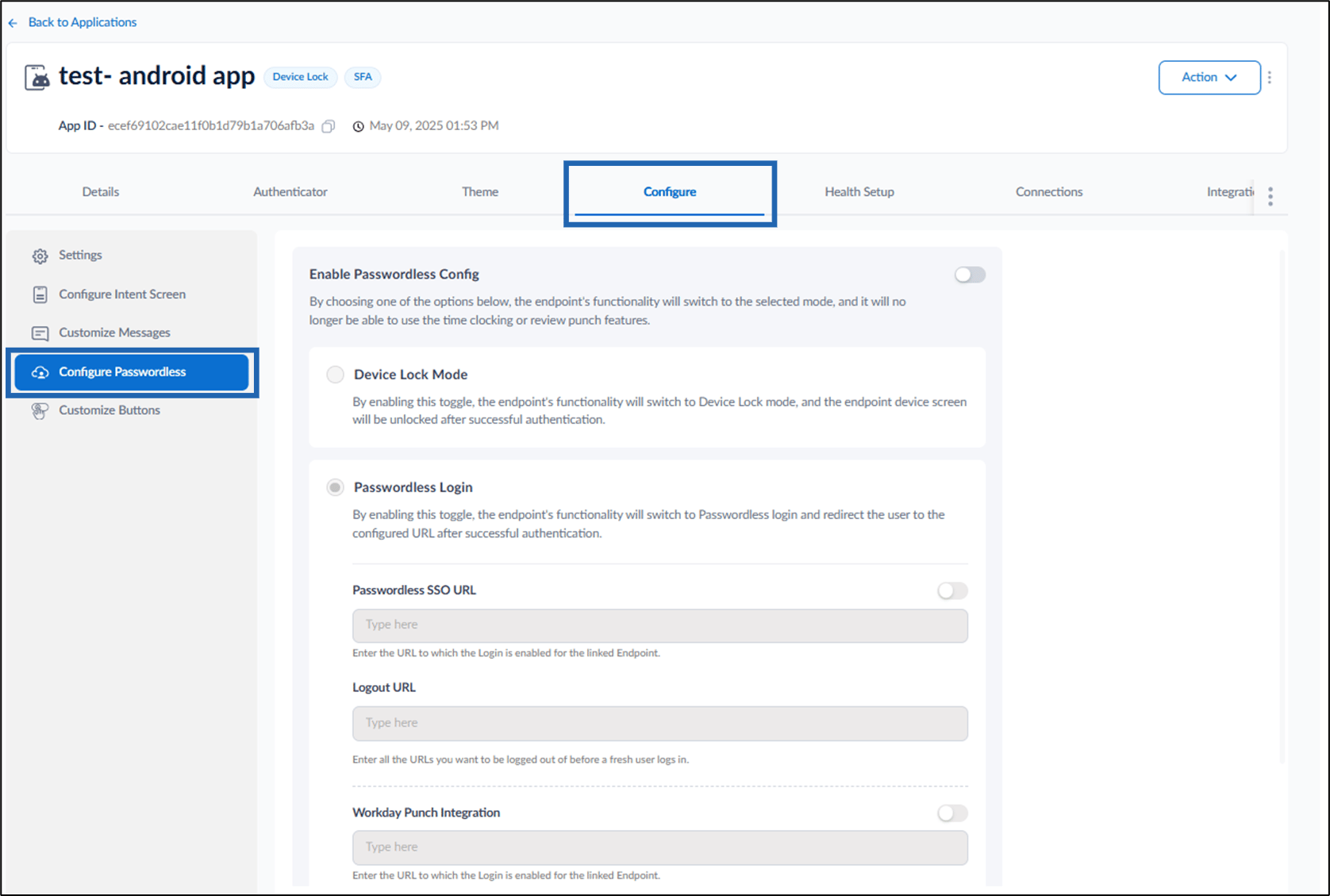
- Go to Configure tab > click Configure Passwordless from the left menu panel.
Note: The Passwordless SSO URL toggle automatically turns on after you select Passwordless Login.