Introduction
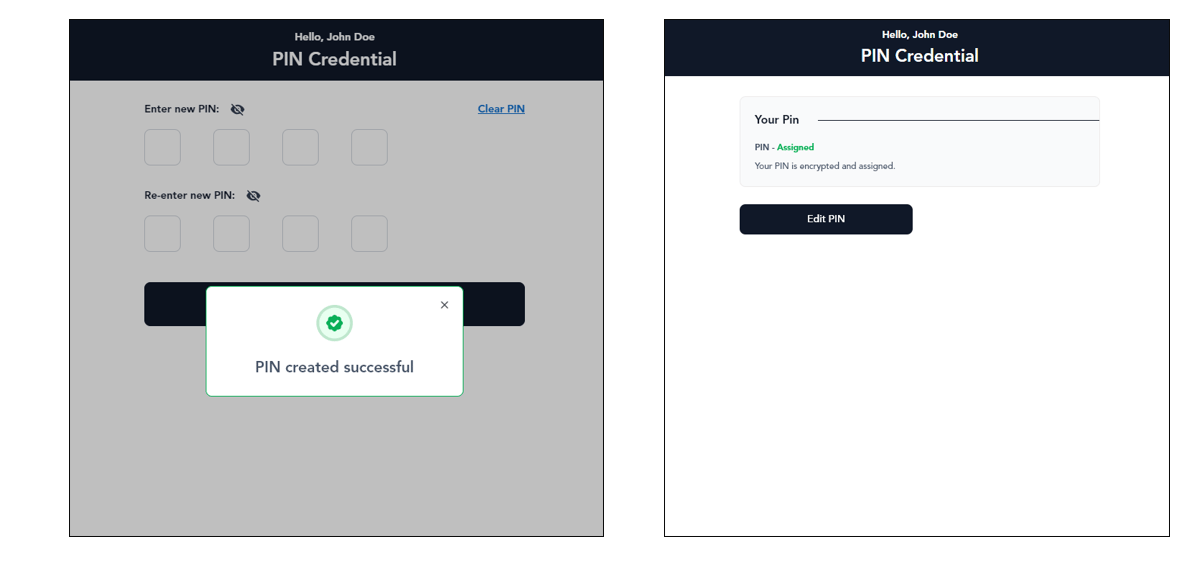
This document provides step-by-step instructions to edit PIN in the Oloid User Portal.Steps to edit PIN
- Log in to the Oloid User Portal.
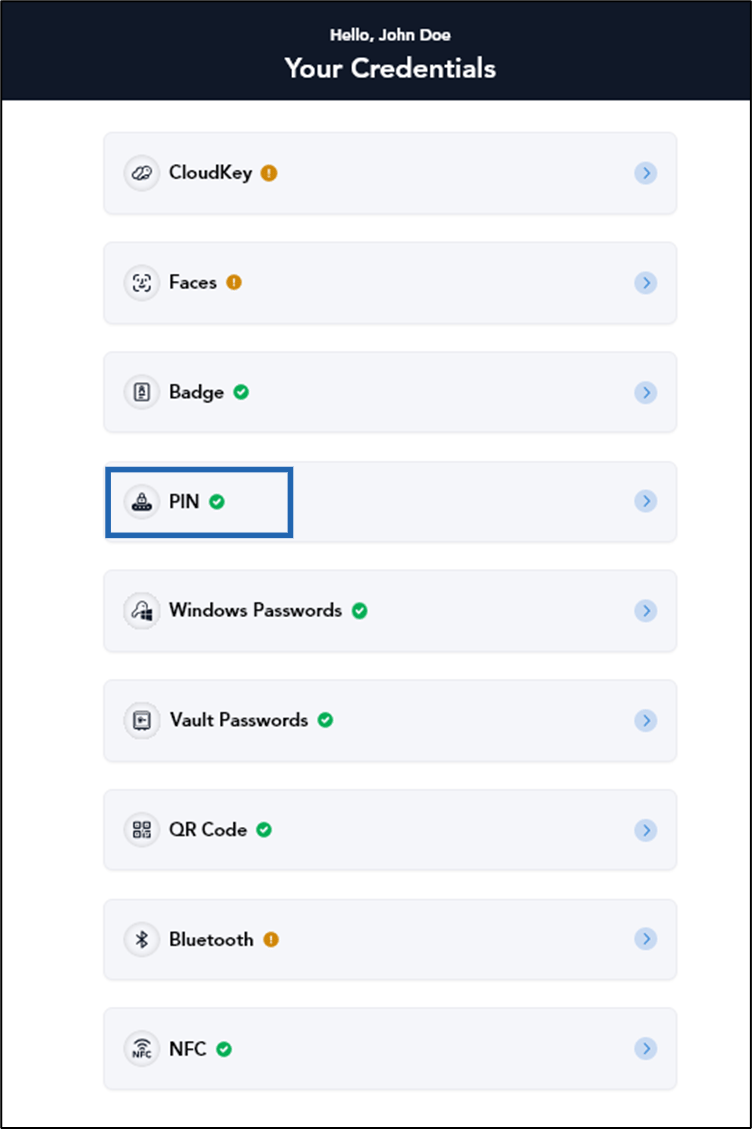
- On the credential home page, select PIN.
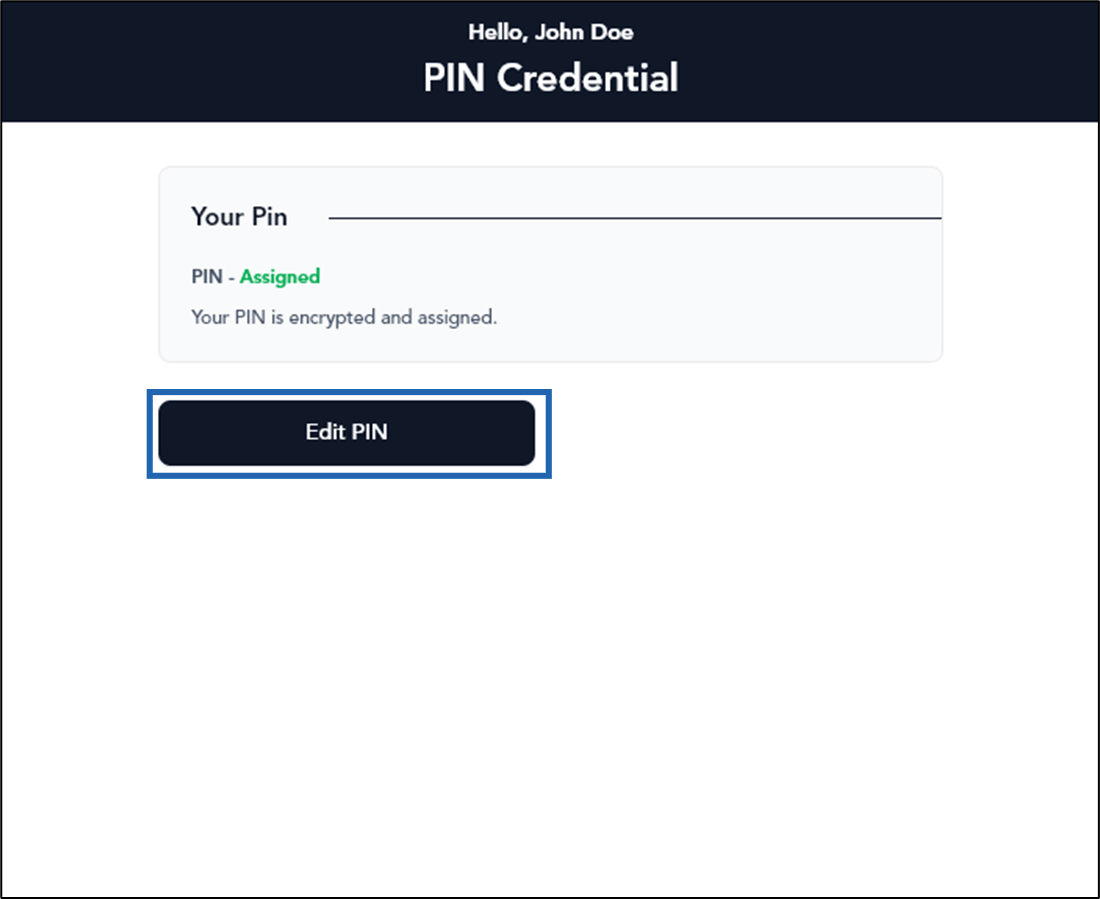
- Select Edit PIN.
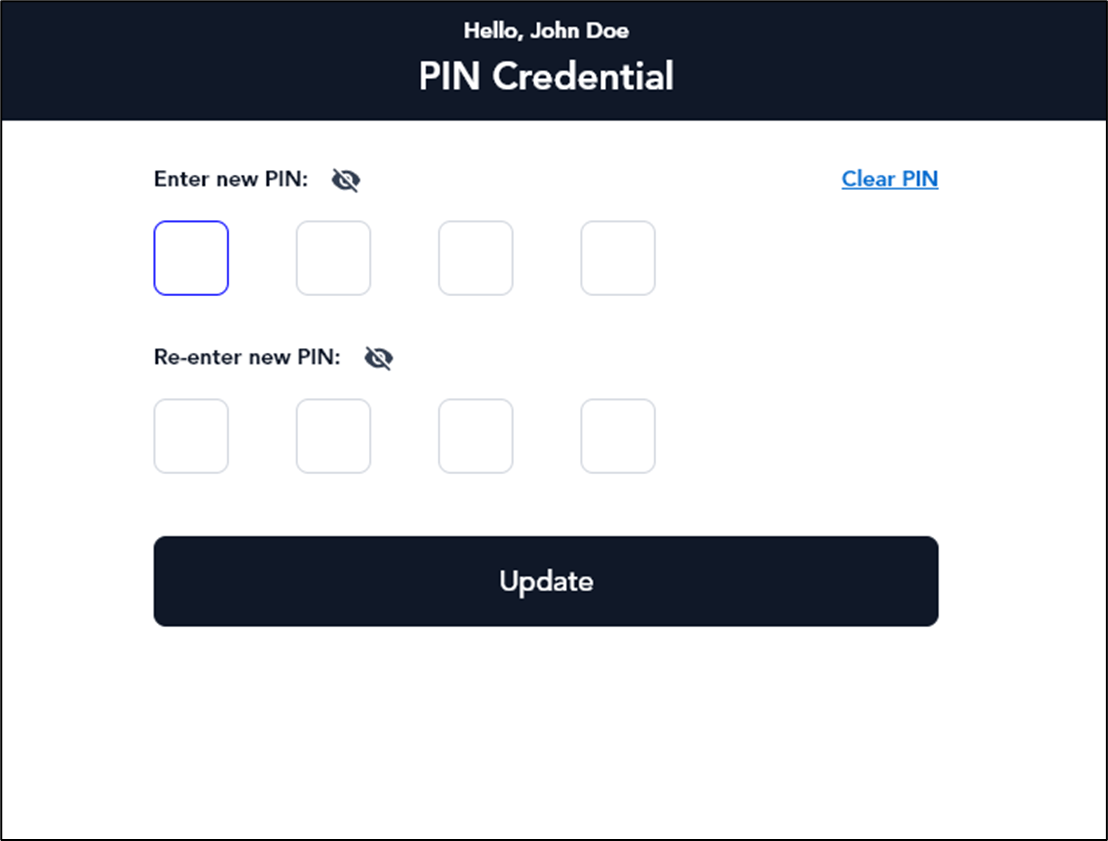
- Do the following:
- Enter new PIN.
- Re-enter new PIN.
- Click Update.