Introduction
Oloid User Portal allows the user to create and assign passwords to themselves. To create individual passwords:- Log in to the Oloid User Portal.
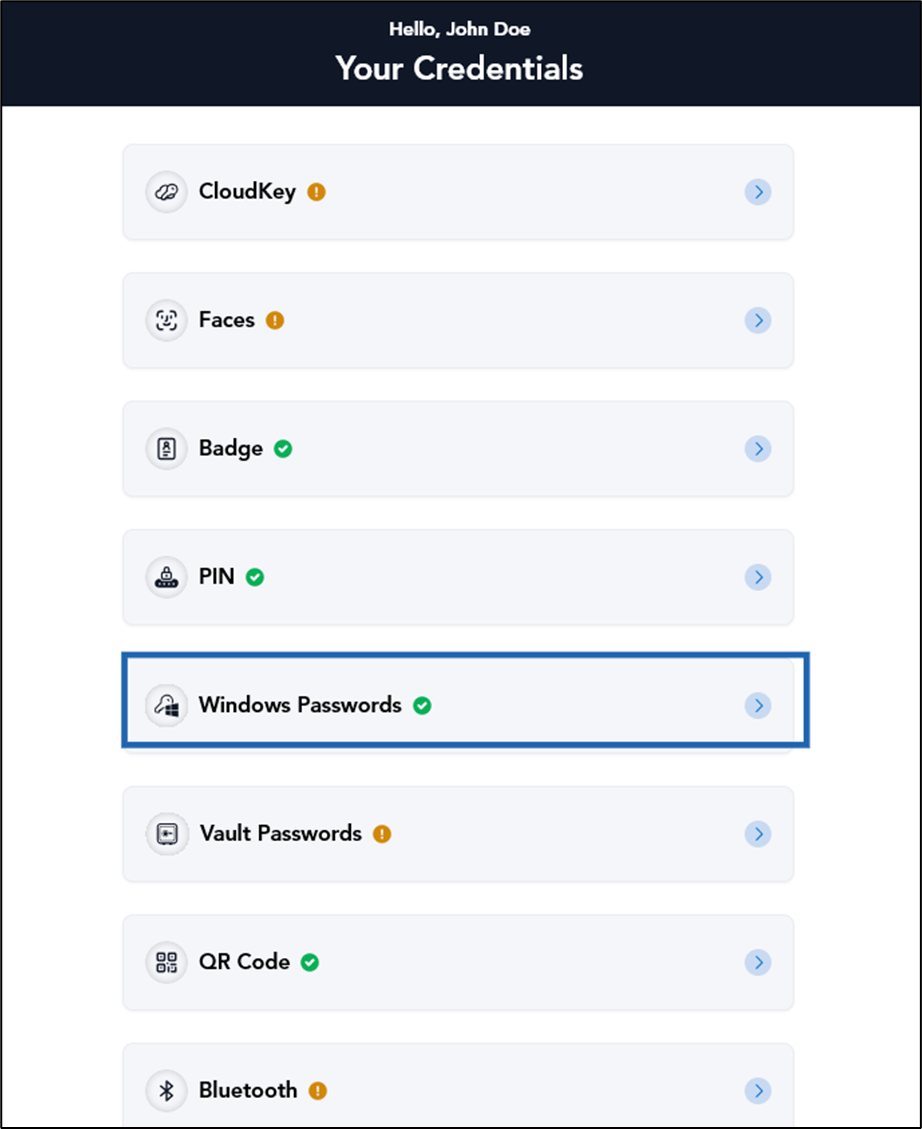
- On the credential home page, select Windows Passwords.
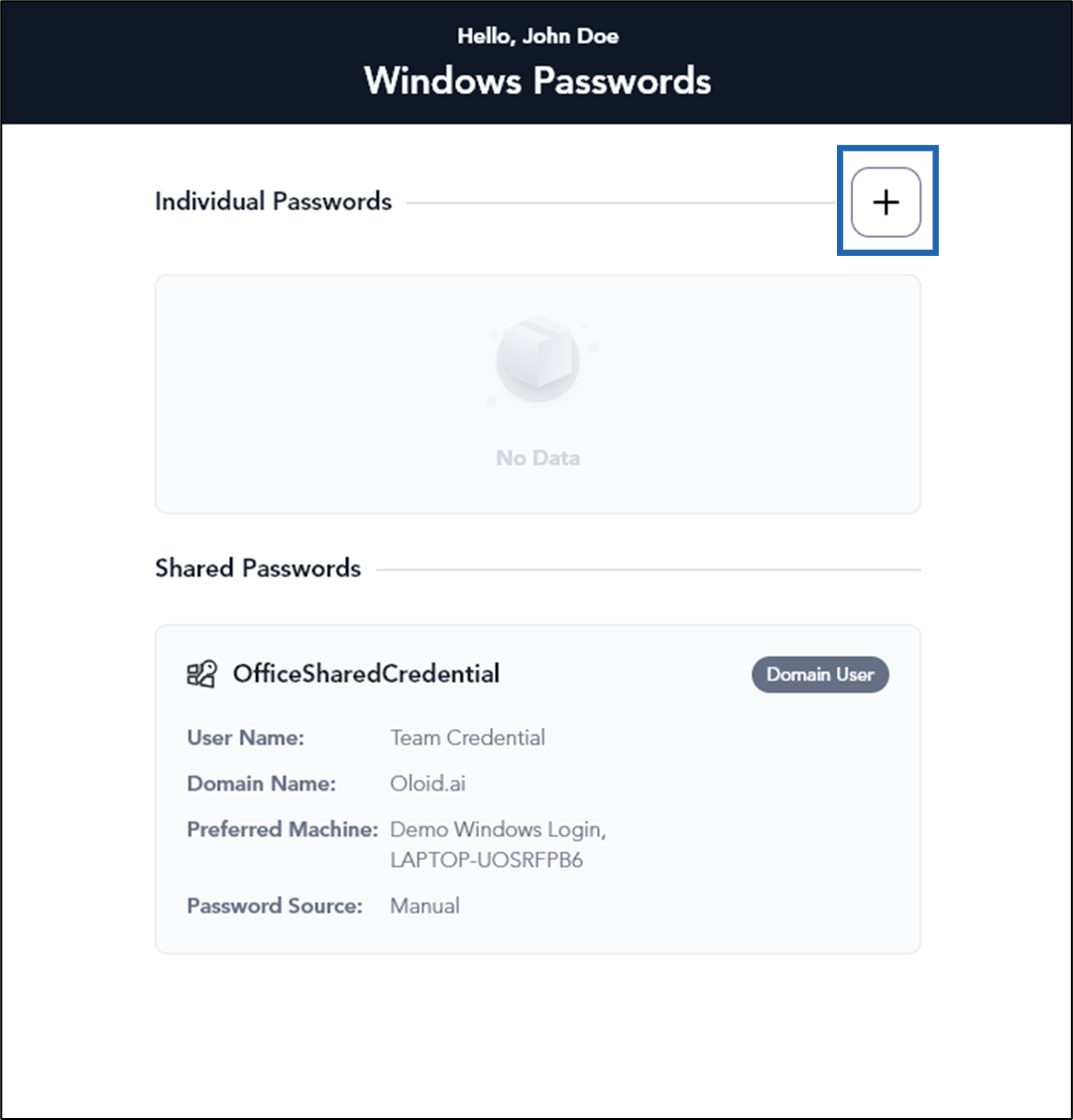
- Select Add

- Do the following:
Create password for Domain User
-
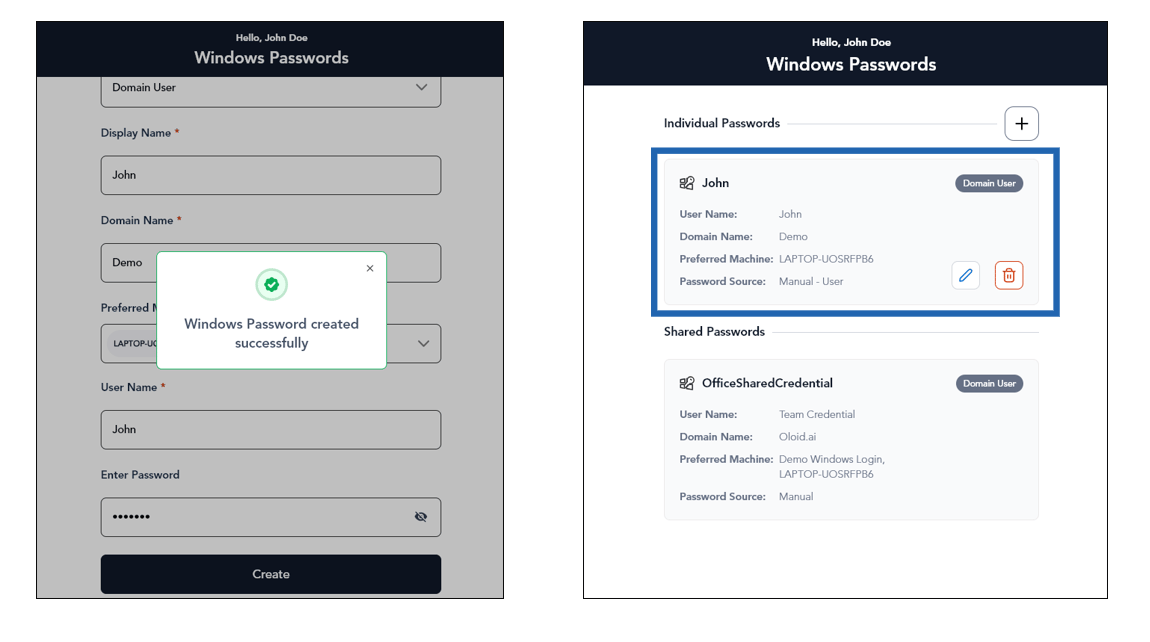
Select user type as Domain User from Windows User Type dropdown.
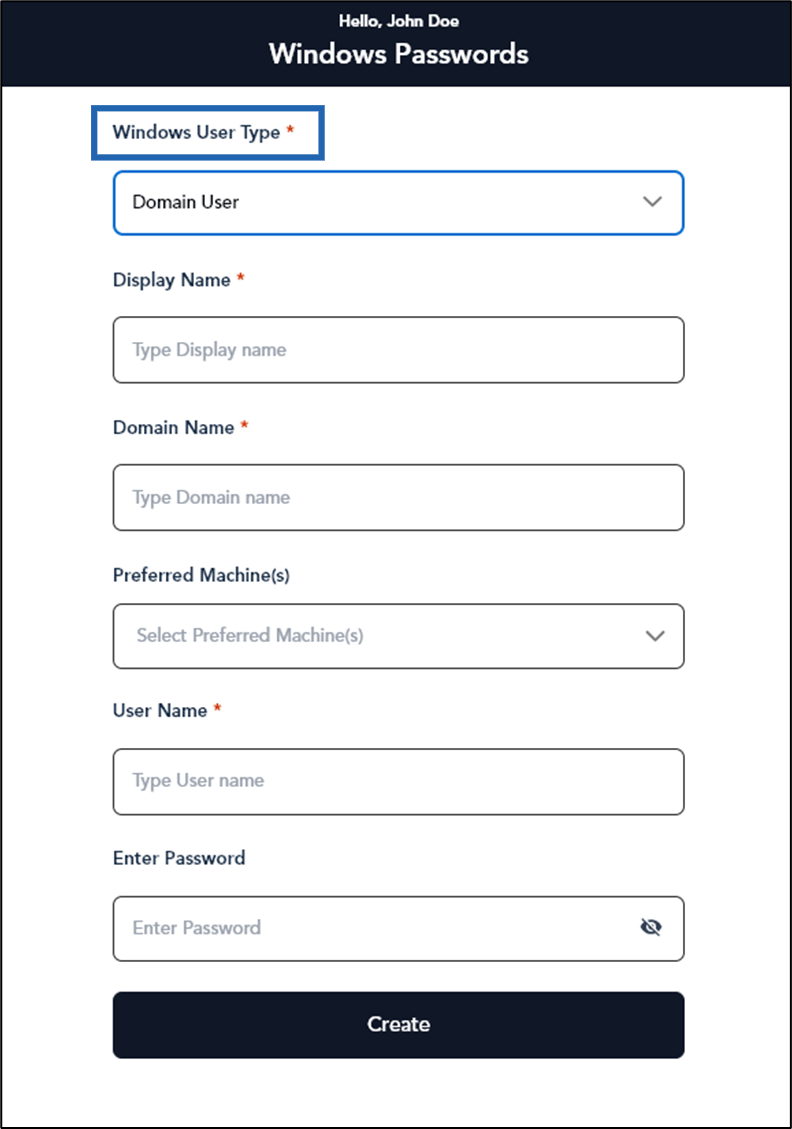
- Enter Display Name.
- Enter Domain Name.
-
Select Preferred Machine(s). (Optional)
Note: You can select multiple machine name
- Enter User Name of your Windows account.
- Enter Password of your Windows account (Optional).
-
Click Create.
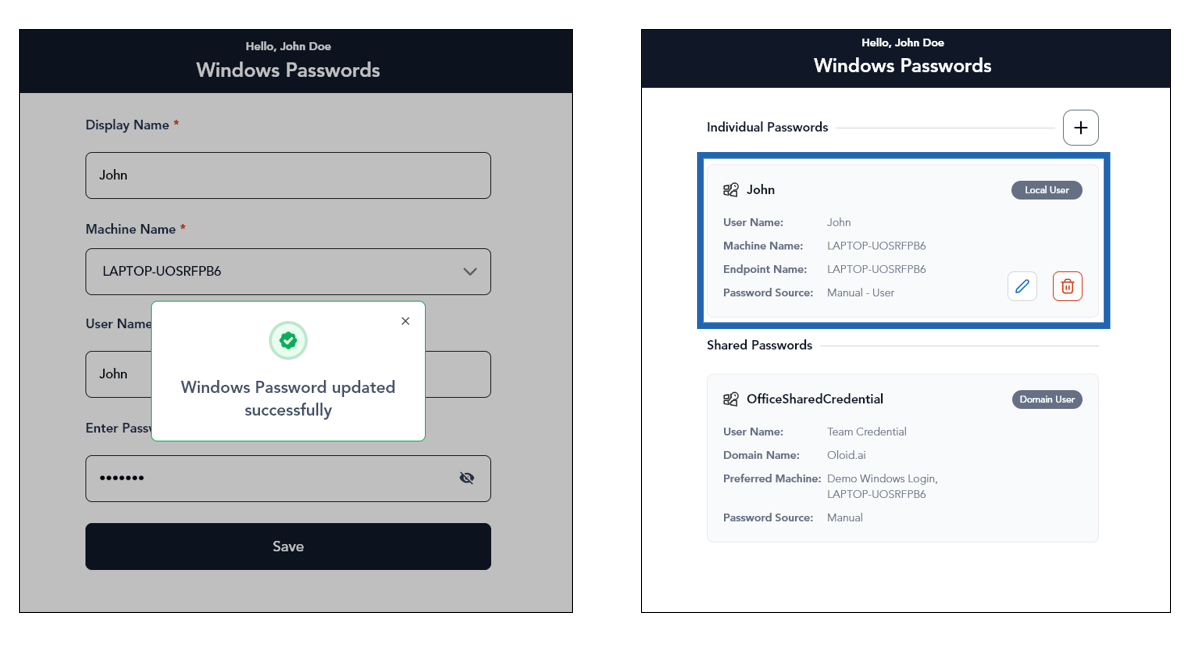
The password credential is created and displayed for the domain user under the Individual Passwords section.
Create password for Local User
-
Select user type as Local User from Windows User Type dropdown.
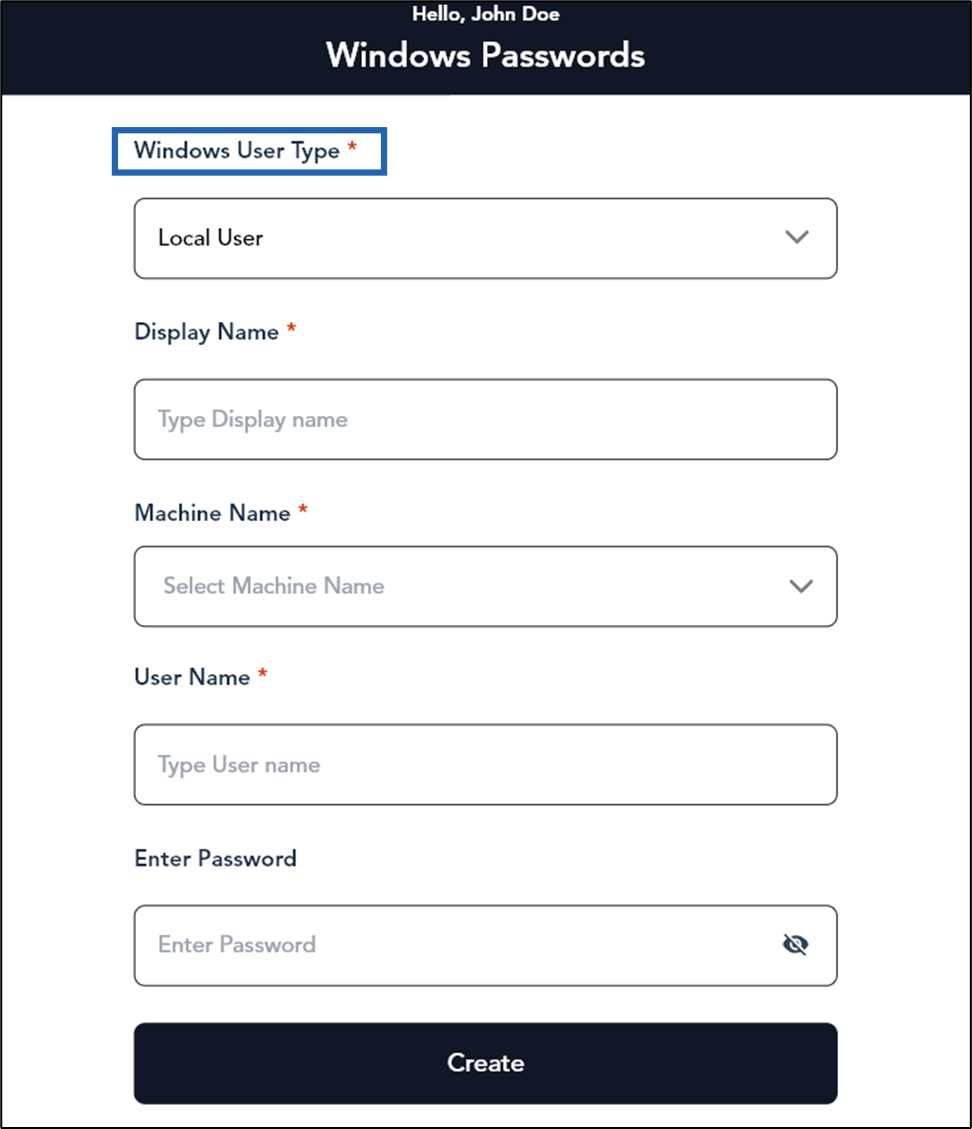
- Enter Display Name.
-
Select Machine Name.
Note: You can select only single machine name.
- Enter User Name.
- Enter Password (Optional).
-
Click Create.
The password credential is created and displayed for the local user under the Individual Passwords section.