Introduction
This document provides step-by-step instructions to Deactivate Badge in Oloid User Portal.Steps to Deactivate Badge
- Login to the Oloid User Portal.
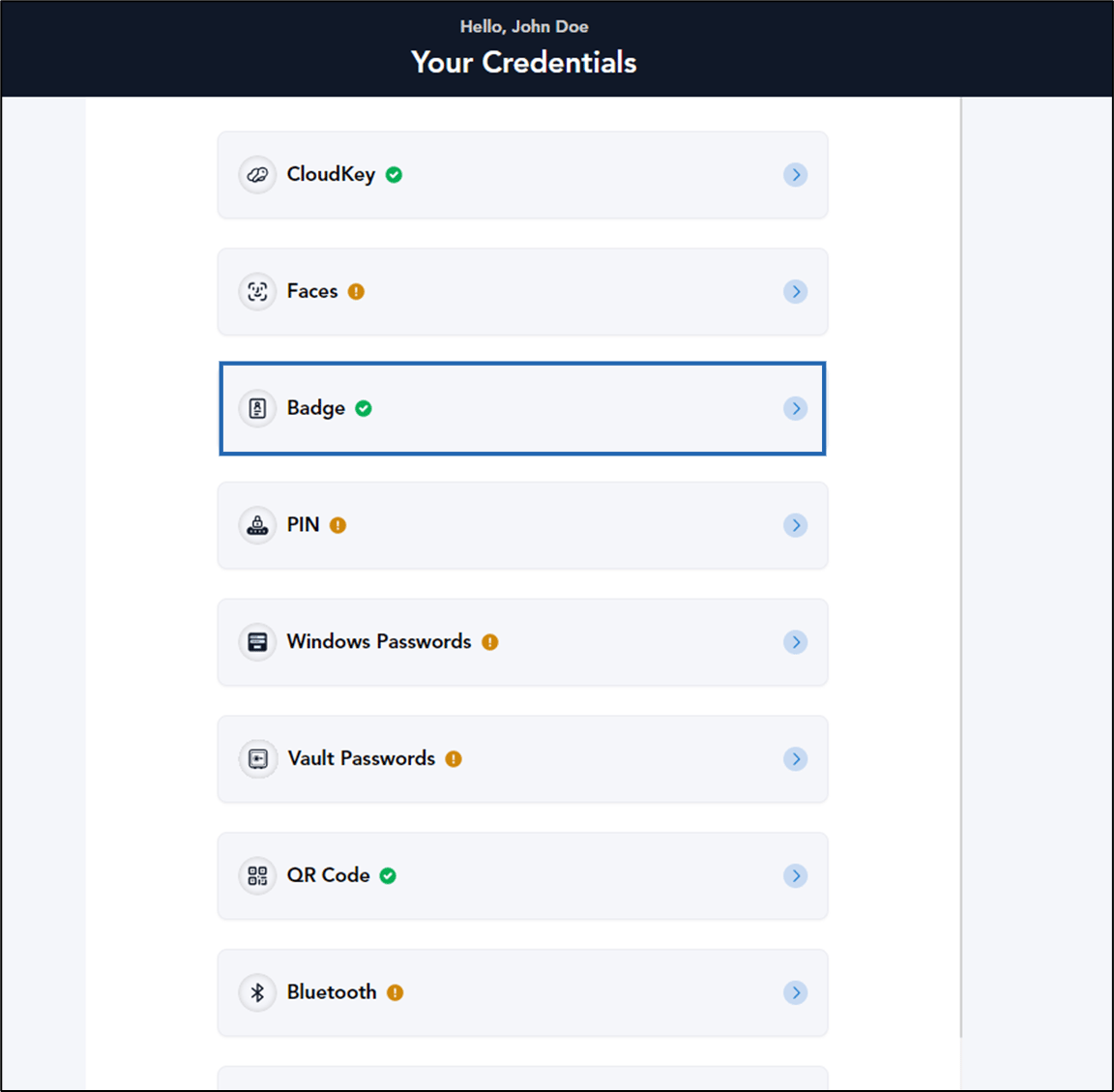
- On the homepage, click Badge.
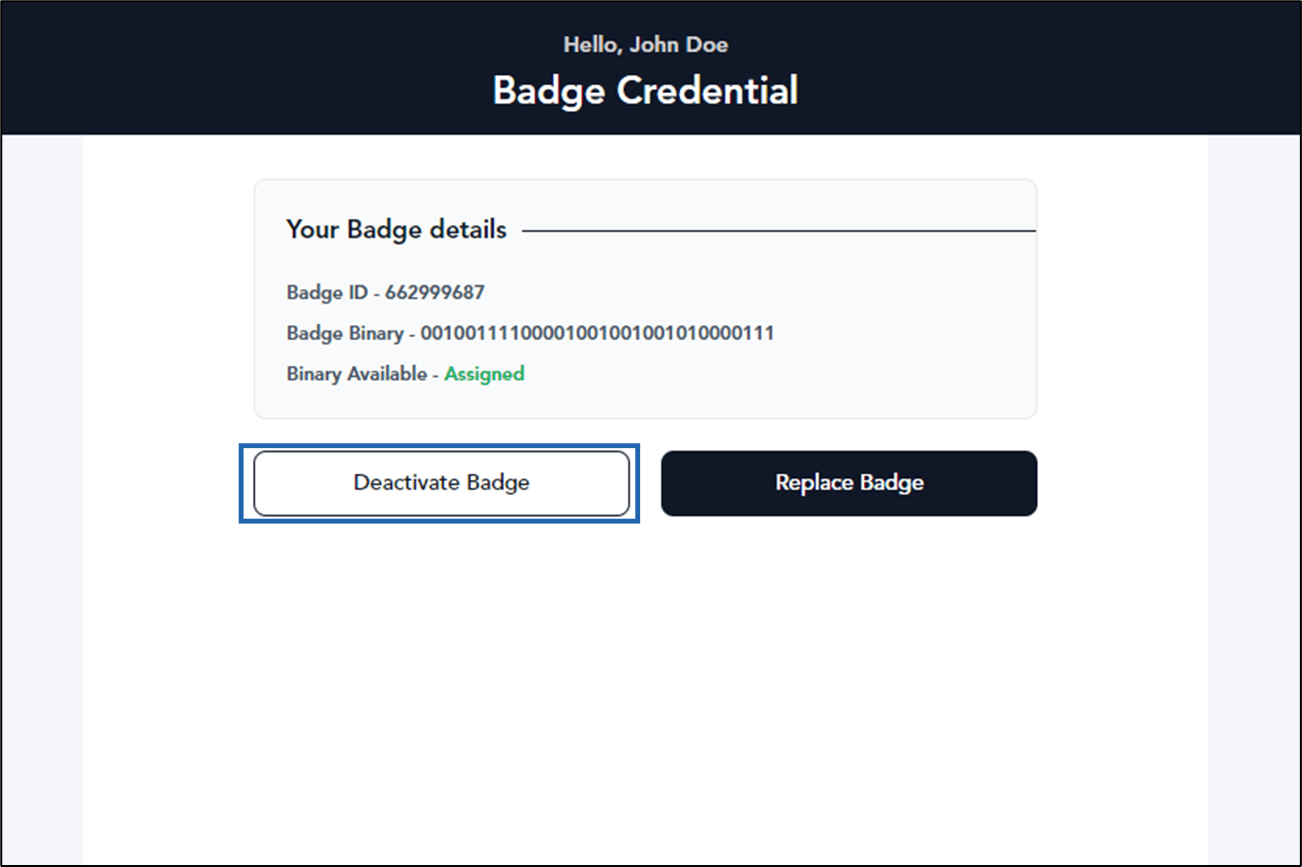
- Click Deactivate Badge.
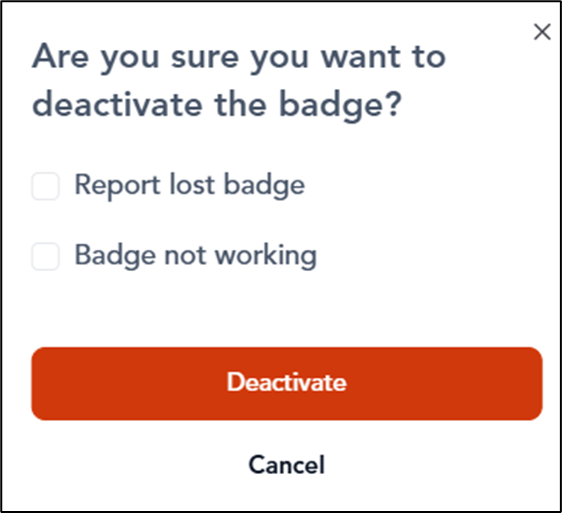
- On the pop-up box, do the following:
- Select reason. (Optional)
- Click Deactivate.
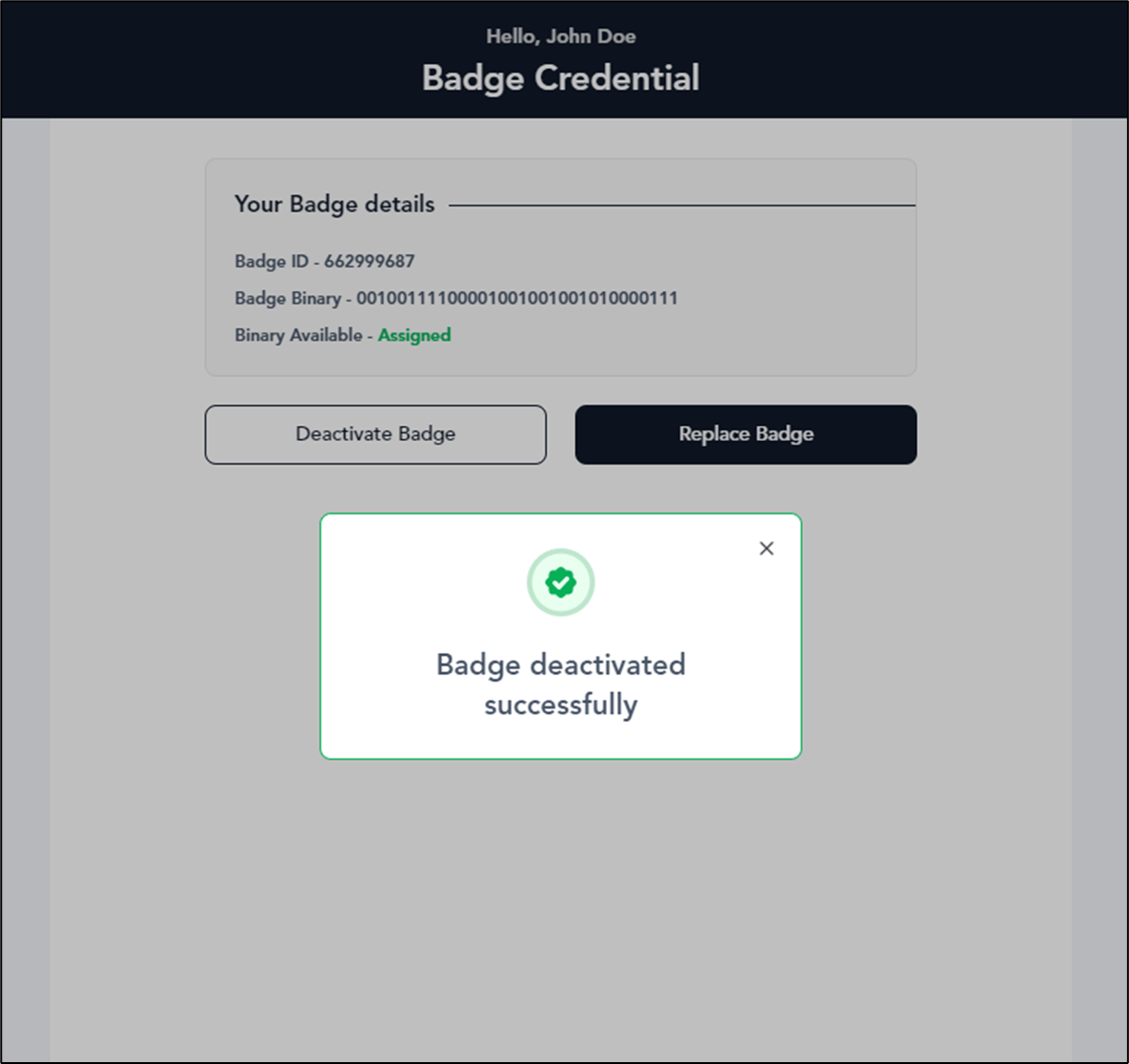
The badge is deactivated successfully.