Real-Time Integration with Oloid Software Time Clocks: Key Benefits and Value
Integrating Oloid Software Time Clocks in real-time with your existing systems offers numerous advantages:- Enhanced Accuracy and Efficiency: Real-time data synchronization ensures that time and attendance records are accurate and up-to-date. This minimizes errors in payroll processing and reduces the administrative burden of manual data entry.
- Improved Compliance: With real-time data, it’s easier to adhere to labor laws and company policies. Oloid’s system can help in tracking work hours, breaks, and overtime, ensuring compliance with legal requirements.
- Streamlined Operations: Real-time integration allows for smoother operational workflows. For instance, managers can make informed decisions based on the latest data, and employees can access their time records in real-time, fostering transparency and trust.
- Enhanced Security: Oloid’s advanced time clocks, often equipped with biometric features, enhance security and prevent time theft, ensuring that the recorded time is accurate and authentic.
- Customizable Features: Oloid Software Time Clocks can be tailored to meet specific organizational needs, offering flexibility in how time and attendance data is captured and reported.
Pre-requisites to Integrate
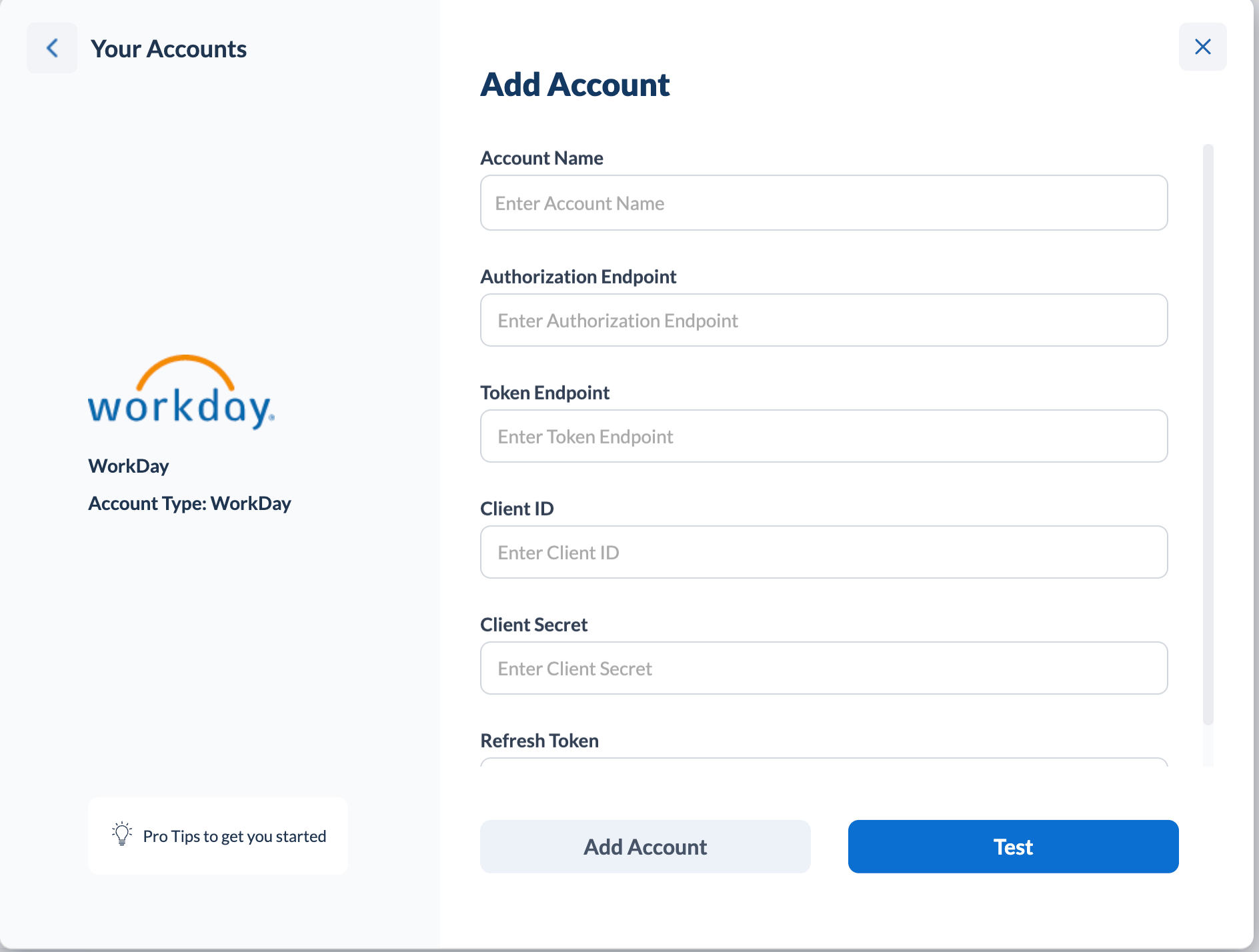
To successfully integrate Oloid with Workday, the following prerequisites are essential for the Rest API integration:- Rest API Endpoint: This is the base URL through which Oloid will communicate with Workday’s API.
- Authorization Endpoint: Used for initiating the authentication process.
- Token Endpoint: Critical for obtaining and refreshing access tokens for secure communication.
- Client ID: A unique identifier for Oloid as a client in the Workday system.
- Client Secret: A confidential key associated with the Client ID for authentication.
- Refresh Token: Helps in maintaining a session or reestablishing a connection without re-authentication.
- Account Name: Assign a unique name to this account to easily identify the Workday tenant it’s linked to.
Step 1 – Retrieve Endpoints
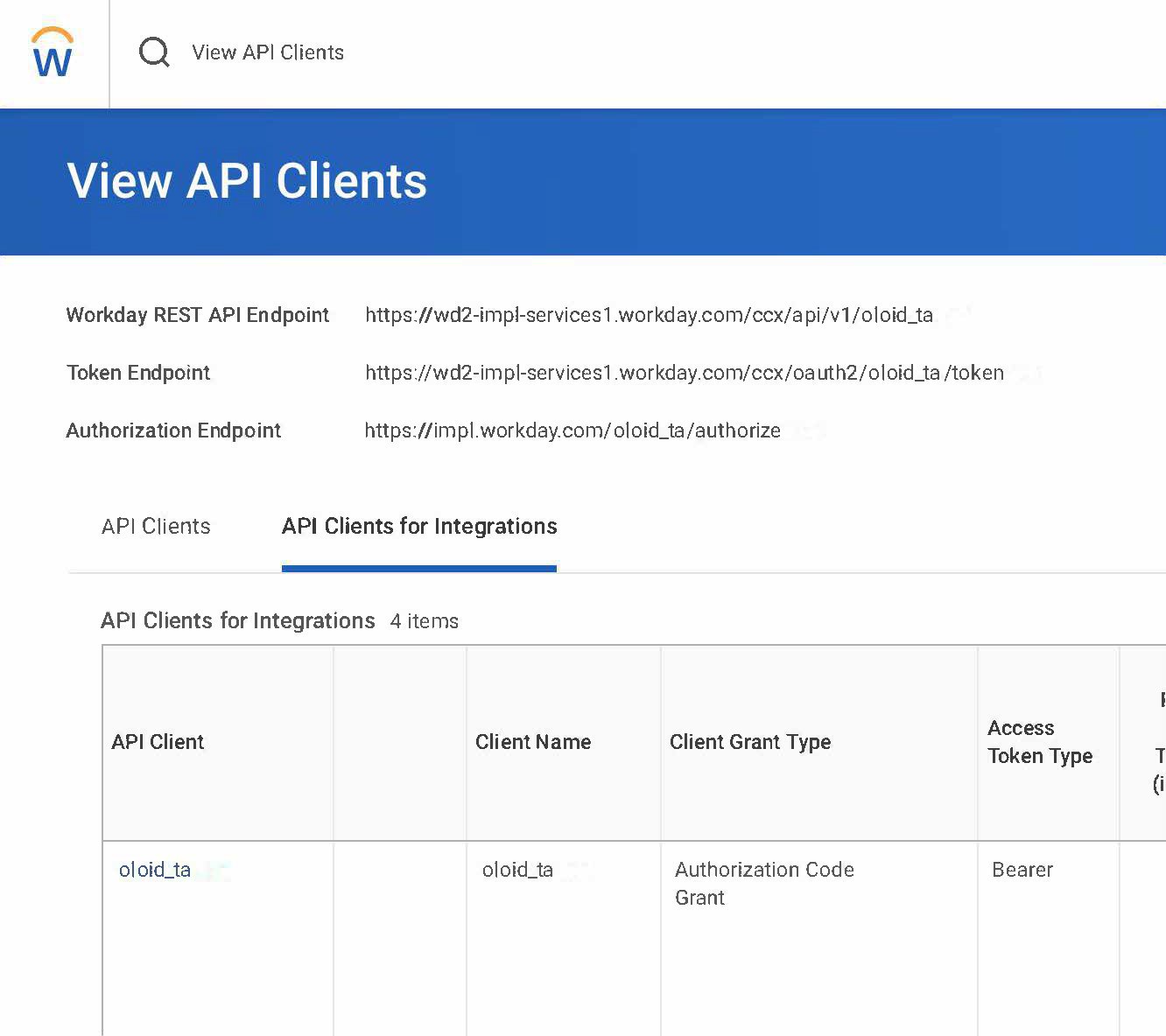
- Navigate to the “View API Clients” page within your Workday instance.
- Record the following critical endpoints for the integration process:
- Workday REST API Endpoint: This URL is used for all API requests to Workday.
- Token Endpoint: This endpoint is utilized for obtaining and refreshing authentication tokens.
- Authorization Endpoint: This endpoint manages the authorization flow.
Step 2 – Register API Client
- Proceed to the “Register API Client” section in your Workday instance.
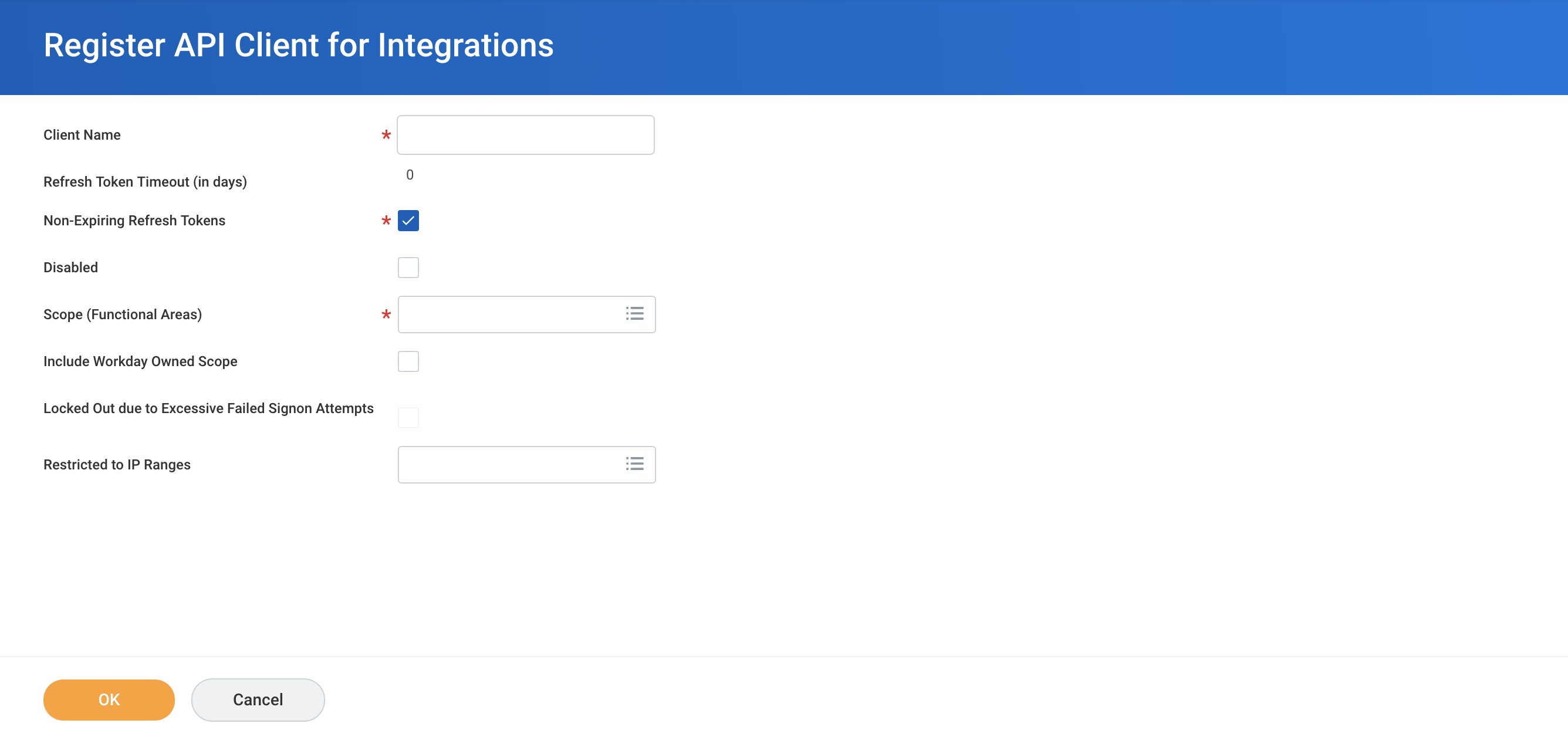
- Assign a descriptive Client Name that reflects its purpose or integration function.
- For the Client Grant Type, choose “Authorization Code Grant,” which is standard for web applications.
- Set “Bearer” as the Access Token Type, indicating the token will be included in the authorization header.
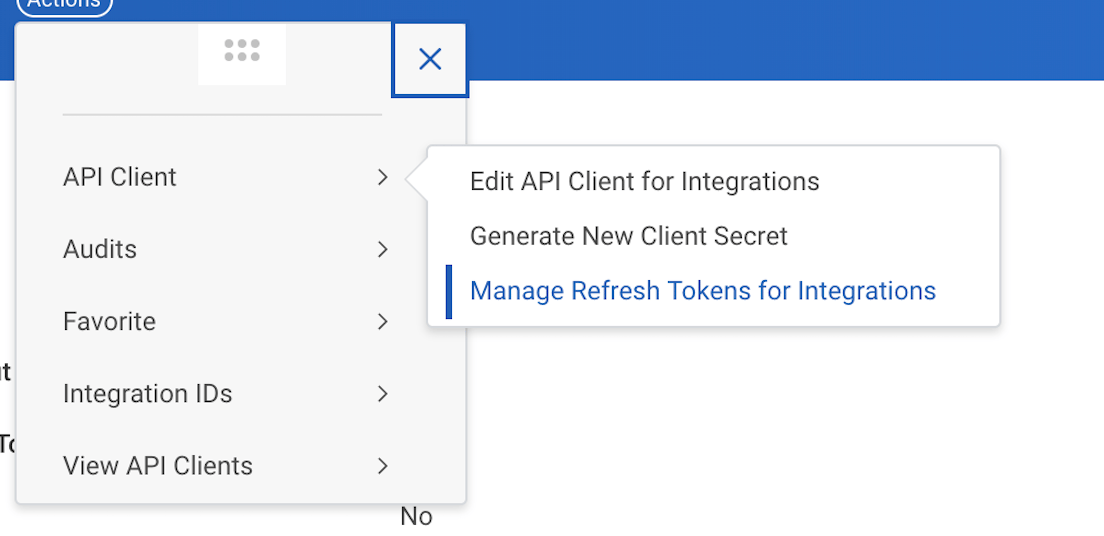
- Ensure you document the Client ID and Client Secret. These are crucial credentials and are needed for the Oloid integration.