- How to set up Guided Access in iPAD
- How to start a Guided Access Session in iPAD
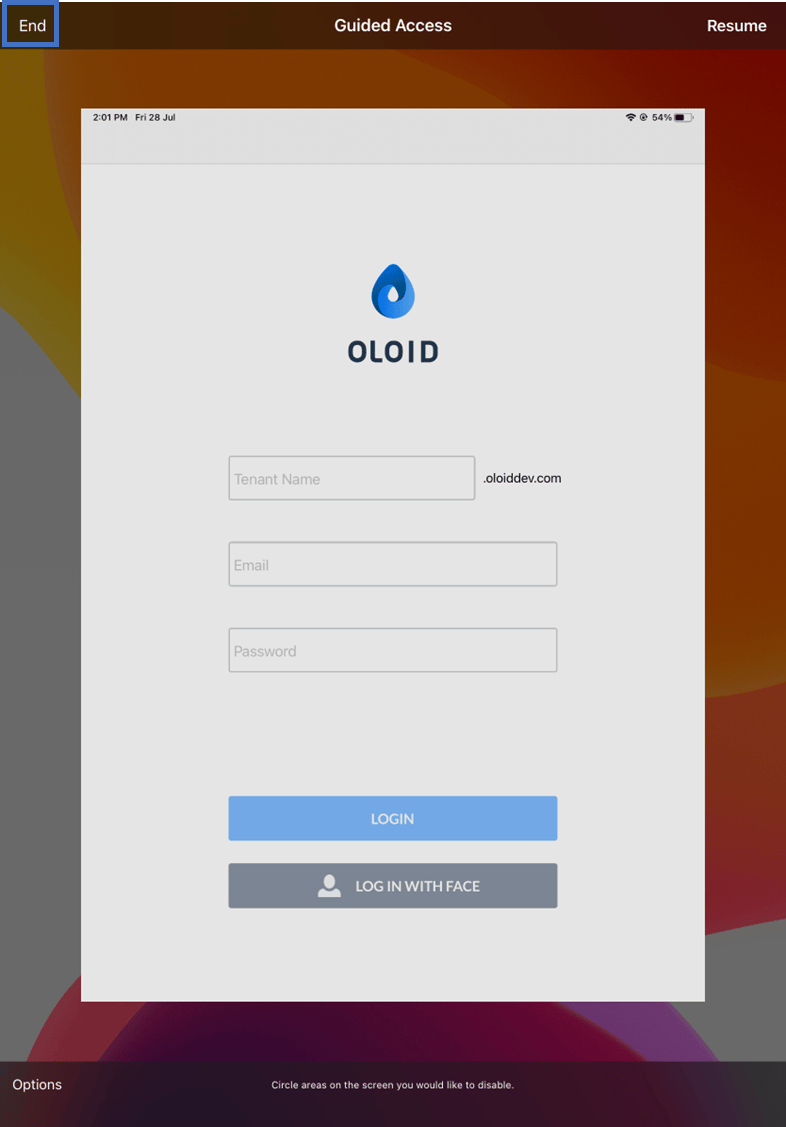
- How to end a Guided Access Session in iPAD
Setting up Guided Access
- Open your iPAD.
- Go to Settings > General > Accessibility
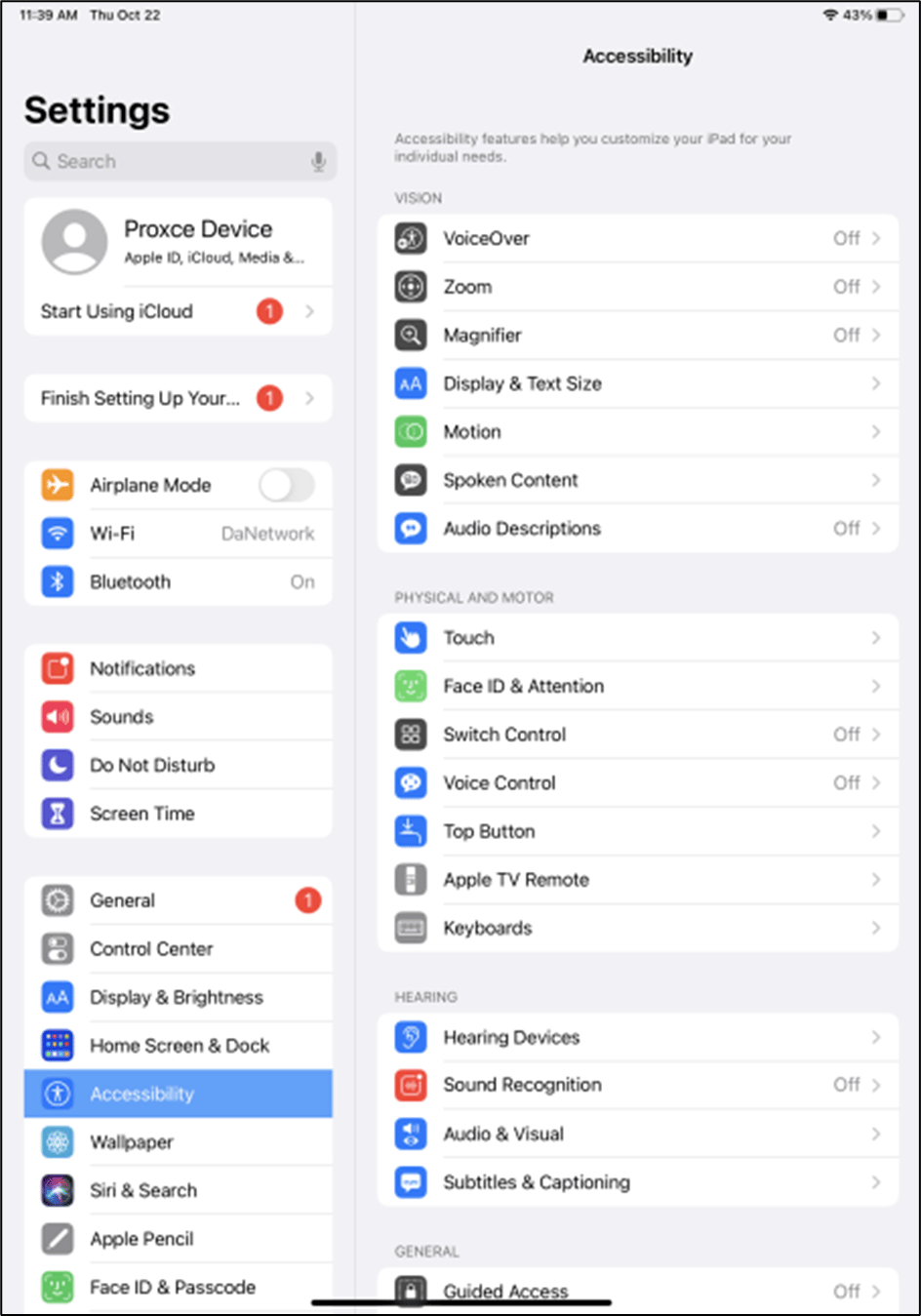
- Scroll down the list to the bottom and tap Guided Access.
- Tap the toggle to switch on Guided Access.
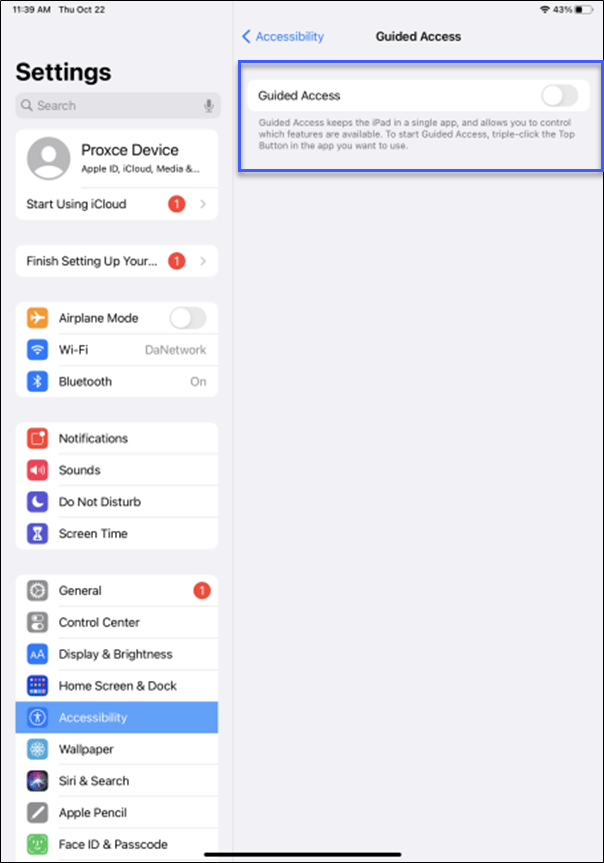
- Tap Passcode Settings, then tap Set Guided Access Passcode.

- Enter a passcode, then reenter it to confirm it.
Start a Guided Access Session
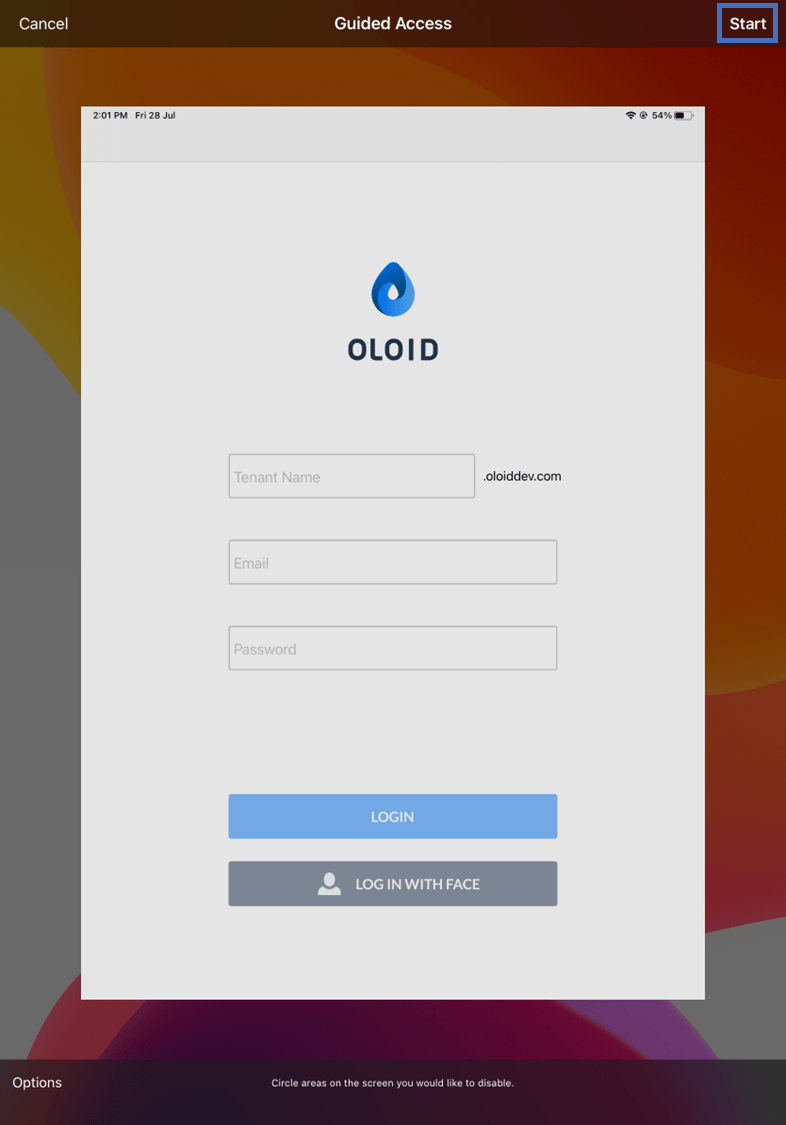
- Open the Oloid Verify application, then triple-press the Home button ( Top right of the iPad).
- Click Start.
End a Guided Access Session
- To end a Guided Access session, triple-press the Home button or triple-press the side button.
- Enter your passcode when prompted.
- Click End.