No longer supported
Introduction
This document explains how to download the Chrome Vault endpoint configuration file from the Tenant Admin Portal.Prerequisites
- You are a registered user in the Tenant Admin Portal with the Admin role.
- The Chrome Vault endpoint must be created from Oloid Portal. For further details, see How to manually create endpoint for Chrome Vault.
Steps to download endpoint config file
- Log in to the Tenant Admin Portal.
-
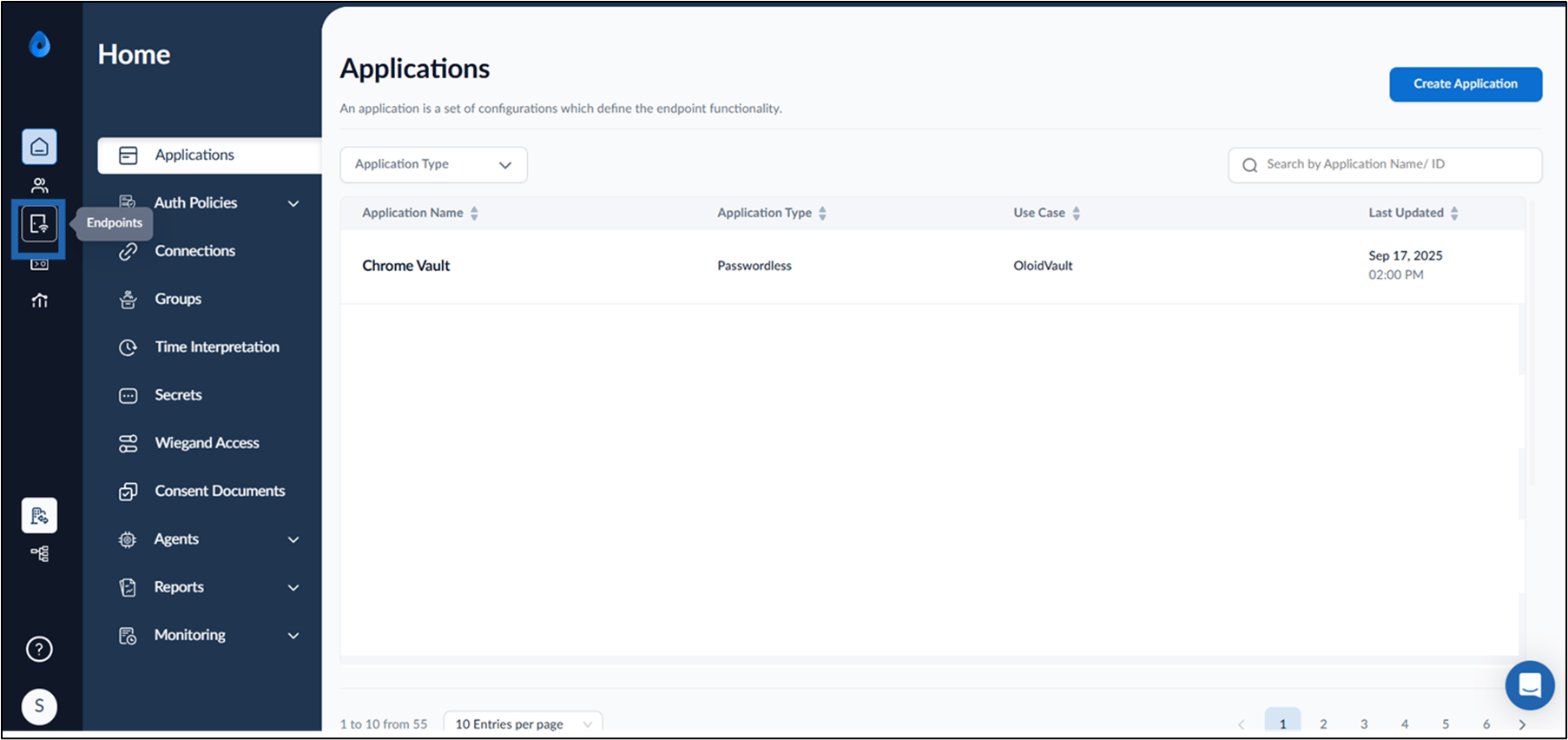
On the homepage of the portal, click Endpoints on the left menu panel.
-
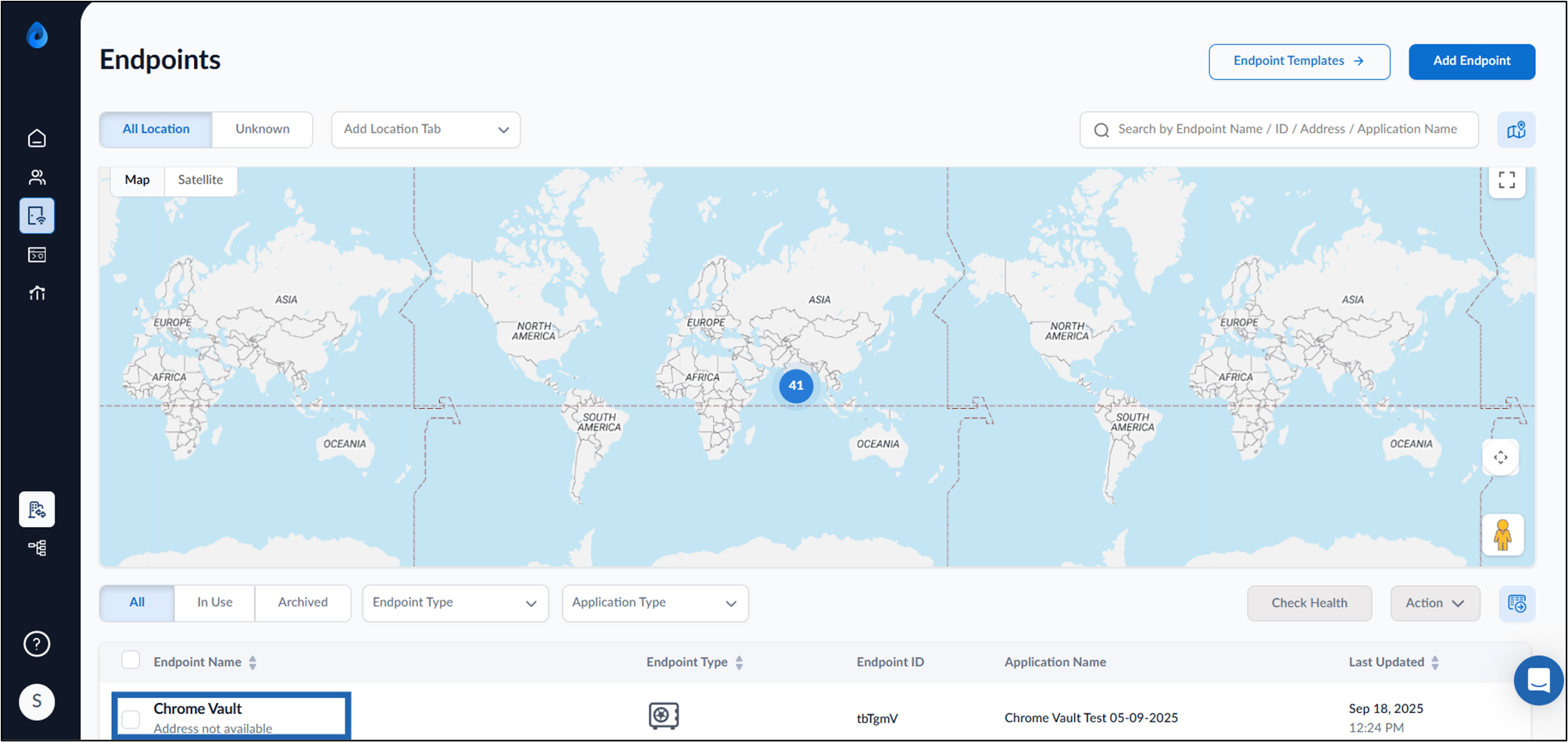
Click applicable Endpoint Name.
Note: Make sure you select an endpoint that was created through the Oloid Portal.
-
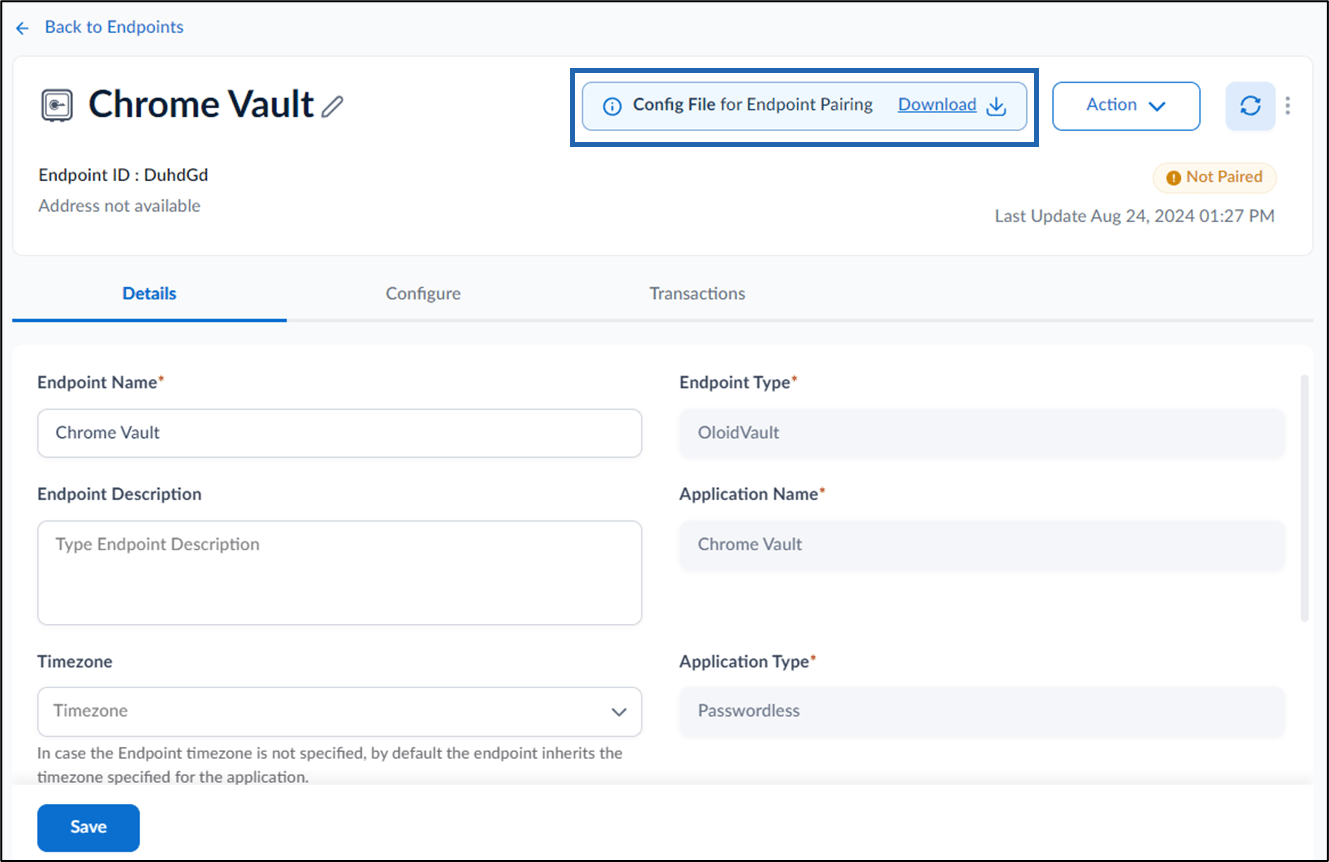
Click Download to download the config file for endpoint pairing.