Introduction
The Tenant Admin Portal allows administrators to create Bluetooth credentials for users within a specific connection or across all connections. These credentials enable secure and seamless authentication using Bluetooth-enabled devices. By assigning Bluetooth credentials with defined start and end dates, administrators can effectively manage access duration and ensure controlled user authentication.Prerequisite
You must create a Connection in the Tenant Admin Portal. To create connections refer How to create Connections in the Tenant Admin Portal.Steps to create Bluetooth credential for connection
- Log in to the Tenant Admin Portal.
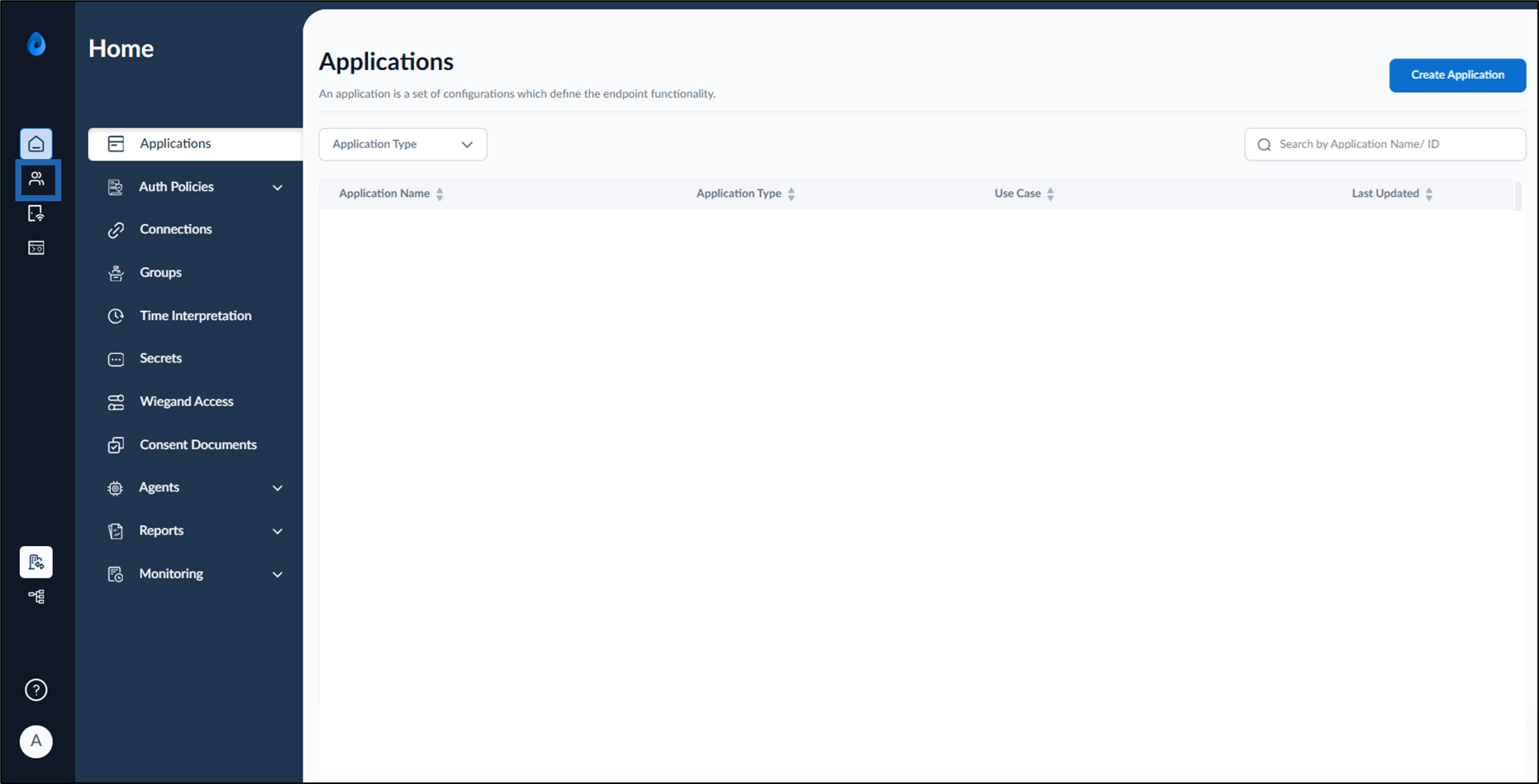
- On the home page of the portal, click Directory on the left menu panel.
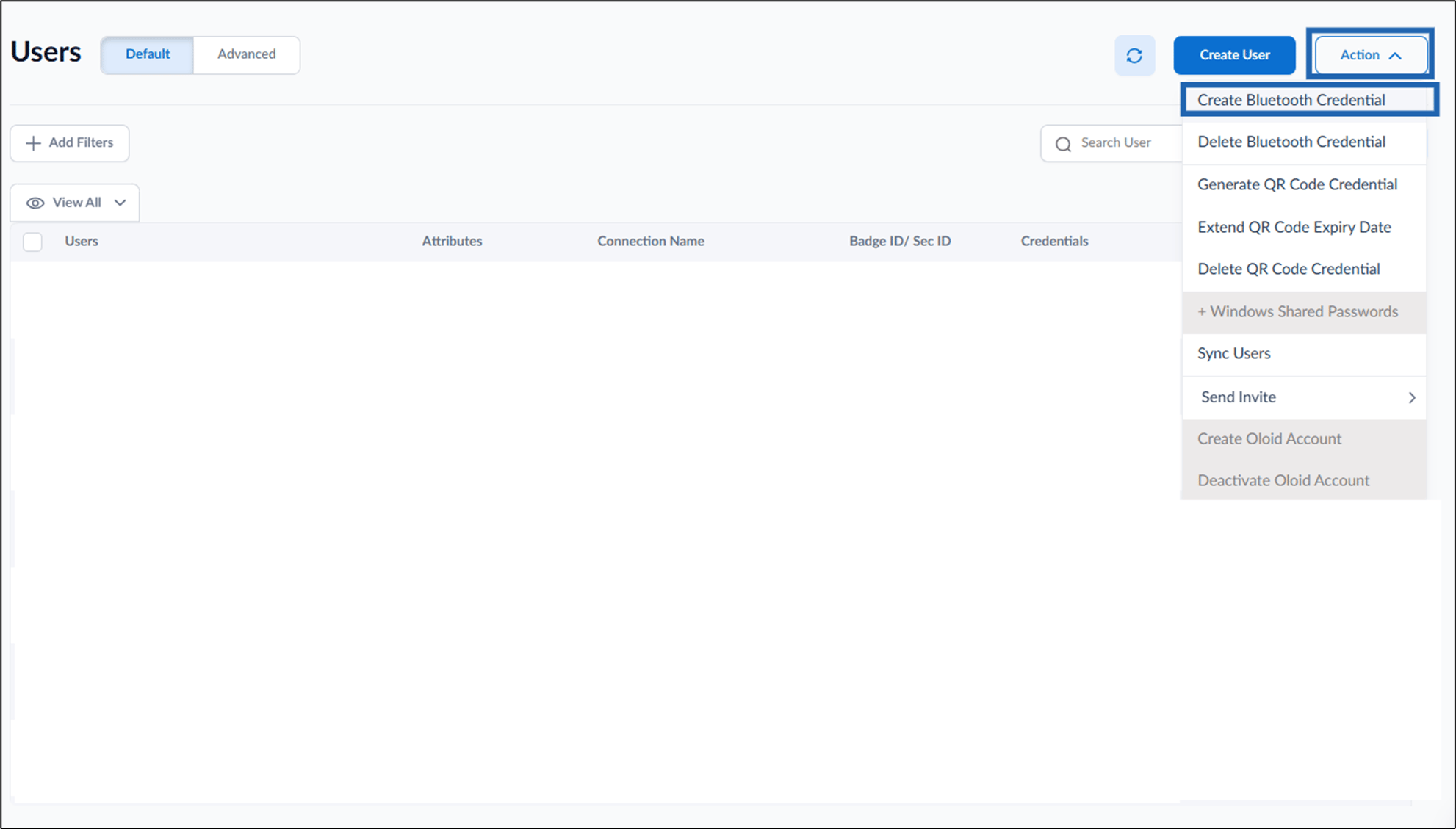
- Go to Action > Create Bluetooth Credential.
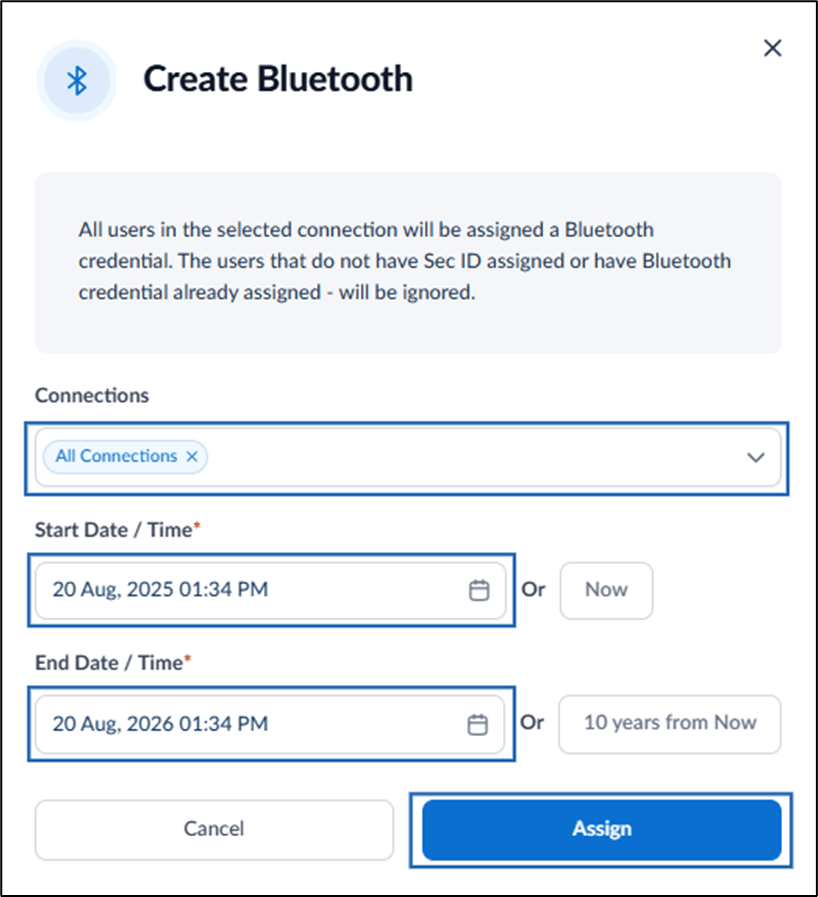
- On the pop-up box, do the following:
- Select the connection(s) from the Connections dropdown list.
-
For Start Date / Time do one of the following:
- Select Start Date/Time. or
-
Select Now to set the current date and time.
Note: The end date is automatically set to 1 year in default from the current date.
-
For End Date/Time do one of the following:
- Select End Date/Time. or
- Select 10 years from Now to set the End Date/Time to 10 years from the current date/time.
-
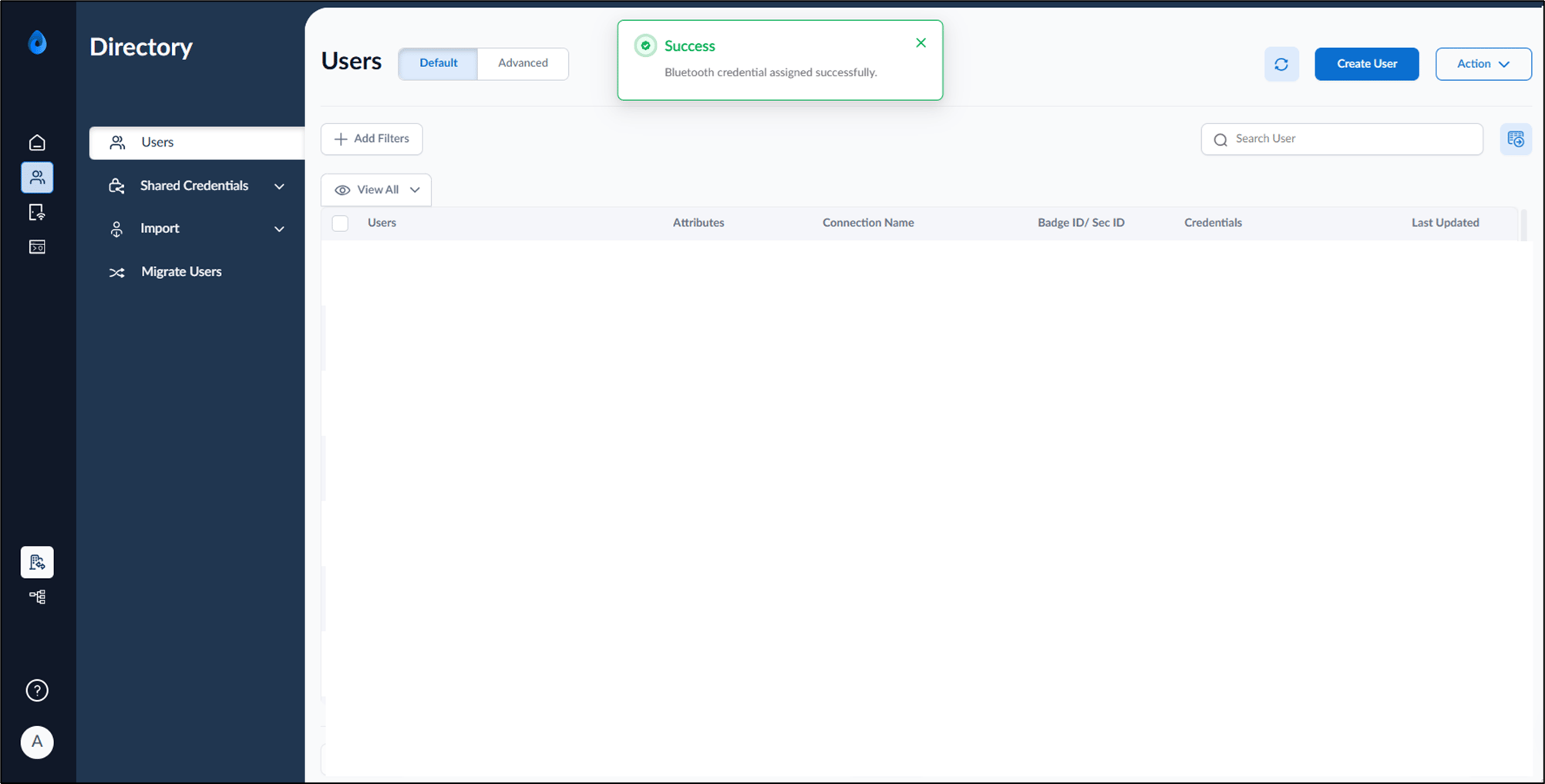
Click Assign.
Note: Credentials can only be assigned to users who have a badge associated with their profile.