Pro-Watch provides users control of their building security through an integrated solution of network video recording technology, access management, and cloud connected ecosystems.

How to add ProWatch Account in Oloid Workflow

  1. Click Accounts on top right of main page.
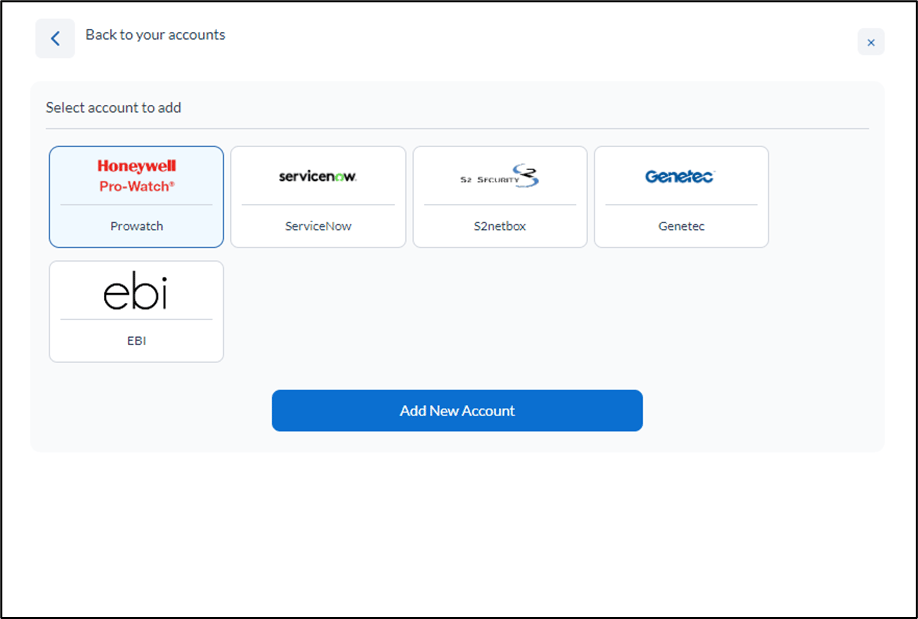
The Accounts pop-up box is displayed.
  1. Select ProWatch from the displayed accounts and click Add New Account.
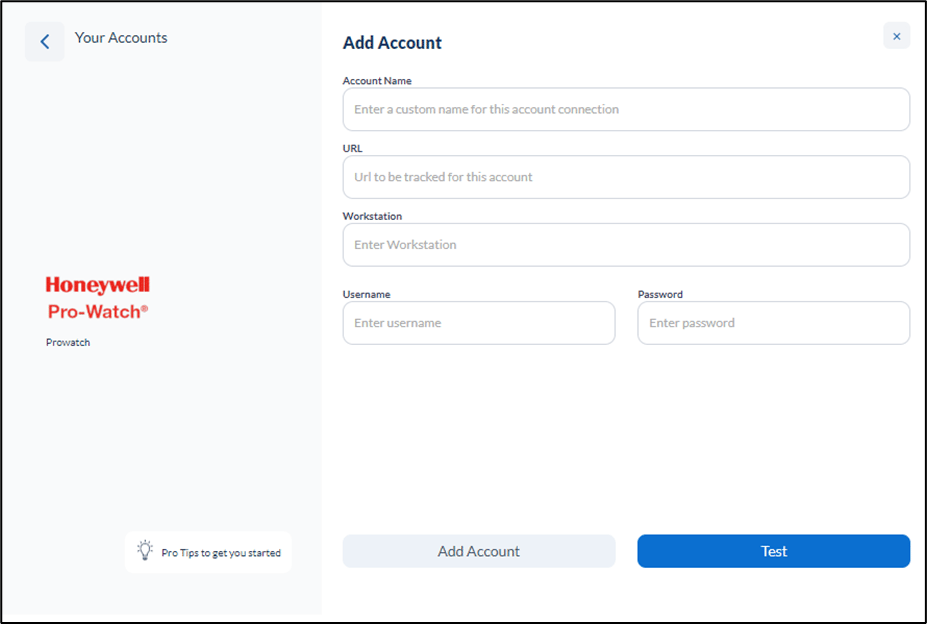
ProWatch Account (TBA) - screenshot 1 The Add Account pop-up screen is displayed. ProWatch Account (TBA) - screenshot 2 Field Description Account Name A unique name that identifies which ProWatch instance it is connected to. URL A ProWatch Rest API URL. Workstation A ProWatch workstation name. Username Username to connect to ProWatch. Password Password to connect to ProWatch.
  1. Do the following:
a. Enter Account Name for the account. b. Enter instance URL. c. Enter Workstation name**.** d. Enter Username and Password.
  1. Click Test to test for connectivity (optional but recommended)
  2. Click Add Account.
The account is created and listed in the Accounts page.

How to associate ProWatch Account to a Trigger/Action Node

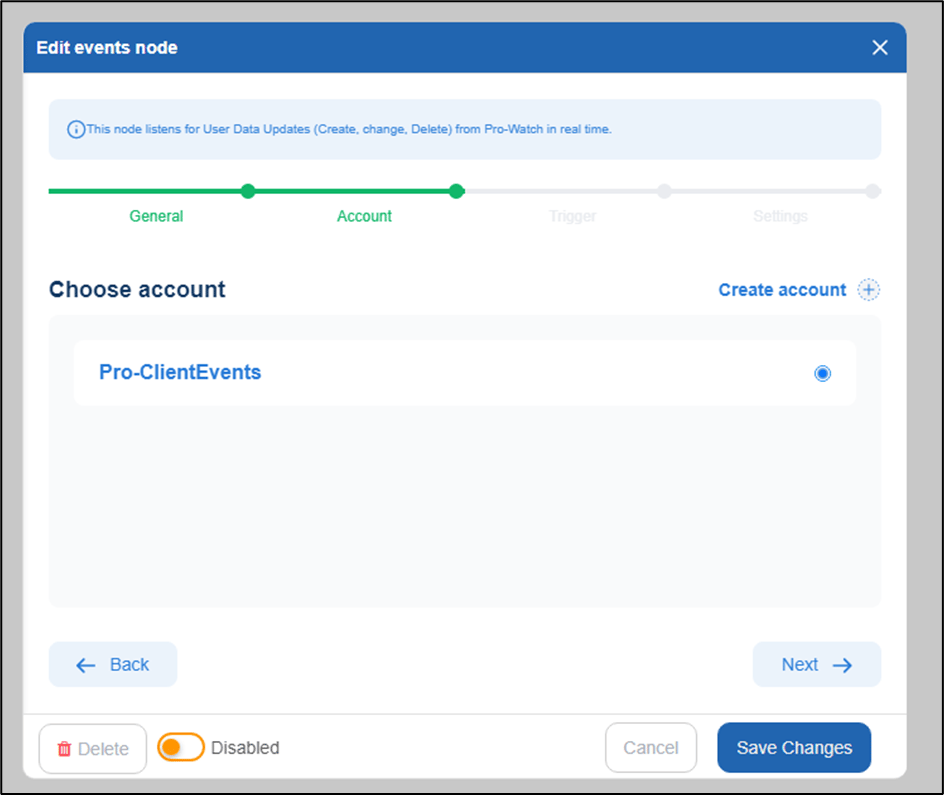
While creating a flow, whenever you are using ProWatch action/trigger node, you can associate ProWatch account in the second tab of node config pop-up box. ProWatch Account (TBA) - screenshot 3