

-
Login to Admin Mode in Oloid Connect App.
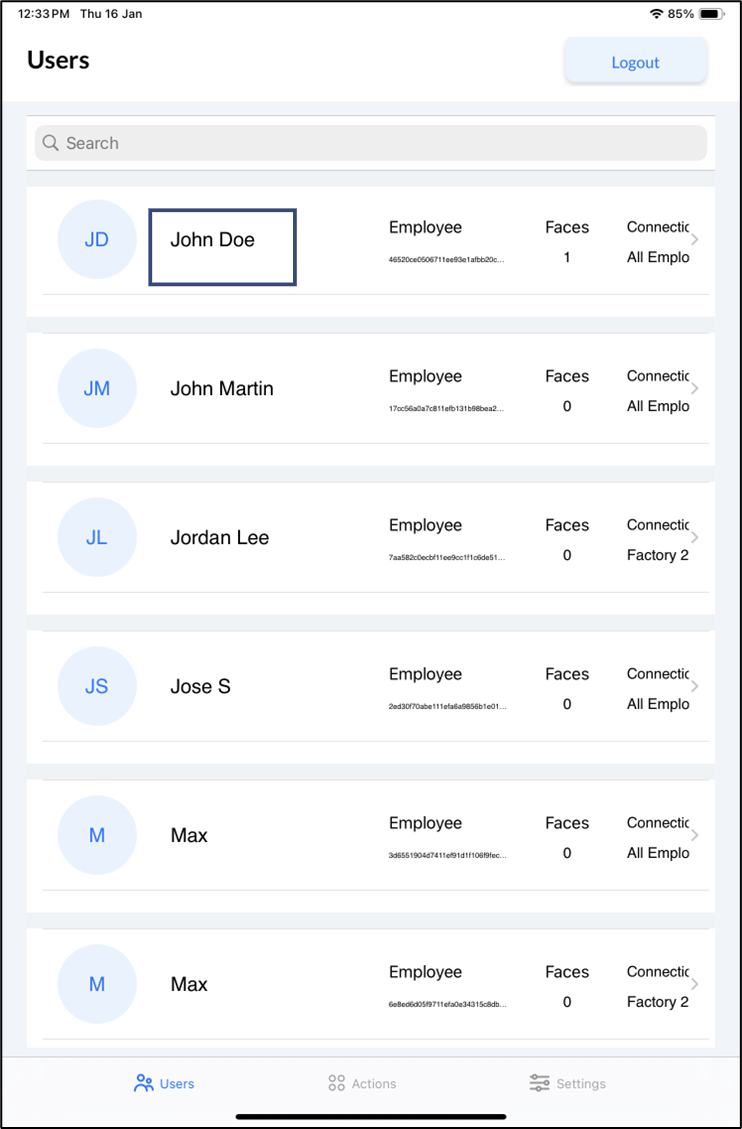
The Users screen is displayed.Note: For knowing more about logging in to Admin Mode, see How to login to Admin More in Oloid Connect as A Supervisor/Admin.
-
Select User.
-
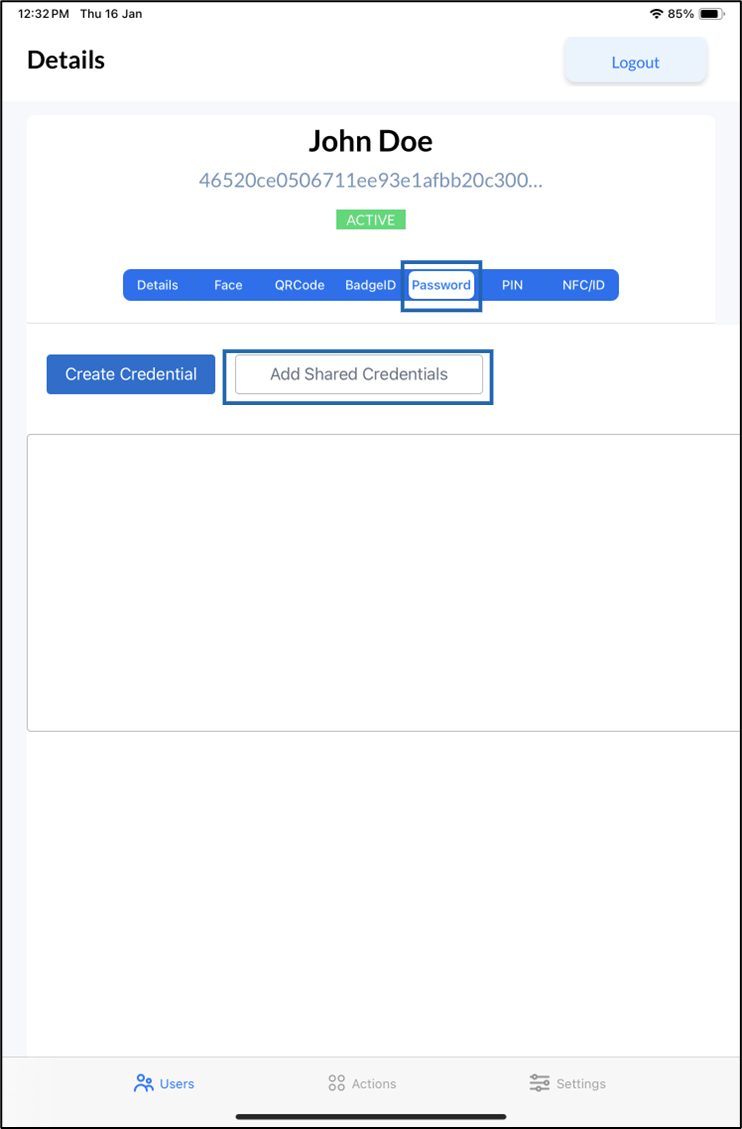
Go to Password > tap Add Shared Credentials.
-
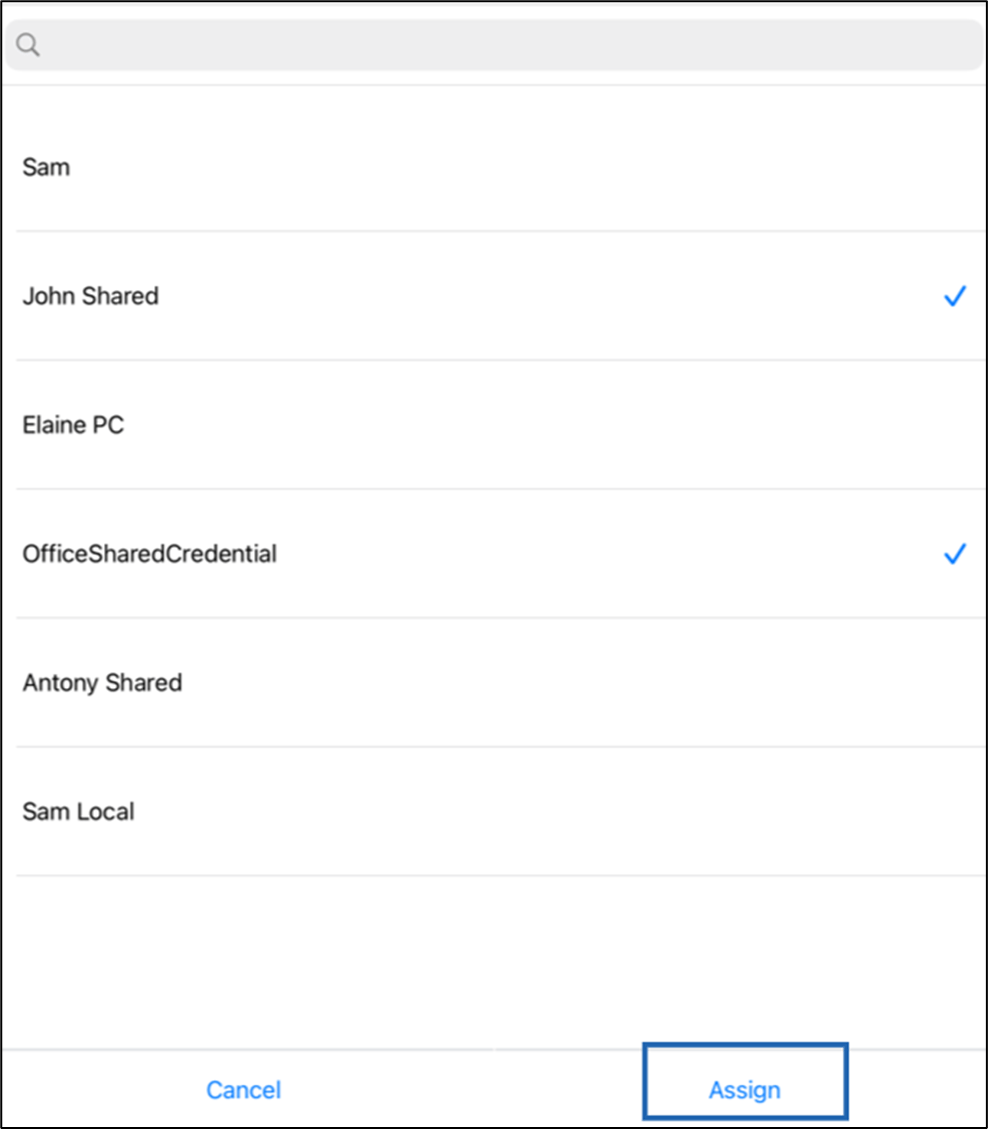
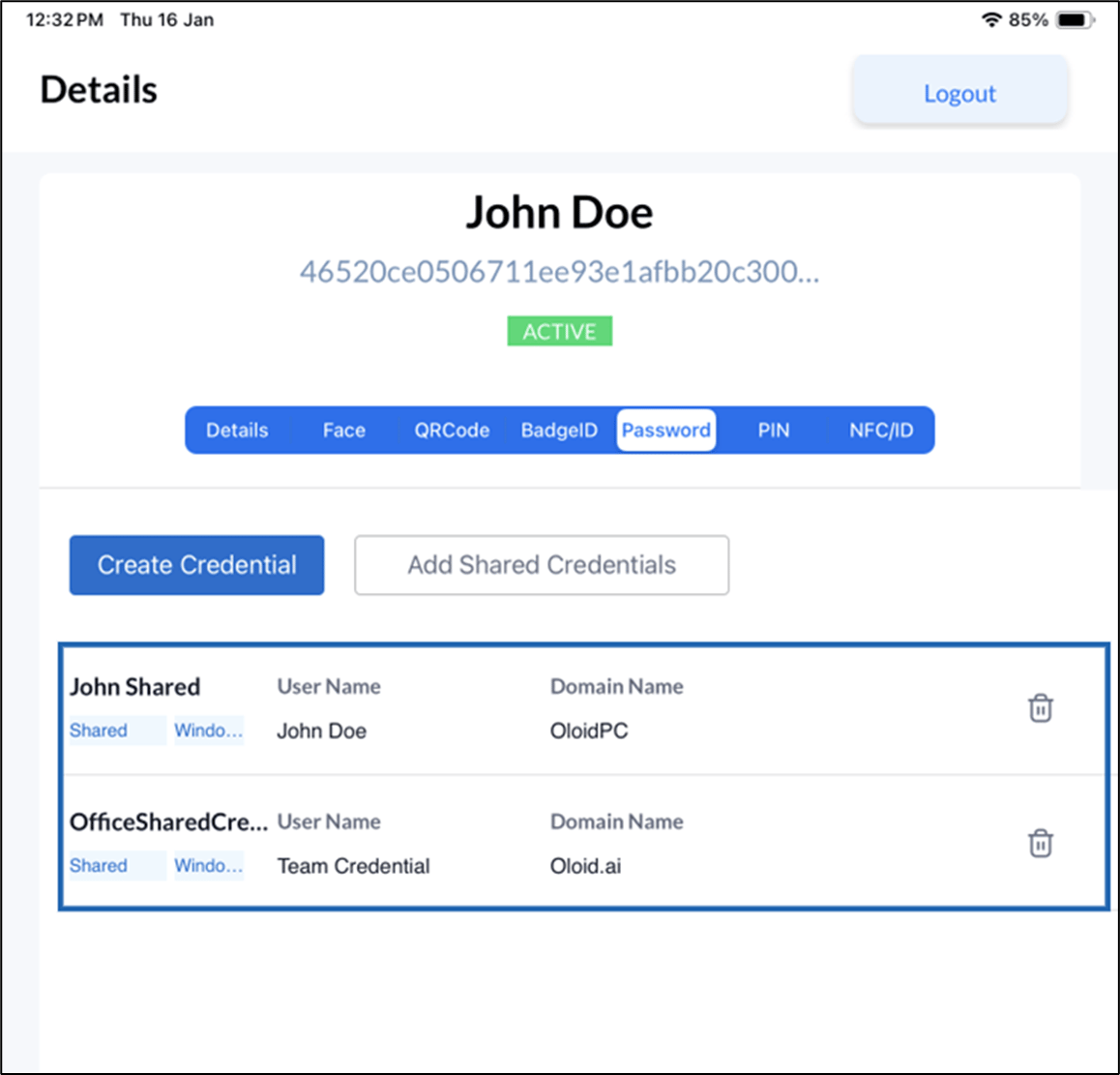
Select Credential(s) > tap Assign.
How to add Shared Credential to an User in Oloid Connect App
This document provides step-by-step instructions to add Shared Credential to an User in Oloid Connect
Steps to add Shared Credential:
⌘I